

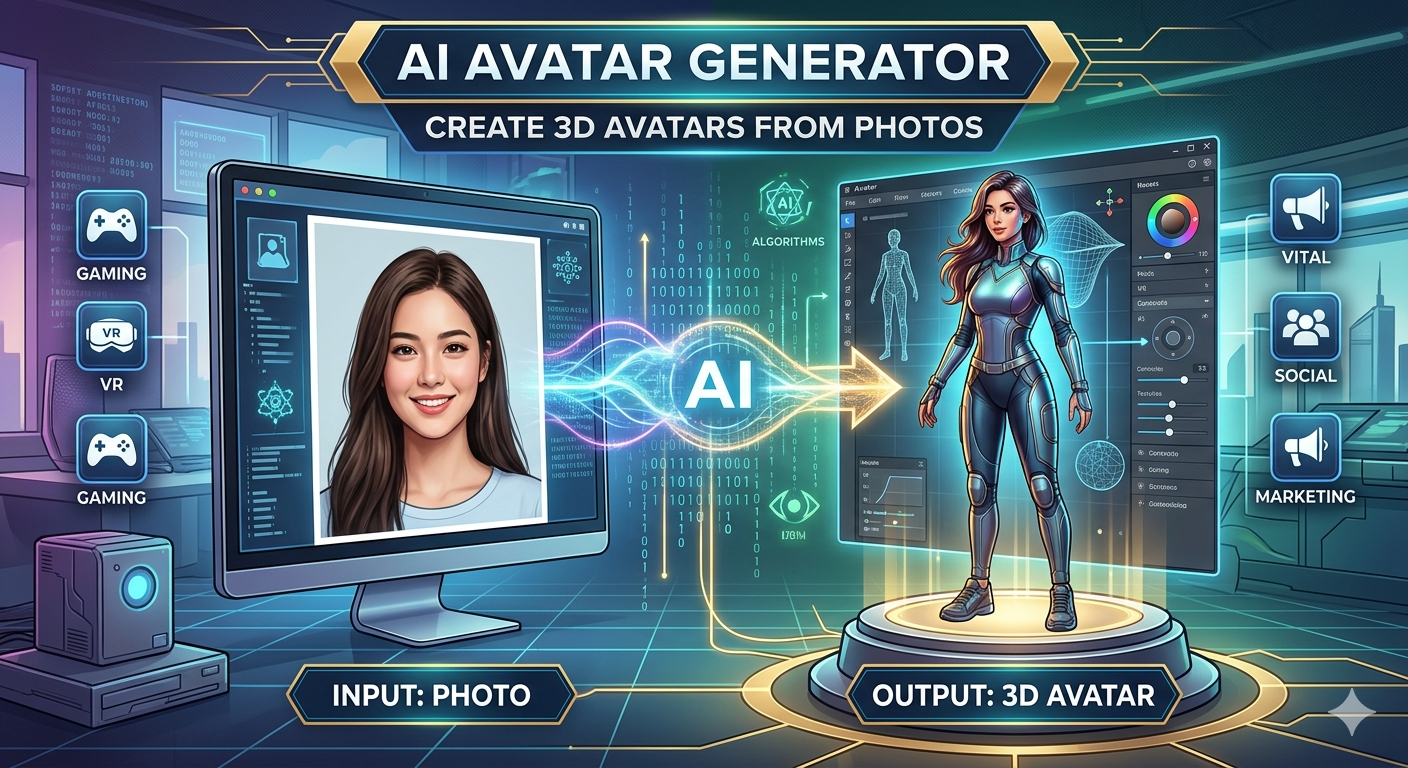
AI Avatar Generator: Create 3D Avatars from Photos
In recent years, the digital world has seen a surge in personalized online identities. From social media profiles to gaming characters, people are looking for unique ways to represent themselves. This is where an AI avatar generator comes in, offering a powerful and accessible way to create a digital version of yourself or any character you can imagine. These tools range from simple apps that create cartoonish 2D profile pictures to sophisticated platforms that generate realistic 3D models from a single photograph. This article explores the exciting world of AI avatar creation, compares some of the top tools available, and walks you through creating your own digital persona.
What is an AI Avatar Generator?
An AI avatar generator is a tool that uses artificial intelligence, particularly machine learning models like Generative Adversarial Networks (GANs), to create a digital character or icon. You can typically start from a text description, a photo, or even just by customizing a base model. The technology analyzes input data??ike the facial features in a photo??o produce a new, unique image or 3D model in a specified style.
There are several types of avatars you can create:
- 2D Avatars: These are flat images, often in a cartoon or anime style. They are popular for social media profiles, forums, and as illustrations.
- 3D Avatars: These are fully-formed models that can be viewed from any angle, animated, and used in virtual reality (VR), augmented reality (AR), and modern gaming engines. Creating these used to be the exclusive domain of professional 3D artists, but now anyone can do it.
- Realistic Avatars: These aim to be a lifelike representation of a person, often created from a photo. They are sometimes called digital twins.
- Stylized Avatars: These are created with a specific artistic vision, such as a fantasy character, a cyberpunk persona, or a blocky, pixelated figure.
Top AI Avatar Generators
Choosing the right AI avatar generator depends on your specific needs. Are you looking for a quick profile picture, a talking avatar for a presentation, or a game-ready 3D model? Here?? a look at some of the leading platforms.
| Tool | Key Features | Best For | Pros & Cons |
|---|---|---|---|
| Hyper3D ChatAvatar | Photo-to-3D avatar, multiple export formats (FBX, GLB, USDZ), customizable styles. | Creating game-ready 3D avatars and digital twins from a single photo. | Pros: High-quality 3D models, versatile export options, part of a larger 3D creation suite. Cons: Primarily focused on 3D, which might be more than what some users need. |
| Veed.io | Creates talking avatars from text scripts, large library of stock avatars, video editing suite. | Marketing videos, social media content, and corporate training. | Pros: Excellent for video content, supports over 120 languages, includes a full video editor. Cons: The free version has limitations, and it's more of a video tool than a standalone avatar creator. |
| Canva | Integrates with various AI avatar apps, easy-to-use design interface, huge template library. | Social media graphics, presentations, and marketing materials. | Pros: Extremely user-friendly, integrates avatar creation into a familiar design workflow. Cons: Relies on third-party apps for generation, quality can vary. |
| Fotor | Photo-to-avatar with many artistic styles (anime, sketch, cyberpunk), online and mobile apps. | Creating stylized 2D avatars for social media and profile pictures. | Pros: Wide variety of artistic styles, easy to use for beginners. Cons: Primarily generates 2D images, not 3D models. |
How to Create an AI Avatar from a Photo
Creating a 3D avatar from a photo has become surprisingly simple. Using a tool like the Hyper3D AI avatar generator, you can turn a selfie into a fully realized 3D model in just a few steps.
1. Upload Your Photo: Start by selecting a clear, well-lit photo of your face. For best results, look directly at the camera with a neutral expression. The AI will use this image to map your facial features.
2. Choose Your Style: After the AI processes your photo, you can select from various styles. Do you want a realistic digital twin or a more stylized character? Platforms like Hyper3D offer different generation modes to fine-tune the output.
3. Generate and Refine: The AI will generate the 3D avatar based on your photo and style selection. Once generated, you can often make further adjustments. With Hyper3D's OmniCraft editor, you can refine the model, change textures with an AI texture generator, or even convert it to different formats using the built-in 3D format converter.
4. Export Your Avatar: The final step is to export your creation. Hyper3D supports standard formats like FBX, OBJ, and GLB, making it easy to import your avatar into game engines like Unity and Unreal, or use it in other 3D software. This is a significant advantage over tools that only provide a simple image.
My First-Hand Experience with AI Avatar Generators
To get a real feel for the process, I tried out a couple of these tools. I started with Hyper3D's ChatAvatar because I was most interested in creating a usable 3D model. I uploaded a simple headshot taken with my phone. The processing took about a minute, and I was presented with a 3D model that was recognizably me, which was impressive. The topology was clean, and the textures were decent for an automated process. I exported the model as a GLB file and dropped it into a simple web viewer. It worked perfectly. The ability to go from a photo to a workable 3D asset so quickly felt like a major step forward for creators.
Next, I tried one of the 2D generator apps within Canva for a new social media profile picture. The process was faster, and it produced a fun, cartoonish version of me. It offered a lot of different styles, from watercolor to pop art. While it wasn't a 3D model, it was perfect for its intended purpose: a quick, stylized image. The main difference is the application. For a quick graphic, Canva was great. For an asset I could use in a project, Hyper3D was the clear winner. The platform's connection to other tools, like its text to 3D model and image to 3D generators, makes it a complete ecosystem for 3D creation.
The Future of AI Avatars
The world of AI-generated avatars is just getting started. As the technology improves, we can expect to see even more realistic and expressive digital humans. These avatars will become more integrated into our daily lives, appearing in virtual meetings, online shopping experiences, and as non-player characters (NPCs) in games that can interact with us in truly dynamic ways. The rise of VR and AR will only accelerate this trend, as we will need persistent, high-quality avatars to represent us in the metaverse.
Companies are already using these tools to create virtual influencers and brand representatives. For designers, a powerful character design generator can be an incredible starting point for creating unique characters. The ability to quickly generate a base model from a concept or photo saves countless hours of manual modeling work. As these tools become more powerful, they will open up new creative possibilities for everyone from indie game developers to major film studios.
Frequently Asked Questions (FAQ)
What is the best AI avatar generator?
The
best AI avatar generator really depends on your goal. For creating high-quality, game-ready 3D models from photos, Hyper3D's ChatAvatar AI avatar is a top contender due to its detailed models and versatile export options. For creating talking avatars for videos, Veed.io is an excellent choice. For quick and stylish 2D avatars for social media, Fotor or the apps within Canva are great options.
Can I create an AI avatar for free?
Yes, many platforms offer free ways to create an AI avatar. Tools like Canva and Fotor have free tiers that let you generate stylized images. Hyper3D also allows you to experiment with its AI 3D model generator and other tools to get a feel for their capabilities before committing to a paid plan. Free versions often come with limitations, such as watermarks, lower resolution, or limited export formats, but they are a great way to get started.
How do I make my AI avatar look like me?
To create an avatar that looks like you, start with a high-quality, front-facing photo with good, even lighting. Avoid shadows and obstructions like glasses or hats if possible. When using a photo-to-3D tool like Hyper3D, the AI will map your facial structure, so the clearer the photo, the more accurate the result will be. Some tools also allow for manual adjustments to fine-tune features like hairstyle, eye color, and face shape.
What are the best AI avatar generator apps for mobile?
Many popular AI avatar tools are available as mobile apps. Fotor has a solid mobile app that's great for creating artistic profile pictures on the go. Lensa AI became famous for its
Magic Avatars, and it operates primarily as a mobile app. While dedicated 3D modeling software is still best on desktop, the generation part of the process is increasingly moving to mobile devices for convenience.
Can I use my AI avatar for commercial purposes?
This depends entirely on the terms of service of the AI avatar generator you use. Some platforms grant you full commercial rights to the avatars you create, especially with paid subscriptions. Others may restrict commercial use or require a specific license. Always check the usage rights before using your avatar in a commercial project. For example, assets created with Hyper3D are typically available for commercial use under their subscription plans.
Conclusion
The world of digital identity is evolving, and AI avatar generator tools are leading the way of this change. They empower anyone to create a personalized digital representation, whether it's a simple 2D cartoon or a complex, game-ready 3D model. Platforms like Hyper3D are pushing the boundaries of what's possible, turning a simple photograph into a versatile 3D asset that can be used across countless applications. From its powerful character design generator to its specialized tools for everything from architecture to interior design, the creative possibilities are vast.
As this technology continues to mature, the line between the physical and digital worlds will blur even further. Whether you're a gamer, a marketer, a designer, or just someone looking for a unique online presence, there has never been a better time to explore the world of AI-generated avatars. Why not start today? Try creating your own digital twin with an AI avatar generator and see what you can bring to life.