

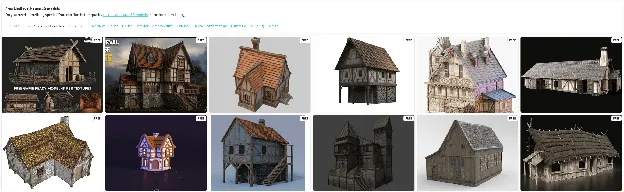
Build the Past in 3D: Your Guide to the Perfect Medieval House 3D Model
In the world of digital design, gaming, and virtual experiences, the medieval house 3D model has become an essential asset. Whether you're crafting a fantasy RPG, building a virtual village, or printing a tabletop model, authentic and optimized medieval structures bring rich historical ambiance to your project.
Let’s explore how to source, customize, and utilize these models effectively—and how Hyper3D can help you create game-ready or printable medieval house 3D models using AI.
\*\*Add Collections Section:

Why Use a Medieval House 3D Model?
3D medieval house models are incredibly versatile. Here’s why they’re popular across creative industries:
- Game Development: Add realism to fantasy or historical environments.
- Animation & Film: Create immersive scenes with period-accurate architecture.
- 3D Printing: Build physical models for dioramas, tabletop games, or museum displays.
- Educational Projects: Showcase feudal architecture and historic village structures.
- Virtual Reality & AR: Populate medieval towns in immersive simulations.
Whether you're working with Unity, Unreal Engine, or looking for a printable STL file, a detailed medieval house 3D model adds credibility to your environment.
Types of Medieval House 3D Models You Can Use
Not all medieval homes are created equal—here are common formats and uses to consider:
1\. Low Poly Medieval House
Perfect for mobile or VR environments where rendering speed is crucial.
2\. High-Poly Medieval Home 3D
Used for detailed visualizations, cinematics, or high-res renders.
3\. Printable Medieval House 3D Models
Exportable as STL or OBJ for hobbyists and physical prototyping.
4\. Textured Medieval House Models
Includes PBR textures for realistic stone, wood, and roofing finishes.
5\. Game-Ready Medieval Building Assets
Pre-optimized models for game engines, often part of a modular medieval village pack.
Essential Features of a Quality Medieval House 3D Model
Look for these core characteristics before downloading or generating:
- Authentic Architectural Style (e.g., timber-framed houses, stone cottages)
- Clean Geometry (no overlapping or non-manifold edges)
- Optimized Polycount (based on game or render use)
- File Compatibility: OBJ, FBX, STL support
- UV Mapped with Materials: Especially for Blender and Unreal Engine imports
If your project includes castle-style houses, fantasy towns, or period architecture, you'll want assets that are both visually compelling and engine-ready.
How to Generate a Custom Medieval House 3D Model Using Hyper3D
Why spend hours modeling from scratch when you can use AI-driven text-to-3D generation?
Step-by-Step: Generate a Medieval House 3D Model in Seconds
1. Go to Hyper3D.ai
2. Input your prompt, like:
“Textured timber-framed medieval house with moss-covered roof, low poly, FBX format”
3. Hyper3D’s AI will process your description using cutting-edge algorithms.
4. Download your optimized 3D file in the format you need.
This revolutionizes asset creation, saving time while delivering stylized environment models for real-time use or printing.
Use Cases for Medieval House 3D Models
Still wondering how others use these models? Here’s how different industries benefit:
| Industry | Use Case |
|---|---|
| Gaming | Populate fantasy villages in Unity/Unreal |
| Architecture | Showcase ancient and feudal structures |
| Tabletop Games | Print castle-town setups for D\&D or Warhammer |
| Education | Teach historic construction techniques |
| Film/Animation | Add realistic period scenes to medieval dramas |
Frequently Asked Questions (FAQ)
1\. What is the best format for medieval house 3D models?
FBX and OBJ are versatile for engines like Unity or Blender. STL is ideal for 3D printing. If you're planning to 3D print a medieval house model, STL is the preferred format due to its wide support and clean geometry requirements.
2\. Can I customize generated 3D models from Hyper3D?
Absolutely. With Hyper3D’s AI generator, you can enter descriptive prompts to shape the exact structure and style you want—like "stone-based, timber-framed medieval cottage with mossy roof." You can also further customize the medieval house 3D model in software like Blender or Maya to tweak details, materials, or geometry.
3\. What’s the difference between low poly and high poly medieval homes?
Low poly models use fewer faces for faster performance, ideal for games. High poly offers rich detail for visualizations or cinematic use.
4\. Are Hyper3D-generated models game-ready?
Yes, all medieval house 3D models generated by Hyper3D are created with clean topology, proper UV mapping, and optimized polygon counts—making them ready to be imported into Unity, Unreal Engine, or other game development platforms.
5\. Can I get modular medieval building packs?
Yes. Hyper3D supports batch generation and modular asset creation, making it easy to produce medieval house 3D model—including cottages, towers, inns, and shops—that can be snapped together to build complete medieval towns or villages.