

USDZ for AR: How to Create & View Apple AR Models
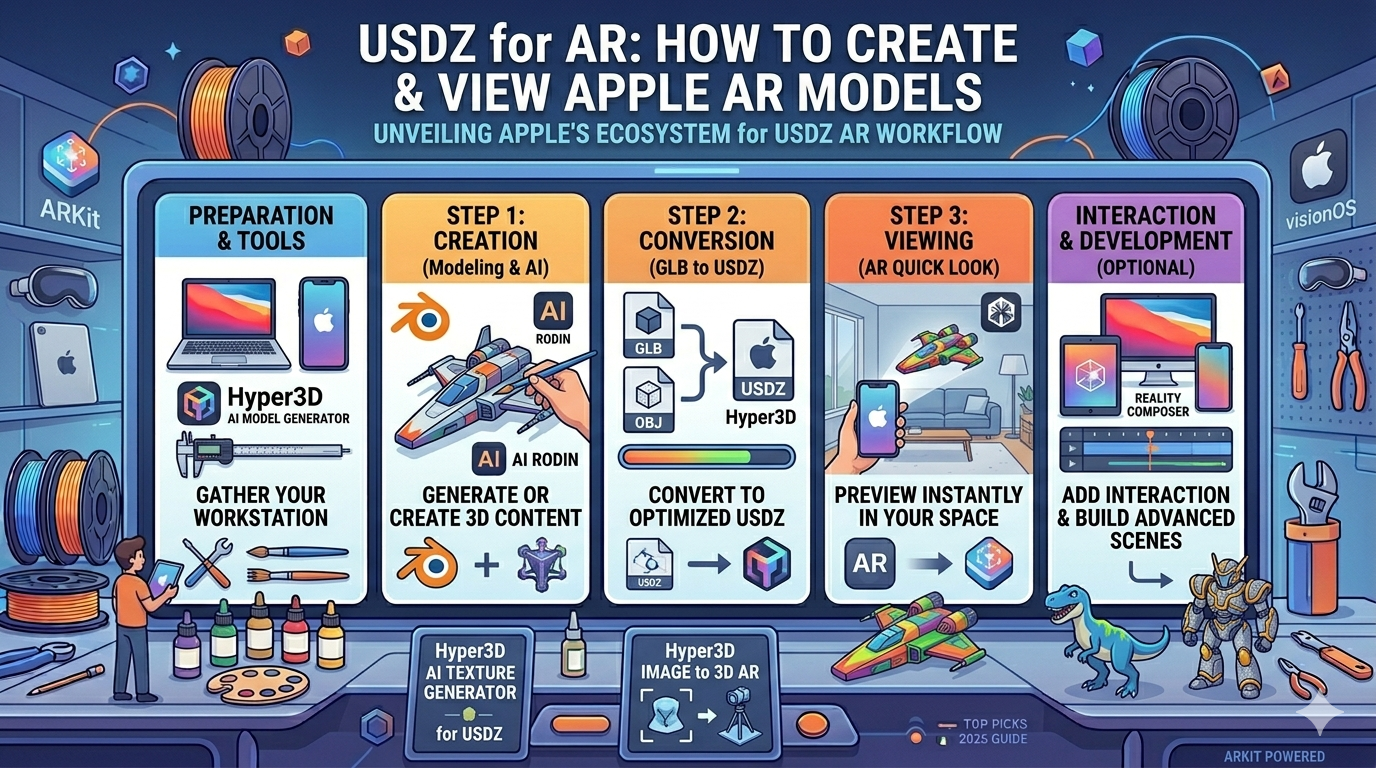
Augmented reality (AR) is changing how we interact with the digital and physical worlds. For developers and creators in the Apple ecosystem, the USDZ file format is at the heart of this transformation. This powerful format, developed by Apple and Pixar, is designed to make usdz ar experiences more accessible and smooth. In this article, we'll explore what USDZ for AR is, how to create your own 3D models, and how to view them on Apple devices, specifically focusing on the usdz ar workflow. We'll also touch on various tools, including Hyper3D's AI 3D model generator and 3D format converter.
What is USDZ?
USDZ is a 3D file format that is optimized for sharing and usdz ar. It's a container, or an archive, that can hold 3D models, textures, and animations in a single file. Think of it like a ZIP file for 3D content. The "USD" part of the name stands for Universal Scene Description, a technology developed by Pixar to streamline the creation and exchange of 3D assets in their animation pipeline. Apple collaborated with Pixar to create USDZ, adding features that make it ideal for AR applications on iOS, iPadOS, and the new visionOS.
One of the key characteristics of USDZ is that it is a zero-compression format. This means that the assets within the file are not compressed, which allows for very fast loading times. This is critical for AR, where users expect to see virtual objects appear in their environment almost instantly. The format is also designed to be compact, making it easy to share USDZ files via messages, email, or web pages.
Why Use USDZ for AR?
The primary reason to use USDZ for AR is its native integration with Apple's ecosystem, making it the ideal choice for usdz ar development. When you have a USDZ file, you can view it in AR on an iPhone or iPad with just a single tap. This feature, known as AR Quick Look, is built into iOS and iPadOS, so there's no need to download a separate app. This ease of use is a massive advantage for creators who want to share their 3D content with a wide audience.
AR Quick Look allows users to place and preview 3D models in their real-world environment. For example, an online furniture store could use USDZ to let customers see how a new sofa would look in their living room before they buy it. This creates a much more engaging and informative shopping experience. The high-quality rendering of usdz ar models also ensures that the virtual objects look realistic and convincing.
Creating USDZ Files for Apple AR
There are several ways to create USDZ files for usdz ar, catering to different skill levels and needs. Whether you're a seasoned 3D artist or a complete beginner, there's a tool or workflow that can help you get started with creating USDZ AR content.
Using 3D Modeling Software
For those with experience in 3D modeling, professional software like Blender, Cinema 4D, or Autodesk Maya can be used to create complex and detailed usdz ar models. Many of these programs now offer native or plugin-based support for exporting directly to the USDZ format. This gives you full control over the geometry, materials, and textures of your model.
Conversion Tools
If you already have 3D models in other formats, such as GLB, FBX, or OBJ, you can use a conversion tool to turn them into usdz ar files. Hyper3D offers a convenient online GLB to USDZ converter that simplifies this process. You can also find other converters, such as Adobe's Substance 3D Painter, which provides a preset for exporting to USDZ.
From Images to 3D Models
Photogrammetry is a technique that uses photographs to create 3D models for usdz ar. This is a great way to capture real-world objects and bring them into the digital realm. Tools like Hyper3D's image to 3D feature use this technology, allowing you to generate a 3D model from a series of pictures taken with your phone.
AI-Powered 3D Model Generation
The latest innovation in 3D content creation for usdz ar is the use of artificial intelligence. With a tool like Hyper3D's Rodin, their AI 3D model generator, you can generate 3D models from text prompts or images. This opens up a world of creative possibilities, allowing you to bring your ideas to life without needing any traditional 3D modeling skills.
Viewing USDZ Models in AR on Apple Devices
Once you have your USDZ file, it's time to view it in usdz ar. Apple has made this process incredibly simple and intuitive.
AR Quick Look
As mentioned earlier, AR Quick Look is the most common way to view usdz ar files. If you come across a USDZ file on a website in Safari, in an email, or in a message, you can simply tap on it. This will open the model in a 3D viewer, and from there, you can tap the AR button to place it in your environment. You can also use Hyper3D's USDZ file viewer to easily preview your models.
Safari AR
Safari on iOS and iPadOS has built-in support for AR. This means that web developers can embed USDZ files directly into their web pages. When a user visits the page, they can interact with the 3D model and launch the AR experience without leaving the browser.
Reality Composer
For those who want to create more interactive usdz ar scenes, Apple provides a free app called Reality Composer. This tool allows you to import USDZ files and combine them with other objects, animations, and behaviors. You can build entire AR experiences without writing a single line of code. It's a great way to get started with creating more complex and engaging AR content.
ARKit
ARKit is the underlying framework that powers all of Apple's usdz ar experiences. It provides developers with a powerful set of tools for creating advanced AR apps. While you don't need to be an ARKit developer to create and view USDZ files, it's good to know that this is the technology that makes it all possible.
My First-Hand Experience with USDZ and Hyper3D
I recently had the chance to dive deep into the world of USDZ for AR using Hyper3D's suite of tools. My goal was to create a few 3D models and get them ready for an AR experience on my iPhone. I started by using the AI 3D model generator. I was impressed with how easy it was to generate a model from a simple text prompt. I typed in "a futuristic motorcycle," and within a few minutes, I had a detailed 3D model ready to go.
Next, I wanted to try the GLB to USDZ converter. I had an existing model in the GLB format, which is common for web-based 3D. I uploaded the file to the converter, and in a matter of seconds, I had a USDZ file downloaded to my computer. The process was incredibly fast and straightforward. I then used the USDZ file viewer to check the model before sending it to my phone. It rendered perfectly, with all the textures and materials intact.
Finally, I sent the USDZ file to my iPhone and opened it with AR Quick Look. It was a magical moment to see the 3D model appear in my room, as if it were really there. I could walk around it, inspect it from all angles, and even take pictures of it. The whole process, from generation to AR viewing, was remarkably smooth.
Objective Comparison: Hyper3D vs. Other Tools
When it comes to creating USDZ AR content, there are a number of tools available, each with its own strengths and weaknesses. Hyper3D's tools are particularly well-suited for beginners and those who want a fast and easy workflow. The AI model generator is a standout feature that lowers the barrier to entry for 3D content creation.
For more advanced users, traditional 3D modeling software like Blender or Maya offers more control and flexibility. However, these tools have a much steeper learning curve and can be overkill for simple projects. For converting existing models, there are other online converters available, but I found Hyper3D's to be one of the fastest and most reliable.
Reality Composer is a great next step for those who want to build interactive scenes, but it's limited to the Apple ecosystem. If you need to create AR experiences for other platforms, you'll need to look at other development tools like Unity or Unreal Engine.
FAQ about USDZ for AR
What is the difference between USD and a usdz ar file?
USD (Universal Scene Description) is a file format for 3D scenes, while USDZ is an archive format that packages USD files and their dependencies (like textures and animations) into a single, uncompressed file for delivery.
Can I use usdz ar files on Android devices?
While USDZ is an open format, its native AR Quick Look functionality is specific to Apple devices. To view USDZ files in AR on Android, you would typically need a dedicated app that supports the format.
How can I optimize my usdz ar files for AR?
To ensure a smooth AR experience, it's important to keep your file sizes small. This can be achieved by optimizing your 3D models' geometry, using efficient textures, and minimizing the number of animations.
What are some best practices for creating usdz ar experiences with USDZ?
Consider the user's environment and how the virtual object will interact with it. Pay attention to lighting and scale to make the object feel like it's really part of the scene. Also, keep the experience simple and intuitive.
Where can I find free usdz ar models?
There are several online resources where you can find free USDZ models, including Apple's own AR Quick Look gallery. You can also find models on 3D asset marketplaces and community forums.
Conclusion
USDZ for AR has opened up a new frontier for creative expression and interactive usdz ar experiences on Apple devices. With a growing ecosystem of tools and platforms, it has never been easier to create and share your own 3D content. Whether you're a developer, a designer, or just curious about the future of AR, now is the perfect time to start exploring the possibilities of USDZ. With tools like Hyper3D's AI 3D model generator and 3D format converter, you have everything you need to bring your ideas to life in augmented reality.