

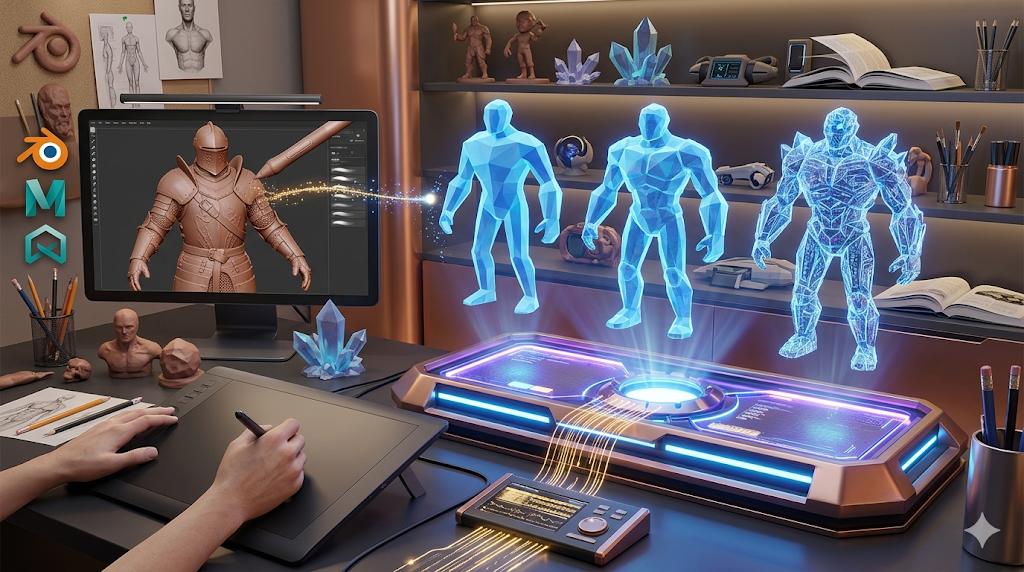
AI 3D Modeling vs Traditional 3D Modeling
The world of 3D creation is changing. Previously a manual craft requiring deep technical skill, AI 3D modeling now allows artists to generate assets automatically from text or images, making 3D creation more accessible.
This is where ai 3d modeling vs traditional tools really show their value.
It's not about replacement, but understanding the strengths of both workflows. Traditional software like Blender offers control for production-ready assets, while AI tools like Hyper3D, Meshy, and Tripo provide speed for prototyping. The key is choosing the right tool for the job.
For anyone exploring ai 3d modeling vs traditional options, this matters.
We'll compare AI and traditional 3D modeling, review top tools, share a first-hand test of the AI process, and cover the best use cases for each. You'll see how both methods can fit into your workflow.
The ai 3d modeling vs traditional workflow makes this straightforward.
Ai 3D Modeling Vs Traditional: What is Traditional 3D Modeling?
Traditional 3D modeling is the manual process of creating a 3D object in software. It's like digital sculpting, where an artist starts with a basic shape and manipulates it to build the final form.
That's a key advantage of modern ai 3d modeling vs traditional technology.
Ai 3D Modeling Vs Traditional: Key Stages in Traditional Modeling
- Modeling: The actual sculpting or shaping of the object's geometry. Common techniques include polygon modeling, NURBS modeling, and digital sculpting.
When it comes to ai 3d modeling vs traditional, the details matter.
- Texturing: Applying 2D images or procedural materials to the model's surface to give it color, detail, and texture (e.g., making a surface look like wood or metal).
A good ai 3d modeling vs traditional tool handles this automatically.
- Rigging: Creating a digital skeleton (a rig) for a character or object so it can be animated.
- Animation: Defining the object's movement over time by manipulating the rig or setting keyframes.
- Lighting and Rendering: Setting up virtual lights in a scene and then generating the final 2D image or video from the 3D data.
This gives the artist total control, which is how detailed assets for movies and games are made. The trade-off is a steep learning curve and significant time investment.
How AI 3D Modeling Works
AI 3D modeling automates asset creation from text or images. A machine learning algorithm generates the model for the user.
The AI Generation Process
1. Input: The user provides a prompt. This can be a descriptive sentence (e.g., "a rusty medieval sword") or a 2D image (e.g., a concept sketch of a character).
2. Generation: The AI model interprets the input and generates a 3D mesh. Different AI models use different underlying technologies, such as NeRFs (Neural Radiance Fields) or diffusion models, to produce the geometry.
3. Refinement: The initial output can often be refined. Many platforms, lHyper3D's AI 3D model generatorinclude post-generation tools for texturing, mesh editing, and optimization right in the browser.
This lowers the barrier to 3D creation. Tasks that took days can now be done in minutes, which is great for quick iterations.
AI and Traditional 3D Modeling Tools Compared
Choosing the right tool depends on your project. AI tools offer speed, while traditional software provides precision. Here are the top options in both categories.
Top AI 3D Modeling Tools
| Tool | Best For | Top Strength | Key Limitation |
|---|---|---|---|
| Hyper3D (Rodin) | Clean topology & avatars | All-in-one ecosystem | More specialized for characters |
| Meshy AI | Texturing & UX | Best-in-class texturing | Geometry can be rough |
| Tripo AI | Game dev pipelines | Fast generation & auto-rigging | STL exports can have issues |
Hyper3D (Rodin)
Hyper3D's AI 3D model generator is known for clean geometry, especially for organic shapes. Its sponsorship of the Blender Development Fund shows its commitment to professional workflows.
- Pros: Produces some of the best topology among AI generators. The integrated OmniCraft suite provides a complete workflow from generation to texturing and exporting within the browser. Strong multi-view support for image-to-3D tasks.
- Cons: Can be less versatile for creating highly stylized or hard-surface props compared to other tools.
- Best for: Developers and artists who need high-quality character models or a smooth, all-in-one generation and refinement process.
Meshy AI
Meshy is often praised for its polished user interface and powerful texturing capabilities. It offers a great user experience and a library of styles that can be applied to generated models, making it a strong contender.
- Pros: Widely considered to have the best AI texturing engine. The UI is intuitive and easy to navigate. Good for generating assets in specific styles like voxel or low-poly.
- Cons: The underlying geometry of the models can sometimes be "rough" or less detailed compared to competitors, especially for complex objects.
- Best for: Artists who prioritize high-quality textures and a smooth user experience for creating stylized assets.
Tripo AI
Tripo AI is built for speed and efficiency, making it a favorite among game developers. It offers a generous free tier and features like auto-rigging that streamline the process of getting an asset ready for a game engine.
- Pros: Very fast generation times. Built-in features like auto-rigging and segmentation are a huge plus for game development pipelines. The free credit system is generous.
- Cons: Users have reported that STL exports can sometimes have issues with normals. It's less specialized for creating detailed human avatars.
- Best for: Game developers who need to rapidly prototype and generate pipeline-ready assets with minimal friction.
Top Traditional 3D Modeling Software
| Software | Best For | Top Strength | Key Limitation |
|---|---|---|---|
| Blender | All-purpose modeling (free) | Massive feature set & community | Can be overwhelming for beginners |
| Maya | Professional animation & rigging | Industry-standard animation tools | Expensive subscription model |
| ZBrush | Digital sculpting & high-poly detail | Unmatched sculpting workflow | Highly specialized, not for all tasks |
Blender
Blender is the powerhouse of the free 3D world. It?? an open-source suite that can handle almost any task, from modeling and sculpting to animation, rendering, and video editing. Its capabilities rival those of expensive professional software.
- Pros: Completely free and open-source. An enormous and active community provides endless tutorials and add-ons. It has a feature set that covers the entire 3D pipeline.
- Cons: The sheer number of features can make the learning curve incredibly steep for newcomers.
- Best for: Anyone, from hobbyists to professionals, looking for a powerful, all-in-one 3D creation suite without the cost.
Autodesk Maya
Maya is the industry standard for professional 3D animation, particularly in film and television. Its rigging and animation toolsets are considered the best in the business, providing the precision needed for high-end productions.
- Pros: The gold standard for character animation and rigging. Its tools are solid, mature, and trusted by major studios worldwide.
- Cons: Comes with a very high subscription cost, putting it out of reach for most hobbyists and small studios.
- Best for: Professional animators and large studios working on commercial film, TV, and game projects.
Maxon ZBrush
ZBrush is a specialized tool focused almost entirely on digital sculpting. It allows artists to work with high-poly meshes (millions of polygons) as if they were sculpting with digital clay, enabling an incredible level of detail.
- Pros: Offers the most intuitive and powerful digital sculpting workflow available. It is the go-to tool for creating hyper-detailed characters, creatures, and objects.
- Cons: It is not a full 3D package. Tasks like animation and rendering are better handled in other software. The workflow is highly specialized.
- Best for: Character artists, creature designers, and anyone who needs to create highly detailed organic models for games, film, or 3D printing.
My First-Hand Experience with AI 3D Modeling
I tested Hyper3D's Rodin generator to see how fast I could get a usable 3D asset, creating a "crystal golem" character.
Upon loading the tool, I was met with a clean, dark-themed workspace. The main interface is dominated by the prompt input area, with the OmniCraft sidebar on the left offering a suite of post-generation tools. I entered the prompt: "a humanoid golem made of glowing blue crystals, low-poly style."
I decided to test two different generation modes. First, I used Speedy mode. As the name implies, it was fast??he model was ready in under a minute. The result was a good starting point, capturing the general form and low-poly aesthetic. The geometry was simple and game-ready.
Next, I ran the same prompt using Default mode. This took a bit longer, around two minutes, but the result was noticeably more detailed. The crystal facets were sharper, and the overall silhouette was more refined. It felt less like a rough sketch and more like a finished concept.
After settling on the Default model, I clicked the GENERATE button again, this time to move to the texturing phase. I used the AI Texture Generator from the OmniCraft sidebar to apply a PBR material that gave the crystals a nice emissive glow. Finally, I exported the model as a GLB file using the export options. The process took less than 10 minutes, a clear example of how AI can accelerate 3D modeling.
A Step-by-Step AI Modeling Workflow
For those new to AI 3D generation, here is a simple workflow to follow:
1. Develop Your Concept: Start with a clear idea. Is it a character, a prop, or an environment piece? Gather some 2D reference images or write a detailed description.
2. Write a Detailed Prompt: Your prompt is the most important part. Be specific. Instead of "a sword," try "a weathered, single-edged Viking sword with a leather-wrapped hilt and a glowing rune on the blade."
3. Choose Your Generation Mode: If the tool offers different modes (like Speedy vs. Focal in Hyper3D), pick one that matches your goal. Use a fast mode for initial ideas and a higher-quality mode for your final version.
4. Generate and Iterate: Run the prompt. Don?? expect perfection on the first try. Analyze the result and refine your prompt. Maybe add details about the style (e.g., "photorealistic," "anime style," "low-poly") or structure.
5. Refine and Texture: Once you have a base model you like, use built-in tools to refine it. This could involve using an AI Texture Generator to apply materials or an image to 3D tool to add details from a 2D image.
6. Export for Your Pipeline: Export the model in a format that works for your needs. GLB and USDZ are great for web and AR applications. You can use a GLB to USDZ converter for easy conversion. FBX is a standard for game engines, and you can use an FBX to OBJ converter if needed. OBJ is widely supported, and STL is common for 3D printing.
Use Cases for AI vs. Traditional Modeling
Neither approach is perfect. The choice between AI and traditional modeling depends on the task.
When to Use AI 3D Modeling:
- Rapid Prototyping: When you need to visualize ideas quickly and don?? need perfect geometry.
- Concept Art: Creating a library of 3D concepts for a project before committing to manual modeling.
- Game Jams: Quickly generating placeholder or simple assets under a tight deadline.
- Accessibility: For hobbyists or designers who lack deep 3D modeling expertise but need 3D assets.
- Customization at Scale: Generating thousands of unique variations of an object for virtual worlds or e-commerce.
When to Use Traditional 3D Modeling:
- Hero Assets: Creating the main character or a key prop that requires flawless topology and high detail.
- Production Animation: When you need precise control over rigging and deformation for film-quality animation.
- Technical or Engineering Models: For projects that demand absolute precision and specific dimensions.
- Final Game-Ready Assets: When you need full control over polygon count, UV mapping, and LODs (Levels of Detail) for performance.
- Highly Stylized Art: When the final asset must match a very specific, unique art style that an AI can?? replicate.
FAQ about AI and Traditional 3D Modeling
What is the best AI for text-to-3D?
It depends on your needs. For the cleanest geometry and character models, Hyper3D's Rodin is a top choice. If you prioritize high-quality texturing and a polished user experience, Meshy AI is excellent. For game developers who need speed and features like auto-rigging, Tripo AI is hard to beat.
Will AI replace 3D modelers?
No, it is more likely to become a powerful tool in the 3D modeler's toolkit. AI excels at automating repetitive tasks and generating initial concepts, which frees up artists to focus on the more creative aspects of their work, like refinement, composition, and storytelling. The role of the 3D modeler will evolve, not disappear.
Can I use AI-generated models in Blender or Maya? You can also view your files with a GLTF Viewer.
Yes. Most AI 3D generators allow you to export models in common formats like FBX, OBJ, or GLB. These files can be directly imported into traditional software like Blender, Maya, or ZBrush for further refinement, texturing, or animation. This hybrid workflow is becoming increasingly popular.
Is AI 3D modeling hard to learn?
Not at all. Compared to the steep learning curve of traditional 3D software, AI 3D modeling is incredibly accessible. If you can write a descriptive sentence or find a reference image, you can generate a 3D model. Platforms like Hyper3D's image to 3D tool make the process even more straightforward.
What are the limitations of AI 3D modeling?
The main limitations are currently a lack of precise control and occasional issues with topology. You can't easily adjust a single vertex or edge on an AI-generated model the way you can in Blender. The geometry, while improving, can sometimes be messy or require cleanup, especially for complex hard-surface objects. For final, production-ready assets, manual refinement is often still necessary.
Is Ai 3D Modeling Vs Traditional suitable for beginners?
Yes. Most modern ai 3d modeling vs traditional tools run in the browser and require no prior 3D experience. Platforms like Hyper3D, Meshy, and Tripo are all designed with beginners in mind.