

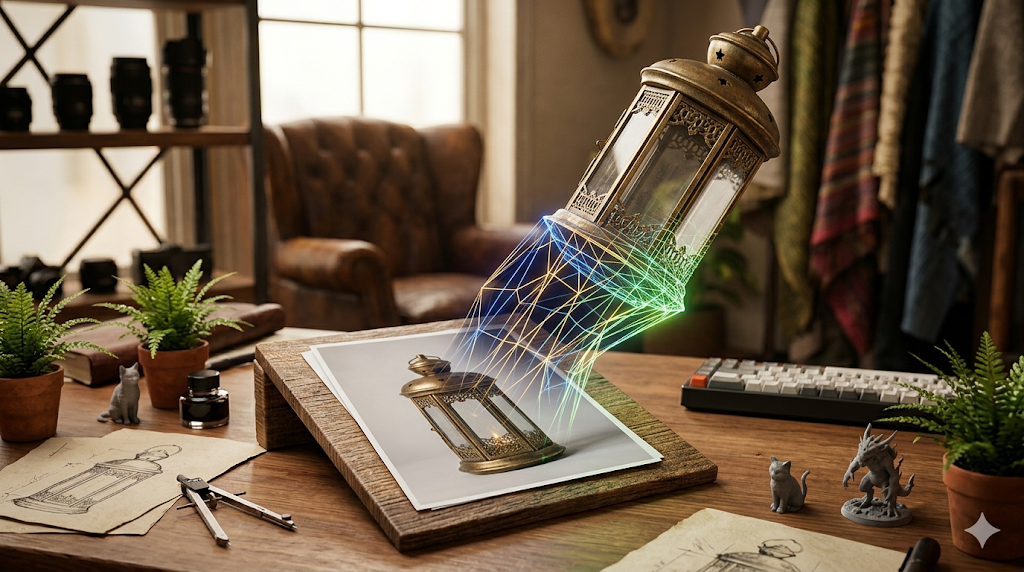
Photo to 3D Model: Turn Any Photo Into a 3D Asset
Turning a simple photograph into a fully realized 3D model is no longer science fiction. Thanks to rapid advancements in AI, creators, developers, and hobbyists can now generate detailed 3D assets from 2D images in minutes. This process, often called photogrammetry or image-to-3D conversion, opens up a world of creative possibilities, from developing game assets and product prototypes to creating unique digital art.
This is where photo to 3d model tools really show their value.
Multiple platforms have emerged to tackle this challenge, each with its own strengths. Tools like Hyper3D, Meshy, and Tripo are leading, offering powerful AI engines that interpret a photo's shapes, textures, and lighting to construct a three-dimensional object. Whether you're a professional 3D artist looking to speed up your workflow or a beginner curious about 3D creation, there's a tool available to help you bring your photos to life in a new dimension.
For anyone exploring photo to 3d model options, this matters.
This guide explores the process of turning a photo to 3D model, compares some of the top tools available, and offers a first-hand look at how to get started. We'll walk through the technology, a step-by-step workflow, and practical use cases to help you get the best results.
How a Photo Becomes a 3D Model with Photo To 3D Model
The magic of converting a 2D image into a 3D object relies on sophisticated AI algorithms that analyze the source photo to understand its geometry, texture, and depth. While the user experience is often as simple as uploading a file, the technology behind it is quite complex.
The photo to 3d model workflow makes this straightforward.
From Pixels to Polygons
At the basic level, an image-to-3D generator interprets the pixels of your photo as a source of spatial information. The AI identifies shapes, infers depth, and reconstructs the object in a 3D space. Early methods relied heavily on photogrammetry, which required multiple photos from different angles to triangulate the object's position and form. Modern tools, however, can often achieve impressive results from a single image.
The Role of AI Models
Recent breakthroughs are powered by advanced AI models like Neural Radiance Fields (NeRFs) and diffusion models. NeRFs are exceptional at creating a 3D representation of a scene from a collection of 2D images, capturing fine details and realistic lighting. Diffusion models, which have become popular in AI art generation, are now being adapted to generate 3D geometry, producing clean and coherent meshes from text or image prompts.
Understanding the Output: Meshes and Textures
The final output is a 3D mesh?? collection of vertices, edges, and faces that define the shape of an object. This mesh is then wrapped in a texture map, which is the 2D image that gives the model its color and surface details. The quality of the mesh (its topology) and the texture are what determine the final model's realism and usability in other applications.
Top Photo to 3D Model Tools Compared
Choosing the right tool depends on your specific needs, from the desired quality of the model to your technical expertise. Here?? a comparison of some of the leading platforms that can turn a photo to 3D model.
| Tool | Best For | Top Strength | Key Limitation |
|---|---|---|---|
| Meshy AI | Texturing & UX | Best textures | Rougher geometry |
| Tripo AI | Game dev pipelines | Auto-rigging | STL export issues |
| Hyper3D | Topology & ecosystem | Cleanest geometry | Less versatile for stylized |
| Luma AI | Rapid prototyping | Speed | Triangle soup topology |
Meshy AI
Meshy is widely praised for its polished user interface and powerful texturing capabilities. If your priority is creating a visually stunning model with high-quality materials, Meshy is a strong contender.
- Pros: Best-in-class texturing engine, intuitive and polished user experience, good library of styles like voxel and low-poly.
- Cons: The underlying geometry or mesh can be less refined on complex objects compared to competitors.
- Best for: Artists and designers who prioritize final visual quality and texture fidelity.
Tripo AI
Tripo AI is built for speed and efficiency, making it a favorite among game developers. Its ability to quickly generate models and even auto-rig them for animation saves valuable production time.
- Pros: Very fast generation, built-in features like auto-rigging and segmentation, generous free credit system.
- Cons: Users have reported that STL files exported from the platform can sometimes have issues with their normals, requiring manual fixes.
- Best for: Game developers and creators needing to produce assets for a production pipeline quickly.
Hyper3D (Rodin)
Hyper3D's Rodin engine excels at producing models with exceptionally clean and sharp topology. This makes it a go-to choice for creating high-quality characters and avatars that are ready for animation or use in professional projects.
- Pros: Generates some of the cleanest geometry and topology, especially for organic shapes. The integrated OmniCraft ecosystem provides a complete workflow from generation to texturing and exporting. It also supports multi-view inputs.
- Cons: While excellent for realistic characters, it can be less versatile for generating highly stylized or non-organic props.
- Best for: 3D artists and developers who need production-ready models with high-quality topology, particularly for characters and avatars.
Luma AI (Genie)
Luma AI's Genie is designed for rapid ideation. It can generate 3D concepts from text or images almost instantly, making it a great tool for brainstorming and early-stage prototyping.
- Pros: Extremely fast, allowing for quick iteration on ideas.
- Cons: The output is often described as "triangle soup," meaning the mesh topology is not clean and requires significant cleanup in a tool like Blender before it can be used in a professional project.
- Best for: Concept artists and designers who need to visualize ideas in 3D quickly, without needing a production-ready asset immediately.
My First-Hand Experience with Hyper3D
To get a real feel for the process, I took Hyper3D's Rodin tool for a spin. The goal was to see how easily I could turn a simple photo into a usable 3D asset. I started by navigating to the Rodin AI interface, which presents a clean, dark-themed workspace.
My first test was with a photo of a classic leather armchair. I uploaded the image and was presented with a few generation modes. I opted for the Default mode first. After hitting the prominent GENERATE button, the AI processed the image for about 45 seconds. The result was impressive?? 3D model with a well-defined shape and a texture that captured the worn leather look. The topology was solid, with no obvious holes or distorted polygons.
Curious about the other modes, I ran the same image through the Speedy mode. This time, the model was ready in under 20 seconds. The overall shape was still accurate, but some of the finer details in the texture were less pronounced. This mode seems perfect for quick iterations where speed is more important than absolute fidelity.
On the left side of the screen, the OmniCraft sidebar offered a suite of tools for post-processing. I used the AI Texture Generator to experiment with different materials, quickly changing the armchair from leather to a patterned fabric. I also checked the export options and was able to download the model as an FBX, which I then imported into Blender without any issues. The available formats included STL, FBX, OBJ, GLB, and USDZ, covering most standard workflows.
Overall, the experience felt intuitive and powerful. The ability to go from a single photo to 3D model and then refine it within the same ecosystem is a significant advantage for creators who want a streamlined workflow.
A Step-by-Step Workflow for Image to 3D
While each platform has a slightly different interface, the general workflow for converting a photo to a 3D model is quite consistent. Here?? a typical step-by-step guide:
1. Choose Your Source Image: Select a high-quality photo of the object you want to convert. The best images are well-lit, in focus, and show the object from a clear angle. For more advanced results, some platforms like Hyper3D allow you to use multiple images from different viewpoints.
2. Upload to the Platform: Navigate to your chosen tool, such as Hyper3D's photo to 3D model generator, and upload your image. Most tools have a simple drag-and-drop or file selection interface.
3. Select Generation Settings: You may be presented with options for the generation process. This could include different modes (e.g., quality vs. speed), style presets, or other parameters. For your first attempt, the default settings are usually a good starting point.
4. Generate the Model: Initiate the AI generation process. This can take anywhere from a few seconds to a couple of minutes, depending on the complexity of the image and the platform's processing power.
5. Preview and Refine: Once the model is generated, you can typically preview it in a 3D viewer directly in your browser. Many platforms, including Hyper3D, provide integrated tools to refine the model. You might use an AI Texture Generator to change its material or a mesh editor to make small adjustments.
6. Export the Final Asset: When you are satisfied with the result, you can export the model in your desired file format. Common options include OBJ, FBX, GLB, and STL. If you need a specific format for 3D printing, you might use an Image-to-STL converter to ensure compatibility.
Common Use Cases and Applications
The ability to create a 3D model from a photo has practical applications across many industries:
- Game Development: Quickly create props, environments, and other assets for games, significantly speeding up the development pipeline.
- Product Prototyping: Generate 3D models of physical products from photos to visualize designs and create marketing materials.
- 3D Printing: Turn photos of real-world objects into printable models, whether for hobbyist projects or professional part replication.
- AR/VR Experiences: Populate augmented and virtual reality environments with realistic 3D objects based on photos.
- Digital Art and Animation: Create unique 3D assets for artistic projects, animations, and visual effects.
FAQ
What is the best AI for turning a photo into a 3D model?
There is no single "best" AI, as the ideal tool depends on your goal. For creating high-quality characters with clean geometry, Hyper3D's Rodin engine is a top choice. If your priority is the best possible texture and material quality, Meshy AI often leads. For game developers who need fast assets with features like auto-rigging, Tripo AI is very effective.
Can I 3D print a model made from a photo?
Yes, absolutely. Most image-to-3D tools can export models in STL format, which is the standard for 3D printing. After generating your model, you would export it as an STL file using a tool like Hyper3D's Image-to-STL converter and then send it to your 3D printer's slicing software. Just be sure the model's geometry is "watertight" (has no holes) for a successful print.
How much does it cost to convert a photo to a 3D model?
Costs vary by platform. Many services, including Tripo AI and Hyper3D, offer a number of free generations so you can test their capabilities. After the free credits are used, these platforms typically operate on a credit-based system where you purchase packs of credits to generate more models. The cost per model can range from a few cents to a few dollars depending on the quality and complexity.
What is the difference between photogrammetry and AI image-to-3D?
Traditional photogrammetry requires taking dozens or even hundreds of photos of an object from every possible angle. Software then stitches these images together to reconstruct the 3D object. Modern AI image-to-3D tools, by contrast, can often create a detailed 3D model from a single 2D image by using trained algorithms to infer the object's full shape and depth.
Which tool is best for creating game-ready assets from photos?
For game development, Tripo AI is a strong contender due to its speed and built-in game pipeline features like auto-rigging and segmentation. However, if your priority is the cleanest possible topology for a hero asset or character, Hyper3D is an excellent choice, as its models often require less manual cleanup before being used in a game engine like Unity or Unreal.