

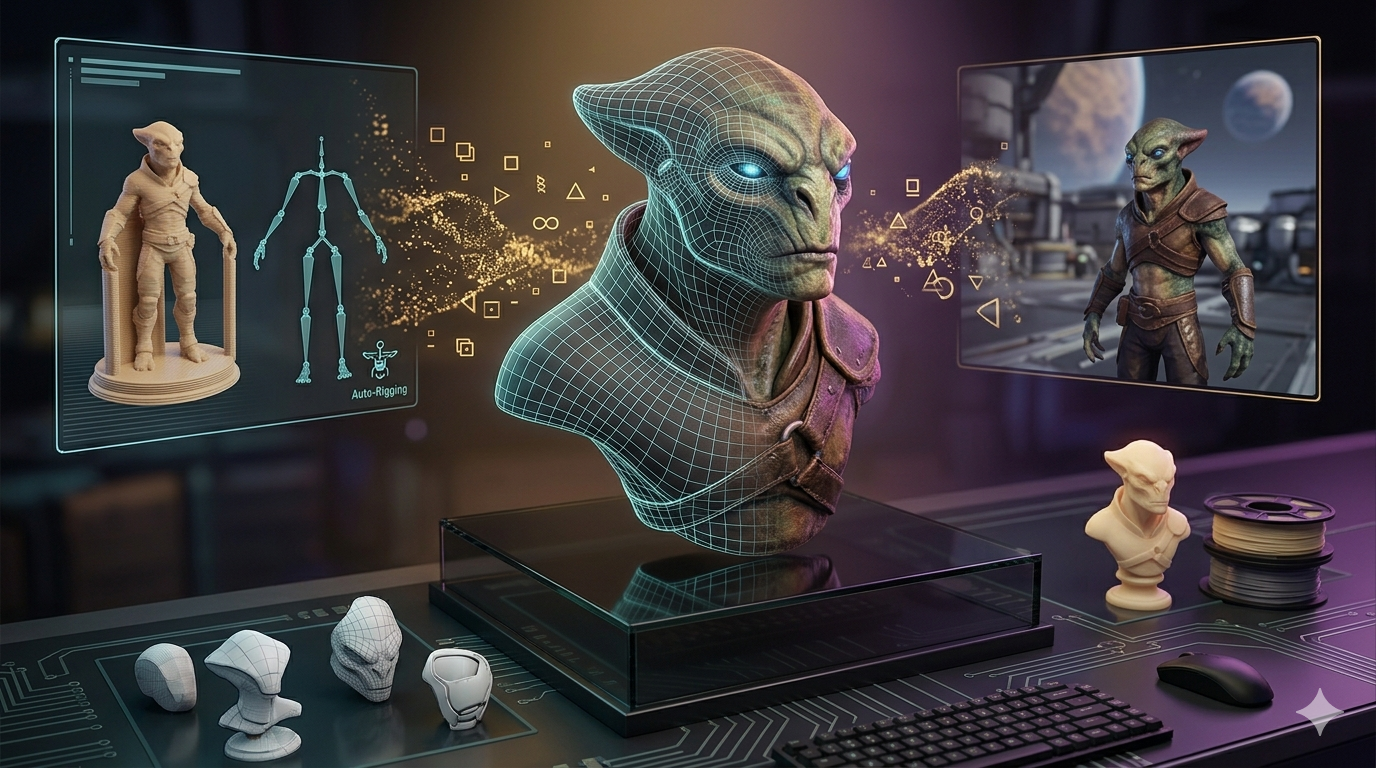
3D Mesh Topology: Why It Matters for Games & Animation
Creating 3D models for games, animation, or even 3D printing involves more than just shaping a digital object. The underlying structure, known as 3D mesh topology, is a critical factor that determines how a model behaves, deforms, and renders. Whether you're working in Blender, Maya, or using an AI 3D model tool, understanding topology is fundamental. A clean, well-organized mesh can be the difference between a fluid, professional animation and a distorted, glitchy mess, which is relevant when working with mesh topology 3d.
This guide breaks down what 3D mesh topology is, why it?? so important, and how you can master it to improve your 3D projects. We'll cover everything from the basic building blocks of mesh topology to advanced techniques used by industry professionals, which is relevant when working with mesh topology 3d.
What is 3D Mesh Topology?: Mesh Topology 3D
fundamentally, 3D mesh topology refers to the arrangement of vertices, edges, and faces that form the surface of a 3D model. Think of it as the model's skeleton or blueprint. This structure dictates how the model will look when smoothed, how it will deform when animated, and how efficiently it will be processed by a computer. Good topology isn't just about aesthetics; it's about function and performance, which is relevant when working with mesh topology 3d.
Mesh Topology 3D: The Building Blocks: Vertices, Edges, and Faces
Every 3D mesh is composed of three fundamental elements:
- Vertices: These are single points in 3D space. They are the most basic component of a mesh.
- Edges: Lines that connect two vertices. They form the wireframe of the model.
- Faces: The flat surfaces that fill the space between edges. These faces are what we actually see as the surface of the model.
The way these three elements are connected and organized across the model's surface is its mesh topology, which is relevant when working with mesh topology 3d.
Types of Polygons: Quads, Tris, and N-gons
The faces of a mesh are polygons. While they can have any number of sides, 3D artists primarily work with three types:, which is relevant when working with mesh topology 3d.
| Polygon Type | Description | Common Use Cases |
|---|---|---|
| Tris (Triangles) | A three-sided polygon. This is the simplest possible polygon and the form that all other polygons are ultimately broken down into by game engines and renderers. | Real-time rendering (games, VR), static objects, and areas where deforming is not a concern. |
| Quads (Quadrilaterals) | A four-sided polygon. Quads are the preferred polygon for most modeling tasks, especially for organic surfaces and characters that need to be animated. | Character modeling, subdivision workflows, and any surface that needs to deform smoothly. |
| N-gons | A polygon with five or more sides. While useful in the early stages of modeling flat, hard surfaces, N-gons can cause significant problems with texturing, rigging, and rendering. | Hard-surface modeling (before finalization), temporary placeholders. Generally, they should be eliminated before finalizing a model. |
For most professional work, especially in animation, the goal is to build models almost entirely out of quads. Quads subdivide cleanly and create predictable, smooth surfaces, which is essential for creating believable deformations. This is a core principle of good mesh topology, which is relevant when working with mesh topology 3d.
Why Does Mesh Topology Matter?
Clean mesh topology is not just a technicality for purists; it has a direct impact on the quality and efficiency of the entire 3D pipeline, which is relevant when working with mesh topology 3d.
Animation and Rigging
When a character model needs to be animated, it first needs a skeleton (a rig). The model's surface (the skin) is then attached to this rig. For the model to bend and move realistically, its mesh topology must support that movement. This means having edge loops that follow the natural flow of muscles and joints. For example, around a character's elbow or knee, you need enough polygons organized in a way that allows the joint to bend without collapsing or creating ugly creases. Poor topology leads to pinching, stretching, and other deformations that break the illusion of life, which is relevant when working with mesh topology 3d.
Rendering and Performance
A clean, optimized mesh with good mesh topology renders more efficiently. Messy topology with unnecessary polygons, hidden faces, or lots of N-gons can increase processing time and lead to visual artifacts like strange shadows or lighting errors. In game development, where every millisecond counts, optimized topology is crucial for maintaining a smooth frame rate. A model with good topology can convey a high level of detail with a lower polygon count, which is key for performance, which is relevant when working with mesh topology 3d.
Texturing and UV Mapping
Before a model can be textured, it needs to be unwrapped into a 2D map, a process called UV mapping. A model with clean, organized quad-based mesh topology is far easier to unwrap. The seams can be placed logically, and the resulting UV islands will be straight and easy to paint on. Messy topology with lots of triangles and N-gons results in a chaotic UV map, making it difficult to apply textures without distortion or visible seams, which is relevant when working with mesh topology 3d.
Top 3D Mesh Topology Tools Compared
Several tools are available for creating and refining mesh topology. Here?? a look at some of the most popular options, which is relevant when working with mesh topology 3d.
| Tool | Pros | Cons | Best For |
|---|---|---|---|
| Blender | Free and open-source, powerful retopology tools (like RetopoFlow), great community support. | The learning curve can be steep for absolute beginners. | Indie developers, hobbyists, and professionals looking for a cost-effective, all-in-one solution. |
| ZBrush | Industry-leading sculpting tools, powerful automated retopology with ZRemesher. | Subscription-based, primarily a sculpting tool, so the workflow can be complex. | Digital sculptors and character artists who need to create high-detail organic models. |
| Maya | Industry standard for animation and VFX, excellent Quad Draw tool for manual retopology. | Very expensive subscription, can be overly complex for simple modeling tasks. | Large studios and professionals working in the film, TV, and AAA game industries. |
| Hyper3D OmniCraft | AI-powered mesh optimization, intuitive interface, fast processing for cleaning up scans or generated models. | As a newer tool, it may lack some of the niche manual controls of legacy software. | Artists and designers who want to quickly optimize models from sources like photogrammetry or image to 3D conversion. |
My First-Hand Experience with Mesh Topology
As a 3D artist, I've spent countless hours wrestling with messy mesh topology. I remember one project where I received a 3D scan of a statue. The raw scan was a dense, chaotic mess of triangles??illions of them. It had terrible mesh topology, was unusable for animation, and a nightmare to texture.
My first step was to bring it into ZBrush to use ZRemesher. It did a decent job of creating a quad-based mesh automatically, but it lost some of the sharp details in the statue's clothing. I then took that base mesh into Blender and used its manual retopology tools to redraw the mesh topology in those specific areas, ensuring the edge loops followed the folds of the fabric. It was a time-consuming process that took the better part of a day.
More recently, I had a similar task and decided to try Hyper3D's OmniCraft. I uploaded the messy scan, and its AI mesh tool automatically generated a clean, quad-based mesh in minutes. It did a surprisingly good job of preserving the details while creating an efficient, animation-ready mesh topology. I still had to make a few minor manual tweaks, but it saved me hours of work. It showed me how modern tools are streamlining what used to be a purely manual and often tedious task of fixing mesh topology.
Step-by-Step Guide to Good Mesh Topology
1. Plan Your Edge Flow: Before you even start modeling, think about how the object will move. This is the foundation of good mesh topology. For a character's face, you'll need circular edge loops around the eyes and mouth to allow for expression.
2. Stick to Quads: As much as possible, build your model using four-sided polygons. They are predictable and easy to work with.
3. Maintain Even Spacing: Try to keep your polygons roughly the same size and shape across the surface. This helps avoid stretching and ensures smooth subdivision.
4. Use Poles Strategically: A pole is a vertex where more or less than four edges meet. While you should avoid poles with more than 5 edges, they are necessary to redirect edge flow. Place them in flat, non-deforming areas.
5. Avoid N-gons: Get rid of any polygons with more than four sides before you move on to texturing or rigging. Most tools have a function to automatically convert them to quads or tris.
Advanced Mesh Topology Tips
- Support Loops: When modeling hard surfaces that need to be subdivided, add extra edge loops (called support loops) close to sharp edges. This will help hold the shape and prevent the edges from becoming too soft and rounded.
- Redirecting Flow: Use poles to change the direction of your edge loops. A common technique is to create a pole where you want an edge loop to terminate or turn a corner.
- Less is More: Don't add detail you don't need. A common beginner mistake is to add too many polygons, making the mesh difficult to manage. Start with a simple form and only add polygons where necessary to define the shape.
Frequently Asked Questions (FAQ)
What is the best mesh topology for animation?
For animation, a clean, quad-based mesh topology with edge loops that follow the muscle flow and joint movement is best. Circular loops around the eyes and mouth are essential for facial expressions. The goal is a mesh that deforms realistically and predictably.
How does poor mesh topology affect rendering performance?
Poor mesh topology, especially with an unnecessarily high polygon count, increases the amount of data the computer has to process for each frame. This can lead to longer render times and lower frame rates in games. N-gons and other mesh errors can also cause visual glitches and artifacts.
How do I fix a messy mesh topology?
Fixing a messy mesh topology is called "retopology." This can be done manually by drawing a new, clean mesh over the old one using tools like Blender's Quad Draw or Maya's RetopoFlow. Alternatively, you can use automated tools like ZBrush's ZRemesher or AI-powered solutions like Hyper3D's OmniCraft to generate a new mesh topology automatically.
What is the ideal mesh topology for 3D printing?
For 3D printing, the mesh must be "watertight," meaning it has no holes. It also needs to be a manifold, with no overlapping faces or internal geometry. While mesh topology flow is less critical than in animation, a clean, evenly distributed mesh will result in a better-quality print.
How does AI improve mesh topology?
AI is rapidly changing the retopology process. Tools that use AI can analyze a dense or messy mesh and automatically generate a clean, efficient, quad-based mesh topology. This can save artists hours or even days of manual work, especially when dealing with complex 3D scans or procedurally generated models. You can explore more about this on the Hyper3D blog.
Conclusion
Mastering 3D mesh topology is a journey, but it's one of the most valuable skills a 3D artist can develop. It elevates your work from amateur to professional, ensuring your models are not only beautiful but also functional, efficient, and ready for any application. Whether you prefer the manual control of traditional tools or the speed of modern AI solutions, focusing on clean mesh topology will pay off in every stage of your 3D pipeline. To get started with creating your own 3D assets, check out the powerful tools available at hyper3d.ai. You can also check out our other articles on 3d modeling on our blog.