Level of Detail (LOD) in 3D Modeling: Complete Guide
If you??e ever played a modern video game and marveled at the vast, detailed worlds that render smoothly, you've witnessed the power of Level of Detail (LOD). It?? a fundamental technique in 3D graphics that helps developers create expansive and immersive experiences without overwhelming the hardware. Whether you're working in Unreal Engine, Unity, or creating models in Blender or Maya, understanding LOD is crucial. This guide will walk you through everything you need to know about LOD, from the basic concepts to advanced techniques. Tools like Hyper3D's AI 3D model generator can help with this workflow, which is relevant when working with level of detail 3d.
What is Level of Detail (LOD)?: Level Of Detail 3D
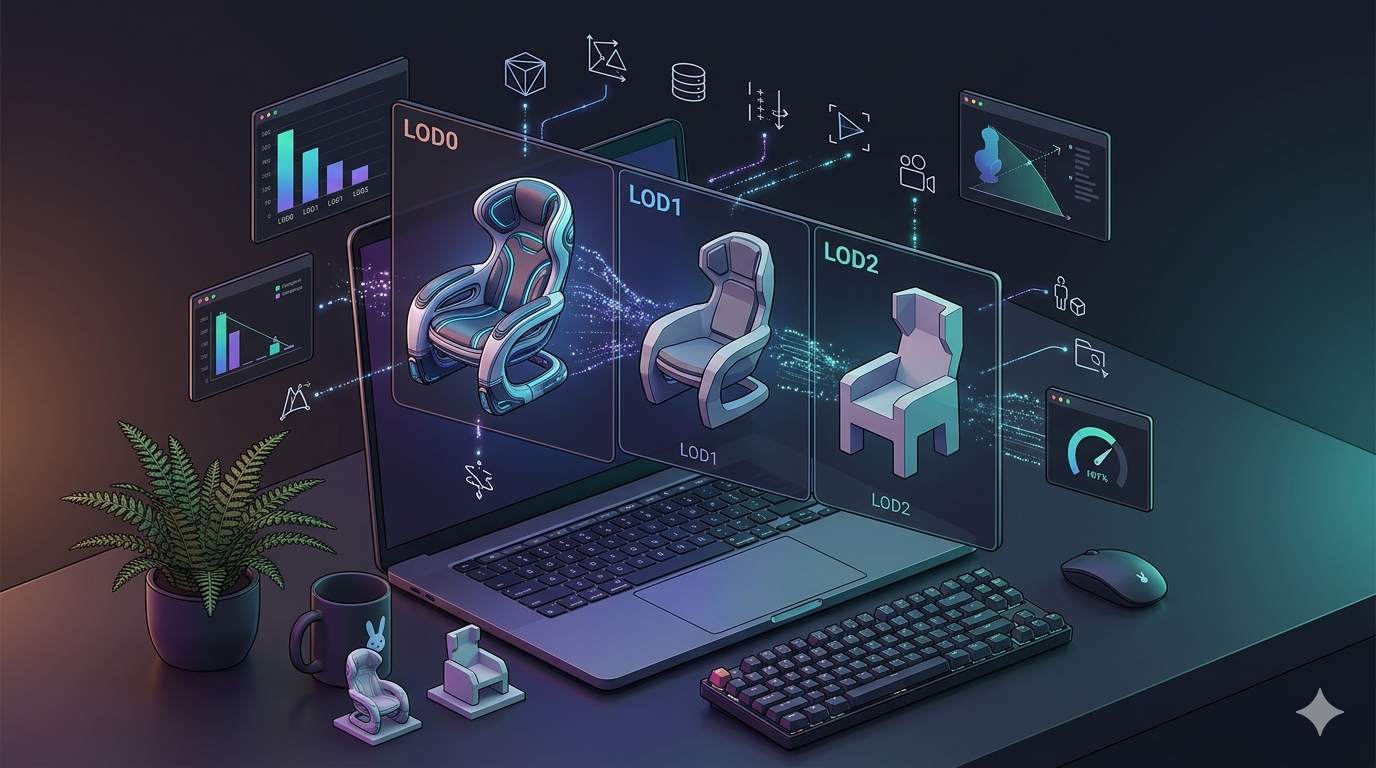
fundamentally, Level of Detail is a technique for managing the complexity of 3D models. It involves creating multiple versions of a model, each with a different polygon count. The version displayed depends on factors like the model's distance from the camera, its importance in the scene, or its on-screen size. The further away an object is, the less detail the viewer can perceive, so a lower-polygon version can be used without a noticeable drop in visual quality. Tools like Hyper3D's image to 3D can help with this workflow, which is relevant when working with level of detail 3d.
Level Of Detail 3D: The Core Concept: From High Poly to Low Poly
The primary goal of LOD is to optimize performance. A high-polygon model, rich in detail, is used when the object is close to the camera. As it moves further away, the system swaps it for a lower-polygon version. This process continues, with progressively simpler models being used at greater distances. This reduces the number of polygons the graphics card has to render, freeing up resources and improving the frame rate, which is relevant when working with level of detail 3d.
Why Does LOD Matter? Performance and User Experience
Without LOD, rendering large, complex scenes in real-time would be nearly impossible. Every object would be rendered at its maximum detail level, regardless of its distance from the viewer. This would lead to a massive number of polygons, causing the frame rate to plummet and resulting in a choppy, unpleasant user experience. By using LOD, developers can create vast, detailed worlds that run smoothly, providing a more immersive and enjoyable experience for the user, which is relevant when working with level of detail 3d.
How Level of Detail (LOD) Works
There are two primary methods for implementing LOD: Discrete LOD and Continuous LOD. Each has its own advantages and is suited to different situations, which is relevant when working with level of detail 3d.
Discrete LOD (DLOD): Pre-made Model Swapping
Discrete LOD is the most common approach. It involves creating a set of pre-made models, each with a different level of detail. These are often referred to as LOD0, LOD1, LOD2, and so on, with LOD0 being the highest-detail model. The game engine then swaps these models based on the object's distance from the camera. While effective, this method can sometimes result in a noticeable "pop" as one model is replaced by another, which is relevant when working with level of detail 3d.
Continuous LOD (CLOD): Dynamic and smooth Transitions
Continuous LOD is a more advanced technique that dynamically adjusts the model's complexity in real-time. Instead of swapping between pre-made models, a CLOD system uses an algorithm to simplify the model's geometry as it moves further from the camera. This results in smooth, smooth transitions, but it's also more computationally expensive than DLOD.
Common Transition Techniques
To mitigate the popping effect of DLOD, developers use various transition techniques. Alpha blending, for example, fades between two LOD levels, making the transition less jarring. Geomorphing is another technique that smoothly interpolates the vertex positions between two LOD levels, creating a smooth morphing effect.
Top Tools for LOD Creation and Optimization
Several 3D modeling and game development tools offer solid features for creating and managing LODs.
Autodesk Maya
Maya provides powerful tools for generating LOD meshes. Its automatic LOD generation feature can quickly create simplified versions of a model, and its polygon reduction tools offer fine-grained control over the optimization process.
Blender
Blender, a popular open-source 3D modeling tool, also has excellent LOD capabilities. The Decimate modifier is a powerful tool for reducing the polygon count of a model while preserving its shape. Blender's flexibility makes it a favorite among indie developers and 3D artists.
Unreal Engine
Unreal Engine has a sophisticated, built-in LOD system that automates much of the process. It can automatically generate LODs for imported meshes and provides tools for fine-tuning the transition distances and other parameters. This makes it easy to optimize complex scenes for a wide range of hardware.
Unity
Unity also offers a user-friendly LOD system. The LOD Group component allows you to easily assign different meshes to various LOD levels and adjust the distances at which they are displayed. Unity's focus on ease of use makes it a great choice for developers of all skill levels.
Hyper3D OmniCraft
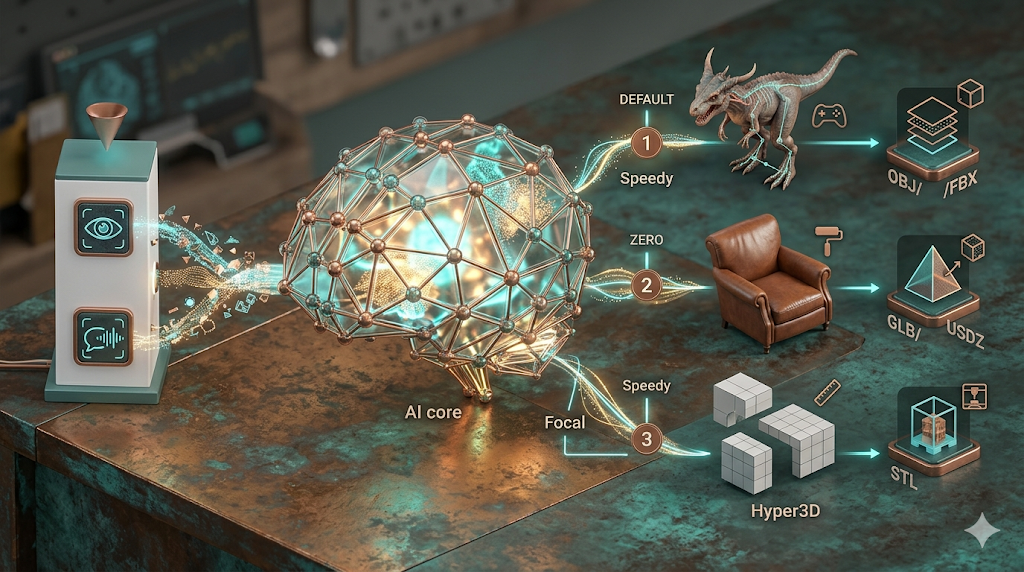
For those looking for an AI-powered solution, Hyper3D's OmniCraft offers an innovative approach. As an AI 3D model optimizer, it can intelligently analyze and simplify your models, creating optimized LODs with minimal manual effort. It supports various export formats, including STL, FBX, OBJ, GLB, and USDZ.
Comparison Table
| Tool | Pros | Cons |
|---|---|---|
| Autodesk Maya | Industry-standard, powerful, and versatile. | Expensive, steep learning curve. |
| Blender | Free, open-source, and highly flexible. | Can be less intuitive for beginners. |
| Unreal Engine | Advanced features, excellent performance. | Can be complex for smaller projects. |
| Unity | User-friendly, great for mobile and indie games. | Less powerful than Unreal for high-end graphics. |
| Hyper3D OmniCraft | AI-powered, fast, and easy to use. | Primarily focused on optimization. |
A Step-by-Step Guide to Creating LODs
Creating LODs for your models is a straightforward process, especially with modern tools.
Step 1: Prepare Your High-Poly Model
Start with a clean, well-optimized high-polygon model. Ensure it has good topology and that all transformations have been applied. This will make the LOD generation process much smoother.
Step 2: Generating LOD Variants
Use your chosen tool's polygon reduction features to create the different LOD levels. Aim for a significant reduction in polygon count for each level. A common approach is to reduce the polygon count by 50% for each subsequent LOD level.
Step 3: Setting Up LODs in a Game Engine
Import your LOD meshes into your game engine and use its LOD system to set up the transition distances. Test the transitions to ensure they are smooth and that the popping effect is minimized.
My First-Hand Experience with LOD Tools
I've spent a lot of time working with LODs in various projects. In Maya, the automatic LOD generation is a great starting point, but I often find myself tweaking the results manually to get the best results. Blender's Decimate modifier is a fantastic tool for creating LODs, offering a good balance of control and ease of use. For a recent project, I used Hyper3D's OmniCraft to optimize a set of complex models, and I was impressed by how quickly and effectively it created the LODs. It's a great tool for anyone looking to streamline their optimization workflow. For those interested in game development, the game 3D model generator is another great resource.
Advanced LOD Tips and Tricks
Once you've mastered the basics of LOD, you can start exploring more advanced techniques.
Using Normal Maps to Preserve Detail
Normal maps are a powerful tool for preserving the appearance of a high-poly model on a low-poly mesh. By baking the normal map from the high-poly model and applying it to the low-poly LODs, you can retain much of the original detail while significantly reducing the polygon count.
Optimizing for Mobile and VR
Mobile and VR platforms have strict performance constraints, making LOD even more critical. When optimizing for these platforms, be aggressive with your polygon reduction and consider using simpler shaders and textures for the lower LOD levels.
The Role of AI in LOD Generation
AI is playing an increasingly important role in LOD generation. AI-powered tools like Hyper3D's OmniCraft can analyze a model's topology and intelligently simplify it, producing high-quality LODs with minimal manual intervention. This can save a significant amount of time and effort, allowing you to focus on the creative aspects of your project.
Frequently Asked Questions (FAQ)
What is the difference between LOD and Mipmapping?
LOD deals with the complexity of a model's geometry, while mipmapping deals with the resolution of its textures. Mipmapping creates lower-resolution versions of a texture to be used when the object is further from the camera, similar to how LOD uses lower-polygon models.
How many LOD levels should I create for my model?
The number of LOD levels you need depends on the complexity of the model and the requirements of your project. For most models, 3-4 LOD levels are sufficient. However, for very complex models or for projects with a wide range of viewing distances, you may need more.
Can LOD be used for things other than games?
Yes, LOD is used in a variety of applications, including architectural visualization, simulations, and virtual reality. Anywhere real-time rendering of complex 3D scenes is required, LOD can be a valuable optimization technique.
Does LOD affect the texturing of a model?
LOD can affect the texturing of a model, especially if the UVs are not preserved during the polygon reduction process. It's important to ensure that your UVs are properly handled when creating your LODs to avoid texture distortion.
Is there a performance cost to using LOD?
While there is a small amount of overhead associated with managing and switching between LODs, the performance gains from rendering fewer polygons far outweigh the cost. In almost all cases, using LOD will result in a significant performance improvement.
Conclusion
Level of Detail is an essential technique for anyone working with real-time 3D graphics. By understanding and implementing LOD in your projects, you can create vast, detailed worlds that run smoothly and provide an immersive experience for your users. Whether you're a seasoned professional or just starting, mastering LOD is a key step towards creating high-quality 3D content. For more on 3D modeling and optimization, check out the Hyper3D blog.