Unreal Engine 3D Models: An AI-Powered Asset Generation Pipeline
Creating compelling and realistic worlds in Unreal Engine hinges on the quality of your 3D models. For years, developers and artists have spent countless hours meticulously crafting every polygon. But the field of asset creation is changing. AI-powered pipelines are emerging, offering a faster and more efficient way to generate the Unreal Engine 3D models that bring virtual environments to life. While traditional tools like Blender and Maya remain staples, a new generation of platforms, including specialized AI tools, is streamlining the path from concept to in-game asset.
Why High-Quality 3D Models Are Crucial in Unreal Engine
The impact of high-quality 3D models in an Unreal Engine project cannot be overstated. They are the visual foundation of your game or simulation, directly influencing everything from aesthetic appeal to performance. A well-crafted model with clean topology and optimized textures contributes to higher visual fidelity, making the virtual world feel more tangible and believable. This realism is key to player immersion, drawing them deeper into the experience you've created.
Beyond just looking good, these models play a critical role in technical performance. Game engines like Unreal are constantly rendering complex scenes, and the number of polygons in your models heavily impacts that process. Efficiently built models, often using Levels of Detail (LODs), allow the engine to manage resources effectively, ensuring smooth frame rates even in dense environments. A high polygon count isn't always better; smart optimization is what separates a beautiful, playable game from a stuttering tech demo.
Traditional vs. AI-Powered 3D Model Creation
The journey of creating Unreal Engine 3D models has seen a significant evolution. Understanding the difference between the old and new ways highlights why AI is becoming such a prominent force in game development.
The Old Way: Manual 3D Modeling
For decades, creating 3D assets was a purely manual and often laborious craft. Artists would use software like Blender, Maya, or 3ds Max to build models from the ground up. This process involves shaping primitive forms, sculpting intricate details, manually creating a UV map for textures, and then painting those textures. It's a skill that takes years to master and requires a deep understanding of form, anatomy, and software intricacies. While it offers complete creative control, it is incredibly time-consuming. A single, complex character or prop could take weeks to complete.
The New Way: AI-Powered Generation
AI introduces a approach shift in asset creation. Instead of building models polygon by polygon, developers can now use AI to generate them from simple text prompts or reference images. This is where an AI 3D model generator becomes a powerful ally. An AI-powered pipeline can produce a detailed 3D model in minutes, not weeks. This acceleration allows for rapid prototyping and iteration. You can test dozens of ideas in the time it would have taken to model just one manually. Techniques like text-to-3D and image to 3D are making this technology more accessible than ever.
My First-Hand Experience with an AI 3D Model Generator
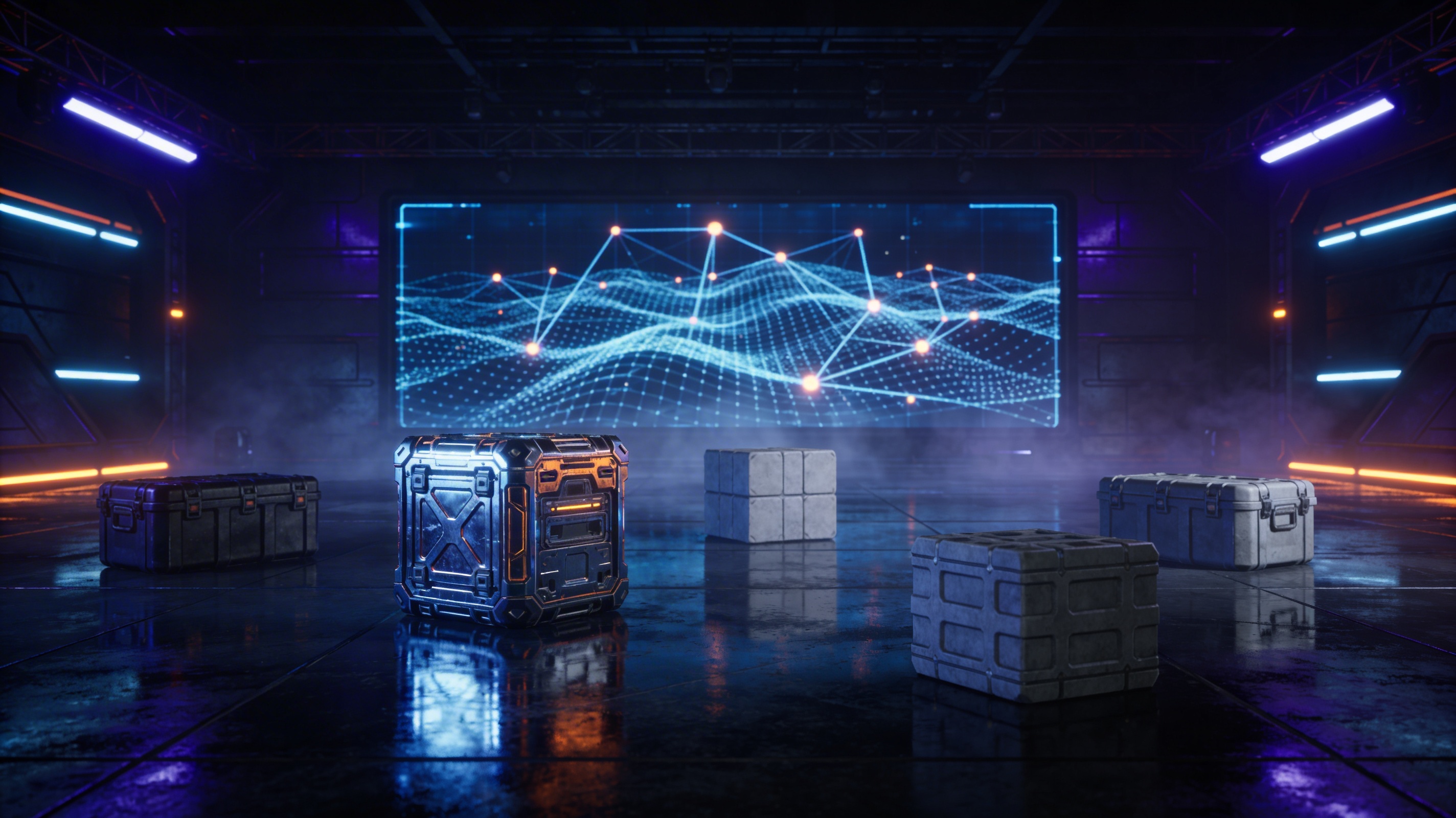
I decided to put this new workflow to the test by creating a custom asset for a hypothetical sci-fi game using Hyper3D's toolset. My goal was a
sci-fi crate, a common prop in many games. I used Rodin, Hyper3D's generation tool, and started with a simple text prompt: "a futuristic, metallic sci-fi crate with glowing blue lights and worn edges."
I experimented with a few of Rodin's generation modes. The 'Default' mode gave me a solid starting point, but the 'Focal' mode really honed in on the details I wanted, producing a more intricate and visually interesting result. The entire generation process took less than five minutes. What I got was a fully-formed 3D model with surprisingly good topology.
Of course, a model is only half the battle. It needs to be in the right format for Unreal Engine. This is where OmniCraft, Hyper3D's editing and conversion tool, came in. I imported the generated model into OmniCraft and used its 3D format converter to change it from the default GLB to FBX, a format Unreal Engine handles natively. The process was as simple as a few clicks. I also used the FBX to OBJ converter for another version to test, and it worked just as smoothly.
Top AI Tools for Unreal Engine 3D Models
While my experience focused on Hyper3D, the ecosystem of AI tools for creating Unreal Engine 3D models is growing. Here?? a look at some of the key players.
Hyper3D: An All-in-One Solution
Hyper3D stands out by offering an integrated suite of tools designed to work together. This creates a smooth workflow from generation to final asset.
- Rodin: As a game 3D model generator, Rodin excels at creating a wide variety of assets from text prompts. Its different generation modes provide a good level of control over the final output.
- OmniCraft: This tool is the bridge between your AI-generated model and your game engine. Its strength lies in its solid editing and format conversion capabilities, ensuring your models are ready for Unreal Engine.
- ChatAvatar: For developers needing characters, ChatAvatar focuses specifically on generating and customizing faces and avatars, which can then be integrated into your projects.
Other Notable AI Tools
It's important to have an objective view. While Hyper3D offers a great end-to-end pipeline, other tools have their own strengths. Platforms like Luma AI and Meshy are also making waves. Luma AI, for instance, has powerful capabilities for capturing real-world objects and turning them into 3D models (NeRFs), which is a different but equally powerful approach. Meshy offers a suite of tools for generating, texturing, and optimizing models, with a strong focus on creating game-ready assets. The best tool often depends on your specific needs??or an integrated and straightforward pipeline, Hyper3D is a strong contender, while for photogrammetry-style captures, other specialized tools might be more suitable.
Integrating AI-Generated Models into Your Unreal Engine Project
Getting your newly created Unreal Engine 3D models into your project is a straightforward process.
Step 1: Exporting from the AI Tool
Most AI generation tools will allow you to export your model in several common formats. The most widely supported formats for Unreal Engine are FBX and OBJ. GLB is also becoming more common. When exporting, pay attention to any settings related to scale and orientation to ensure the model appears correctly in the engine.
Step 2: Importing into Unreal Engine
Once you have your FBX or OBJ file, open your Unreal Engine project. In the Content Browser, you can simply drag and drop the file into your desired folder. An import options dialog will appear. For most models, the default settings are fine, but you may need to adjust them depending on whether the model has a skeleton for animation or complex material setups.
Step 3: Material and Texture Setup
AI-generated models usually come with basic textures. When you import the model into Unreal, the engine will often create a basic material for it automatically. You can, and should, open this material in the Material Editor to refine it. Here you can adjust properties like roughness, metallic, and normal map intensity to truly make the model fit the visual style of your project.
Frequently Asked Questions (FAQ)
What are the best file formats for Unreal Engine 3D models?
FBX is generally considered the best format as it supports static meshes, skeletal meshes, animations, and materials. OBJ is a good alternative for static meshes, but with fewer features.
Can I use AI-generated models in commercial projects?
The licensing for AI-generated assets varies by platform. Always check the terms of service for the specific tool you are using to ensure you have the rights for commercial use.
How can I optimize my 3D models for better performance in Unreal Engine?
Optimization involves reducing the polygon count, using efficient textures, and setting up Levels of Detail (LODs). Many AI tools and 3D software have features to help with this.
What is the difference between a 3D model and a 3D asset?
A 3D model is the geometric mesh itself. A 3D asset is a more complete package, which includes the model, its materials, textures, and sometimes animations and collision data.
Is it hard to learn 3D modeling for Unreal Engine?
Traditional 3D modeling has a steep learning curve. However, AI-powered tools are making it significantly easier for beginners to create high-quality Unreal Engine 3D models without years of training.
Conclusion
The integration of AI into the asset creation pipeline represents a fundamental shift in how we build virtual worlds. For developers working with Unreal Engine, this technology opens up a world of possibilities, dramatically accelerating production and enabling a new level of creative freedom. An AI-powered workflow, using tools like Hyper3D's AI 3D model generator, empowers creators to focus more on the overall vision and less on the manual labor of polygon pushing. As this technology continues to evolve, the line between imagination and realization will only get thinner, and the quality of Unreal Engine 3D models will reach new heights.