

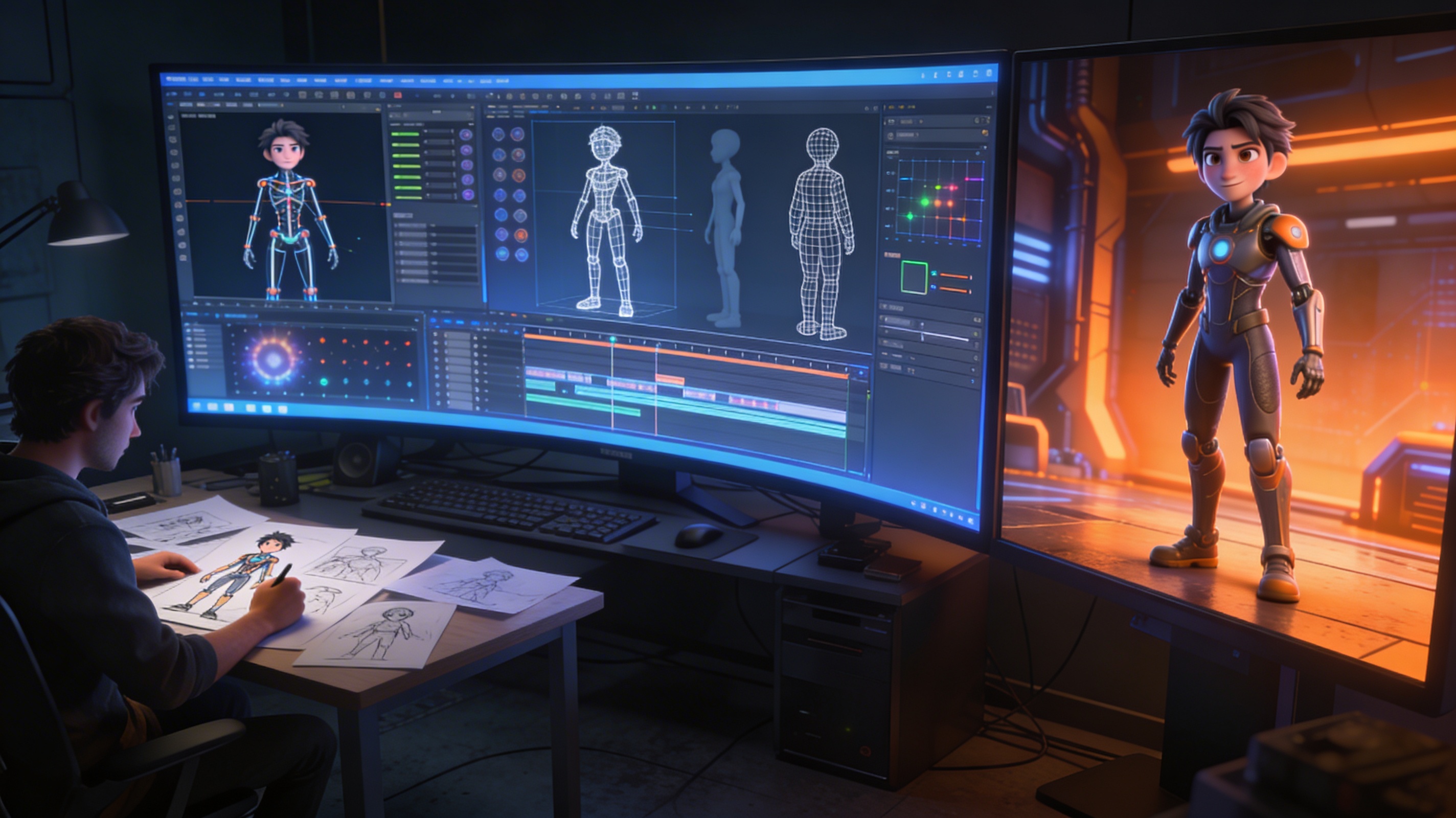
3D Animation Pipeline: Complete Production Guide
The creation of a 3D animated film or video game sequence is a deeply involved process, far more intricate than a casual glance might suggest. It involves a large team of artists and technicians working in concert, each contributing their specialized skills to a larger, unified vision. To manage this complexity, studios rely on a structured workflow known as the 3D animation pipeline. This guide will walk you through each stage of that process, from the initial spark of an idea to the final rendered image.
Whether you're using established software like Blender or Maya, or exploring newer platforms like an AI animation tool, understanding this pipeline is fundamental to creating professional-quality 3D animation.
What is a 3D Animation Pipeline?
A 3D animation pipeline is the complete framework for producing a piece of 3D animation. It?? an organized sequence of steps that takes a project from concept to completion, ensuring that the workflow is efficient, scalable, and collaborative. Think of it as an assembly line for digital creation. While the specifics can vary between studios and projects, the pipeline is universally divided into three core stages: pre-production, production, and post-production. Each stage has its own set of specific tasks and dedicated teams of specialists.
Pre-Production: The Foundation of Animation
Pre-production is where the project is planned and designed. This is arguably the most critical phase of the entire 3D animation pipeline, as the decisions made here will dictate the course of the entire project. A thorough pre-production phase saves immense amounts of time and resources down the line. It?? all about building a solid blueprint before construction begins.
Concept and Story
Every project starts with an idea. This initial concept is developed into a full-fledged story or narrative. The team defines the plot, characters, setting, and the overall message or theme. This stage involves a lot of brainstorming and creative exploration to build a compelling world and a story worth telling.
Scriptwriting
The story is then translated into a formal script. This document contains all the dialogue, describes the actions of the characters, and sets the scene for each shot. The script serves as the primary guide for the entire team, providing a written foundation for the visual and auditory elements of the animation.
Storyboarding
Next, the script is visualized through storyboarding. A storyboard is a sequence of drawings, similar to a comic book, that depicts each shot of the animation. It maps out the camera angles, character staging, and key moments of action. This visual blueprint helps the team understand the flow and pacing of the story before committing to the intensive process of 3D production.
Animatic
To get a better sense of timing, the storyboard panels are edited together and synchronized with a temporary soundtrack, including dialogue and music. This moving storyboard is called an animatic. It provides the first real glimpse of the final product's rhythm and pacing, allowing the director and editors to make crucial timing adjustments early on.
Character and Environment Design
While the story is being developed, a team of concept artists works on the visual design. They create the look and feel of the characters, props, and environments. This involves countless sketches and color studies to establish a consistent and appealing visual style that serves the story. These designs will be the direct reference for the 3D artists in the next stage.
Production: Bringing the Animation to Life
Production is where the designs and plans from pre-production are transformed into tangible digital assets and animated sequences. This is the most labor-intensive phase of the 3D animation pipeline, involving a wide range of specialized artists.
3D Modeling
The first step in production is 3D modeling. Artists use specialized software to build the characters, props, and environments in three-dimensional space. They create a digital mesh for every asset, paying close attention to the form and silhouette established in the design phase. This can be done through traditional modeling techniques or with the help of an AI 3D model generator for faster asset creation, or even tools that turn a simple image to 3D.
Texturing
Once a model is built, it's like a blank, gray sculpture. The texturing process gives it color, surface detail, and material properties. Texture artists paint and apply detailed maps that define whether a surface is rough, smooth, metallic, or soft. This is what makes a character's clothing look like fabric and a stone wall look like stone.
Rigging
Before a character can be animated, it needs a digital skeleton. Rigging is the process of creating this internal bone structure and a set of controls. This allows an animator to move the character's limbs, torso, and face in an intuitive way. A good rig is essential for achieving fluid and believable character performance.
Animation
This is the heart of the production process. Animators take the rigged characters and bring them to life, one frame at a time. They create the performances, movements, and expressions that tell the story. The animators manipulate the character rigs to pose them on key frames, and the software helps generate the in-between frames to create the illusion of movement.
Visual Effects (VFX)
Any element that is too complex to be animated by hand, such as fire, smoke, water, explosions, or cloth simulations, is handled by the VFX team. They use powerful simulation software to create realistic and dynamic effects that integrate smoothly with the animated scenes.
Lighting
Lighting is crucial for creating mood, atmosphere, and visual depth. Lighting artists place digital lights within the 3D scene, much like a cinematographer on a live-action film set. They control the color, intensity, and position of each light to shape the final look of the shot and guide the viewer's eye.
Rendering
Rendering is the final step of the production phase. It?? the process where the computer calculates all the information in the 3D scene??odels, textures, lighting, and effects??nd generates a final 2D image for each frame. This can be an extremely time-consuming process, often requiring large render farms (networks of computers) to complete.
Post-Production: The Final Polish
With all the rendered frames ready, the project moves into post-production. This is where all the individual elements are assembled and refined to create the finished product.
Compositing
Compositing is the process of combining all the different rendered layers (characters, backgrounds, effects, etc.) into a single, cohesive image. Compositors have fine control over each element, allowing them to make precise adjustments to color, lighting, and focus to ensure everything blends together perfectly.
Color Grading
Color grading is the process of adjusting the overall color and tone of the final animation. This is done to enhance the mood, ensure visual consistency across different shots, and create a specific stylistic look. It?? the final touch that gives the animation its cinematic quality.
Sound Design
The final audio track is created and mixed during post-production. This includes adding and balancing sound effects, Foley (recreated everyday sounds), and the musical score. Sound design plays a massive role in immersing the audience in the world of the animation.
Final Output
Finally, the completed animation, with its finished visuals and sound, is exported to its final delivery format. This could be a digital file for online streaming, a broadcast-ready format for television, or a Digital Cinema Package (DCP) for theatrical release.
My First-Hand Experience with 3D Animation Tools
I've spent a good amount of time working with various tools in the 3D space. For a long time, my workflow was centered around traditional software like Blender. It?? an incredibly powerful, open-source tool that can handle nearly every part of the 3D animation pipeline. But recently, I??e been experimenting with AI-powered tools, and it?? changing how I approach asset creation.
I??e been using Hyper3D?? suite of tools for some recent projects. With the ChatAvatar tool, I was able to generate a custom avatar head with realistic facial features in minutes, a process that would have taken me hours of detailed sculpting. For broader asset needs, the main AI 3D model generator is surprisingly capable. I fed it a few text prompts for some background props, and while they needed some cleanup, the base meshes were a great starting point. The real time-saver was the AI 3D model editor, which helped me quickly optimize the models and convert them to the FBX and GLB formats I needed for my scene.
The main observation is that these AI tools don't replace the artist. Instead, they act as a powerful assistant, automating the more tedious parts of the modeling and texturing process and letting me focus more on the creative aspects of animation and storytelling.
Objective Comparison of 3D Animation Software
Choosing the right software is a big decision. Here?? an impartial look at some of the most popular options:
| Software | Pros | Cons | Best For |
|---|---|---|---|
| Blender | Free and open-source, massive community, can handle the entire pipeline. | The interface can have a steep learning curve for absolute beginners. | Hobbyists, freelancers, and small studios looking for a powerful, all-in-one solution without the high cost. |
| Autodesk Maya | Industry standard for film and games, powerful rigging and animation tools. | Very expensive subscription model, can be overly complex for simple tasks. | Large studios and professionals working on high-end feature films and AAA games. |
| Cinema 4D | User-friendly interface, excellent motion graphics capabilities (MoGraph). | Subscription cost is high, not as strong in character animation as Maya. | Motion graphics artists, solo designers, and those focused on abstract and product visualization. |
Ultimately, the best tool depends on your specific needs and budget. Blender is an amazing starting point for anyone, while Maya remains the king for complex character work in big productions. Cinema 4D shines in the world of motion design.
FAQ: Your 3D Animation Pipeline Questions Answered
How long does it take to complete a 3D animation project?
This varies wildly depending on the length and complexity. A 30-second commercial can take a few weeks, while a full-length feature film can take several years and hundreds of artists.
Do you need to know how to draw to be a 3D animator?
While traditional drawing skills are very helpful, especially for pre-production roles like concept art and storyboarding, they are not strictly necessary for all 3D roles. Many 3D modelers and animators excel with a strong understanding of form, weight, and timing in a 3D space.
What is the difference between a 3D animation pipeline and a VFX pipeline?
A 3D animation pipeline is focused on creating animated characters and worlds from scratch. A VFX pipeline is focused on integrating computer-generated imagery with live-action footage. While they share many of the same production steps (modeling, texturing, rendering), their goals are different.
What is the most important stage of the 3D animation pipeline?
Most professionals would argue that pre-production is the most important stage. A solid plan, story, and design foundation prevent costly mistakes and changes during the much more expensive production phase.
Can one person do everything in a 3D animation pipeline?
Yes, it is possible for a single person (a generalist) to handle the entire pipeline for a short project. However, for larger, more complex animations, it?? not practical. The sheer volume of work and the specialized skills required for each stage necessitate a team of artists.