

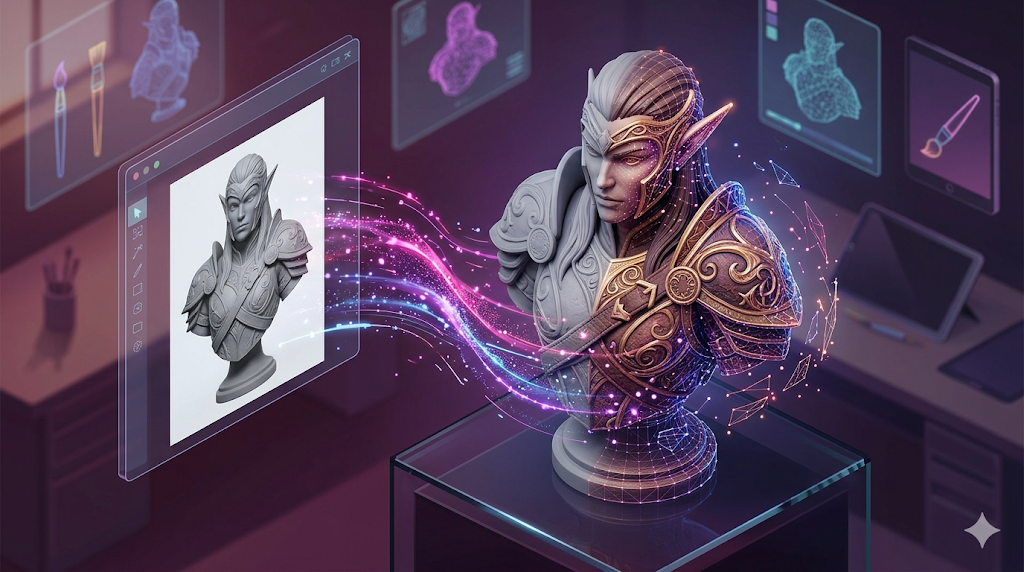
Best Image to 3D AI Converter: Tools Ranked
From a simple photograph to a fully-realized 3D model in a matter of seconds??hat was once science fiction is now a reality thanks to the rapid advancements in artificial intelligence. AI-powered image to 3D converters are changing the game for artists, developers, and designers, offering a new way to create 3D assets without the steep learning curve of traditional modeling software. These tools can take a single 2D image and extrapolate it into a three-dimensional object, complete with texture and geometry.
This is where best image to 3d converter tools really show their value.
But with a growing number of options available, each with its own strengths and weaknesses, how do you find the best image to 3D converter for your needs? This article will serve as your guide, exploring the top contenders and comparing their features, performance, and ideal use cases. We'll look at everything from the quality of the generated models to the ease of use of the platforms, helping you make an informed decision on the best image to 3D converter for your projects.
What is an Image to 3D Converter and How Does It Work?
An image to 3D converter is a tool that uses artificial intelligence to analyze a two-dimensional image and generate a three-dimensional model from it. This process, which can seem like magic, is grounded in complex algorithms and deep learning models.
For anyone exploring best image to 3d converter options, this matters.
The Technology Behind the Magic
At the core of these converters are several key technologies. Many early approaches were based on photogrammetry, a technique that stitches together multiple photos of an object from different angles to create a 3D model. While effective, this method requires multiple images and can be time-consuming.
More recently, AI-native techniques like Neural Radiance Fields (NeRFs) and diffusion models have emerged as the dominant force. NeRFs are particularly good at understanding and reconstructing a 3D scene from a collection of images. Diffusion models, which have become famous for their role in AI image generation, are now being adapted to generate 3D geometry and textures from a single image or text prompt. These models are trained on vast datasets of 3D objects, allowing them to "imagine" what an object should look like in 3D based on a 2D input.
The General Process
While the underlying technology is complex, the user-facing process is often quite simple:
1. Upload an Image: You start by providing a clear, well-lit image of the object you want to convert.
2. AI Processing: The AI model analyzes the image, identifying the object's shape, texture, and details.
3. Model Generation: The tool generates a 3D mesh, applies textures, and creates a complete 3D model.
4. Export: You can then export the model in various formats like GLB, FBX, or OBJ for use in other software.
What is the Best Image to 3D Converter? A Detailed Comparison
We've tested and analyzed the leading image to 3D converters to see how they stack up. Here's a breakdown of the best options available today.
| Tool | Best For | Top Strength | Key Limitation |
|---|---|---|---|
| Meshy AI | Texturing & UX | Best textures | Rougher geometry |
| Tripo AI | Game dev pipelines | Auto-rigging | STL export issues |
| Hyper3D | Topology & ecosystem | Cleanest geometry | Less versatile for stylized |
| Luma AI | Rapid prototyping | Speed | Triangle soup topology |
| Hunyuan3D | Free/budget | 20 free/day | Chinese interface |
Meshy AI
Meshy AI is known for its polished user interface and exceptional texturing capabilities. It's a great tool for artists who want to create visually appealing models with high-quality PBR materials.
- Pros: Best-in-class texturing engine, intuitive UI, good for various artistic styles.
- Cons: The geometry of the generated models can sometimes be less refined than its competitors.
- Best for: Artists and designers who prioritize texture quality and a smooth user experience.
Tripo AI
Tripo AI is a favorite among game developers, and for good reason. It's incredibly fast and includes features like auto-rigging, which is a huge time-saver for creating animated characters.
- Pros: Very fast generation, built-in auto-rigging, generous free plan.
- Cons: Some users have reported issues with the normals on STL exports, and it's less specialized for creating realistic avatars.
- Best for: Game developers who need to create pipeline-ready assets quickly.
Hyper3D (Rodin)
Hyper3D's Rodin engine excels at producing models with clean, high-quality topology, especially for characters and avatars. Its all-in-one ecosystem allows you to generate, texture, and edit your models in one place.
- Pros: Produces some of the cleanest geometry, offers a complete workflow with the OmniCraft suite, supports multi-view input.
- Cons: It's more specialized for realistic characters and objects, and may be less suitable for highly stylized assets.
- Best for: Users who need high-quality topology for characters and a seamless, all-in-one workflow. A great image to 3D model generator.
Luma AI (Genie)
Luma AI's Genie is all about speed, making it an excellent choice for rapid prototyping and concepting. If you need to quickly visualize an idea in 3D, Genie is a great option.
- Pros: Extremely fast, perfect for early-stage ideation and creating 3D sketches.
- Cons: The topology can be messy ("triangle soup"), often requiring cleanup in a separate 3D modeling program.
- Best for: Designers and artists who need to iterate on ideas quickly.
Tencent Hunyuan3D
Hunyuan3D from Tencent is a powerful and surprisingly high-quality free option. It offers a generous number of free generations per day, making it accessible to everyone.
- Pros: 20 free generations per day, produces high-quality models.
- Cons: The interface is in Chinese (though it can be auto-translated), and it's not available on mobile devices.
- Best for: Budget-conscious users and those who want to experiment with a high-quality model for free.
My First-Hand Experience with Hyper3D Rodin
To get a real feel for how these tools work, I took Hyper3D's Rodin for a spin. The user interface is clean and modern, with a central upload area that makes it easy to get started. I decided to test it with a photo of a vintage camera.
I uploaded the image and was presented with several generation modes. I first tried the "Speedy" mode, and within about 45 seconds, I had a 3D model. The result was impressive for the speed, but some of the finer details were a bit soft. I then tried the "Focal" mode. This took a bit longer, around 90 seconds, but the difference in quality was noticeable. The details of the lens and the texture of the camera body were much sharper.
The OmniCraft sidebar was a nice touch. I was able to quickly apply an AI-generated texture to the model and even make some minor mesh adjustments without leaving the browser. I then previewed the final result in a GLTF Viewer before exporting. The ability to export directly to formats like GLB and FBX is a huge plus for my workflow. For those who need an Image-to-STL converter, that option is also available.
A Step-by-Step Guide to Converting Your First Image to 3D
Ready to try it yourself? Here?? a simple workflow that applies to most image to 3D converters:
1. Choose Your Image: Select a high-quality, well-lit photo of your object. A clean background helps the AI focus on the subject.
2. Select Your Tool: Based on our comparison, pick the tool that best fits your needs and budget.
3. Upload and Generate: Upload your image to the platform and start the generation process. If there are different modes, consider trying a faster one first to preview the result.
4. Review and Refine: Once the model is generated, inspect it in the 3D viewer. If you're not happy with the result, try a different mode or even a different tool.
5. Export and Use: Export the model in your desired format and import it into your game engine, 3D software, or other application.
Common Use Cases and Applications
The applications for image-to-3D technology are vast and growing. Here are just a few:
- Game Development: Quickly create 3D assets for games, from props to characters.
- AR/VR: Bring real-world objects into augmented and virtual reality experiences.
- 3D Printing: Create 3D printable models from photos without needing CAD skills.
- E-commerce: Offer customers interactive 3D previews of products.
- Art and Design: Generate unique 3D assets for digital art and design projects.
Frequently Asked Questions (FAQ)
What is the best free image to 3D converter?
For a completely free option with high-quality results, Tencent's Hunyuan3D is an excellent choice, provided you're comfortable with the Chinese interface. Tripo AI also offers a generous free tier that's great for game developers.
Can I use my phone to create 3D models from pictures?
Yes, some tools like Polycam are specifically designed for mobile devices and use your phone's camera to capture objects and create 3D models. However, for the highest quality results, desktop-based tools are generally recommended.
How detailed can the 3D models be?
The level of detail depends on the tool and the quality of your source image. Premium tools like Hyper3D's Rodin can produce models with very fine details and clean topology, while faster tools like Luma AI's Genie may sacrifice some detail for speed.
What file formats do these tools support?
Most tools support common 3D file formats like GLB, FBX, and OBJ. Some, like Hyper3D, also offer STL for 3D printing. Always check the export options of a tool to ensure it's compatible with your workflow.
Do I need a powerful computer to use these tools?
Most of the tools we've discussed are cloud-based, meaning the heavy processing is done on their servers. This means you can use them with just a standard web browser and a decent internet connection, no powerful computer required.
Conclusion: Finding the Best Image to 3D Converter for You
Choosing the best image to 3D converter ultimately comes down to your specific needs. For those who prioritize high-quality textures and a polished user experience, Meshy AI is a strong contender. Game developers will appreciate the speed and auto-rigging features of Tripo AI. If you're on a budget, Hunyuan3D offers impressive quality for free. For rapid prototyping, Luma AI's speed is unmatched. And for those who need the cleanest geometry and an all-in-one workflow, Hyper3D's Rodin is the clear winner. We recommend trying a few of these tools to see which one best fits your creative process. The world of 3D creation is more accessible than ever, and with the right tool, you can bring your 2D visions to life in a new dimension.