

3D Lighting Guide: Types, Techniques & AI Automation
Creating compelling 3D scenes is a lot like setting a stage for a play. You can have the most detailed props and expressive actors, but without the right lighting, the entire production falls flat. In the world of 3D, lighting is what breathes life into your creations, transforming them from sterile models into immersive, believable environments. Whether you're working in Blender, Maya, or using a modern photorealistic 3D generator, understanding the art and science of 3D lighting is a critical skill. This 3d lighting guide is designed to help you with that.
This guide will walk you through the essential types of 3D lighting, fundamental techniques, and how AI is making the process faster and more accessible than ever before. We'll explore everything from the classic three-point lighting setup to the power of an AI 3D lighting tool.
Understanding the Fundamentals of this 3D Lighting Guide
Before we dive into specific techniques, let's establish a solid foundation. Understanding what 3D lighting is and why it's so important will help you make more informed decisions as you light your own scenes. This 3d lighting guide will be your companion in this journey.
What is 3D Lighting?
3D lighting is the process of simulating light within a 3D scene. It involves creating and manipulating virtual light sources to illuminate objects, create shadows, and produce reflections and highlights. The goal is to mimic the behavior of light in the real world, or to create a specific mood or artistic style. This process is a key part of the rendering pipeline and has a massive impact on the final look of your image or animation. A good 3d lighting guide is essential for mastering this.
Why is Lighting So Important in 3D?
Lighting is more than just making your scene visible. It serves several crucial functions:
- Realism and Believability: Accurate lighting is one of the biggest factors in making a 3D scene look real. The way light bounces, scatters, and casts shadows provides our brains with a wealth of information about the objects in the scene.
- Mood and Atmosphere: The color, intensity, and direction of light can dramatically alter the emotional tone of a scene. Bright, even lighting can feel cheerful and open, while dark, high-contrast lighting can create a sense of mystery or drama.
- Storytelling and Focus: Lighting can be used to guide the viewer's eye and draw attention to important elements in the scene. A well-placed spotlight can highlight a key character or object, while casting less important areas in shadow.
Common 3D Lighting Types
Just like a painter has a palette of colors, a 3D artist has a variety of light types to work with. Each one has its own unique properties and is suited for different purposes. This 3d lighting guide will cover the most common ones.
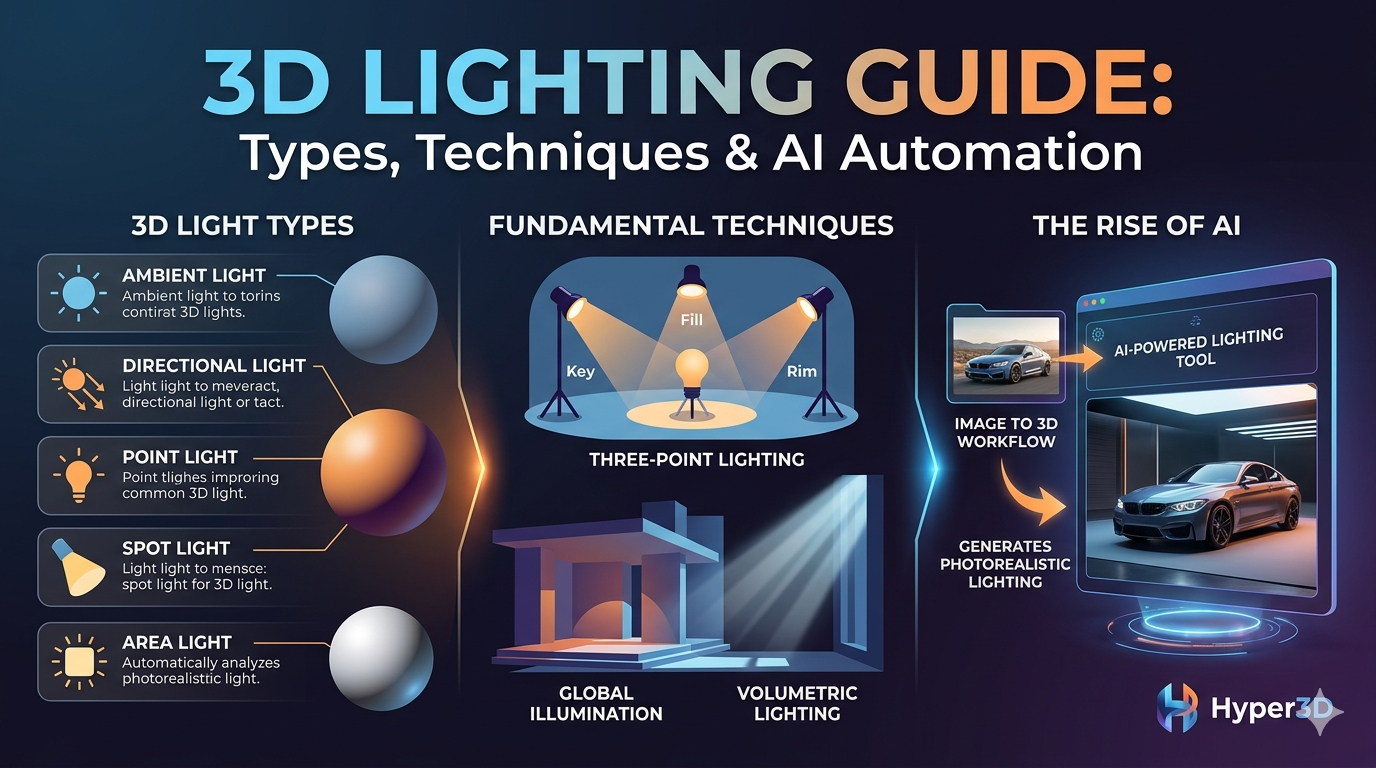
Ambient Light
Ambient light provides a uniform, non-directional illumination to the entire scene. It's like the general, bounced light that fills a room. It doesn't cast shadows and is often used to prevent areas from being completely black.
Directional Light
Also known as parallel rays, directional lights simulate a distant light source like the sun. The rays are all parallel and travel in the same direction, casting strong, hard-edged shadows. This is the go-to light for outdoor scenes.
Point Light
Often called an omni light, a point light emits light in all directions from a single point in space, much like a bare lightbulb. The intensity of the light decreases as you move further away from it. Point lights are great for simulating local light sources like lamps or candles.
Spot Light
A spot light emits a cone of light in a specific direction. You can control the angle of the cone to create a narrow or wide beam of light. Think of a flashlight or a theatrical spotlight. These are perfect for highlighting specific objects or areas.
Area Light
Area lights emit light from a surface, such as a plane or a sphere. They produce soft, diffused lighting and realistic soft-edged shadows, making them ideal for simulating windows, softboxes, or fluorescent light fixtures.
Essential 3D Lighting Guide to Techniques
Knowing the different light types is only half the battle. The real artistry comes in how you combine them. Here are some of the most fundamental lighting techniques you'll find in this 3d lighting guide.
Three-Point Lighting
This is the classic lighting setup used in photography, film, and 3D. It consists of three lights:
- Key Light: The main, brightest light source, which establishes the overall look and feel of the scene.
- Fill Light: A softer light used to fill in the shadows created by the key light, reducing contrast.
- Rim Light: A light placed behind the subject to create a bright outline, separating it from the background and adding depth.
High Dynamic Range (HDR) Lighting
HDR lighting uses a special type of image called an HDRI map to illuminate a scene. These maps contain a much wider range of light and color information than a standard image, allowing for incredibly realistic and nuanced lighting. Many artists use an image to 3d workflow to create their models and then light them with HDRIs.
Global Illumination (GI)
Global Illumination is a rendering technique that simulates the way light bounces off of surfaces and illuminates other objects in the scene. This indirect lighting is what creates soft, natural-looking light and color bleeding, where the color of one object subtly reflects onto another.
Volumetric Lighting
This technique makes light itself visible, simulating the effect of light passing through particles in the air, like fog, dust, or smoke. It's what creates those dramatic "god rays" you see streaming through a window.
My First-Hand Experience with 3D Lighting Tools
I've spent a lot of time working with different 3D lighting tools, from the manual controls in Blender to the AI-powered features in Hyper3D's OmniCraft. In Blender, I have complete control over every aspect of my lighting setup. I can place each light with precision, tweak every setting, and create highly artistic and stylized looks. It's a powerful and rewarding process, but it can also be incredibly time-consuming. Getting a realistic lighting setup can take hours of fine-tuning. This 3d lighting guide can help speed up the process.
On the other hand, using the AI 3D lighting tool in OmniCraft is a completely different experience. I can simply upload an HDRI, and the AI analyzes the image and automatically generates a realistic lighting environment. The results are often stunningly photorealistic, and it takes a fraction of the time. It's a fantastic tool for quickly creating believable lighting, especially for product visualizations and architectural renderings. You can explore more about Hyper3D's tools like Rodin for generation and OmniCraft for format conversion.
Objective Comparison of 3D Lighting Approaches
There's no single "best" way to do 3D lighting. The right approach depends on your project, your goals, and your personal workflow. Here's an objective look at the pros and cons of manual vs. AI-powered lighting, as discussed in this 3d lighting guide.
| Approach | Pros | Cons |
|---|---|---|
| Manual Lighting (e.g., Blender, Maya) | - Complete creative control - Highly customizable - Good for artistic and stylized looks | - Time-consuming - Steep learning curve - Requires technical expertise |
| AI-Powered Lighting (e.g., Hyper3D OmniCraft) | - Fast and efficient - Easy to use - Excellent for photorealism - Automates complex setups | - Less granular control - May not be ideal for highly stylized art |
The Rise of AI in 3D Lighting
AI is rapidly changing the game for 3D artists. AI-driven tools can automate many of the tedious and technical aspects of 3D lighting, freeing up artists to focus on the creative side of things. From automatically generating realistic lighting from an image to optimizing render settings, AI is making it easier than ever to achieve professional-looking results. As these tools continue to evolve, they will become an even more integral part of the 3D workflow. This 3d lighting guide is just the beginning.
Frequently Asked Questions about this 3D Lighting Guide
What is the best software for 3D lighting?
There's no single "best" software. It depends on your needs. Blender is a fantastic free and open-source option with a powerful lighting and rendering engine. Maya is an industry standard in film and animation. For those looking for a fast, AI-powered workflow, tools like Hyper3D's OmniCraft are an excellent choice.
How long does it take to learn 3D lighting?
The basics of 3D lighting can be learned in a few weeks, but mastering it is a lifelong journey. It requires both technical knowledge and a good artistic eye. The key is to practice regularly and study how light behaves in the real world. A good 3d lighting guide can be a great help.
What is a 3D lighting artist?
A 3D lighting artist is a specialist who is responsible for creating the lighting for 3D scenes in film, animation, and video games. They work closely with the director and art director to establish the mood and look of the final product.
Can I use a photorealistic 3D generator to create good lighting?
Many photorealistic 3D generator tools include advanced lighting features. Some, like Hyper3D, use AI to automate the process and create incredibly realistic lighting with minimal effort.
How does AI help with 3D lighting?
AI can help with 3D lighting in many ways. It can analyze images to generate realistic lighting environments, optimize render settings for faster results, and even suggest lighting setups based on a desired mood or style. This automation can save artists a significant amount of time and effort.
In the end, the most important thing is to experiment and find what works best for you. Whether you prefer the hands-on control of manual lighting or the speed and convenience of AI-powered tools, a solid understanding of the fundamentals, as provided in this 3d lighting guide, will help you create stunning and believable 3D worlds.