

3D Modeling for Beginners: Where to Start in 2025
Have you ever looked at a stunning video game world or a beautifully animated character and wondered, ??ow did they make that???The answer is 3D modeling. It?? the creative process of crafting digital objects in three dimensions, and it?? a skill that opens doors to industries like game development, film, architecture, and product design. For those new to the field, the world of 3D modeling for beginners can seem intimidating. With so many tools and techniques, it's hard to know where to begin. Whether you're interested in traditional software like Blender or exploring a modern beginner AI 3D tool, this guide will walk you through the first steps of your 3D journey.
3D Modeling For Beginners: Getting Started with 3D Modeling
Starting with 3D modeling is easier than you might think. The key is to begin with the fundamentals and gradually build your skills. Here?? a breakdown of what you need to know.
3D Modeling For Beginners: Choosing Your First 3D Modeling Tool
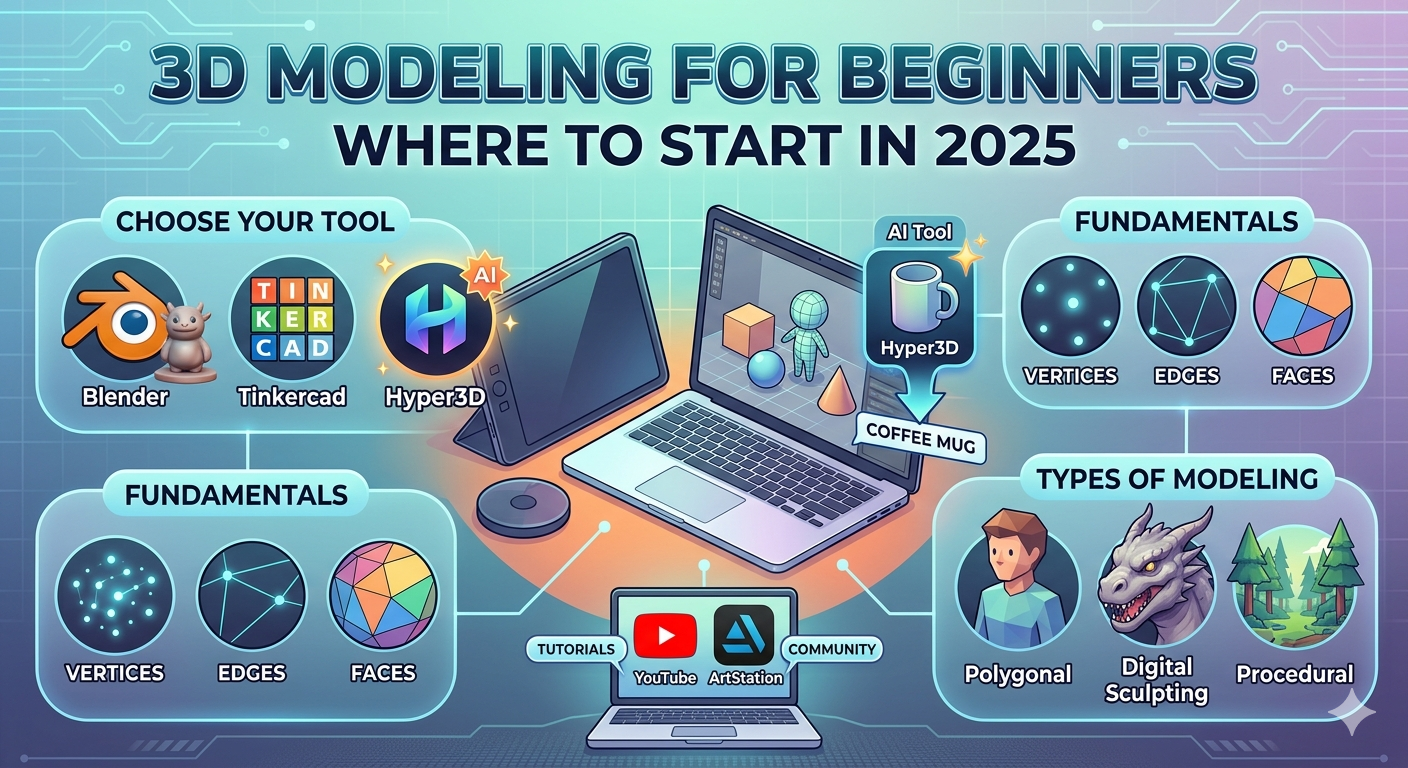
The software you choose will shape your learning experience. For newcomers, it?? best to start with something intuitive. Tools like Tinkercad offer a simple, block-based approach, making it perfect for absolute beginners. Blender is a powerhouse of a program that is free and open-source, offering a complete suite of tools for modeling, sculpting, and animation. While it has a steeper learning curve, its versatility is unmatched. And for those who want to experiment with AI-powered creation, platforms like Hyper3D allow you to generate models from text or images, offering a completely different entry point into 3D modeling for beginners.
The Building Blocks of 3D Models
Every 3D object, no matter how complex, is built from the same basic components. Understanding these is fundamental to your progress.
- Vertices: These are single points in 3D space. Think of them as the corners of a shape.
- Edges: An edge is a line that connects two vertices.
- Faces: A face is a flat surface created by connecting three or more edges. Most of the time, you'll be working with triangles or quadrilaterals (quads).
- Polygons: A polygon is another name for a face. A collection of polygons forms a ??esh,??which is the surface of your 3D model.
By manipulating these elements??oving vertices, extruding faces, and adding edges??ou can shape any object you can imagine.
Types of 3D Modeling
There are several different approaches to 3D modeling, each with its own strengths. As a beginner, it?? helpful to know the most common types:
- Polygonal Modeling: This is the most common form of 3D modeling, where artists build objects by creating a mesh of polygons. It?? a versatile technique used for creating everything from game assets to architectural visualizations.
- Digital Sculpting: This approach is more like working with digital clay. Artists use brushes to push, pull, and shape a mesh, making it ideal for creating organic shapes like characters and creatures.
- Procedural Modeling: In this method, models are generated based on a set of rules or algorithms. This is often used for creating complex, detailed environments like cities or forests.
My First-Hand Experience: A Dive into AI-Powered 3D Modeling
I??e spent a good amount of time with traditional 3D modeling software, so I was curious to see how a modern AI tool would feel for someone just starting out. I decided to try Hyper3D?? image-to-3d tool, a feature designed for 3D modeling for beginners. My goal was simple: turn a 2D image of a coffee mug into a 3D model.
I uploaded a simple, clear photo of a mug against a neutral background. The process was straightforward. Within a minute, the AI had generated a 3D mesh based on the image. The initial result was impressive. The overall shape was there, but it wasn't perfect. The handle was a bit lumpy, and the rim of the mug was uneven.
This is where I realized the importance of the editing tools. I took the generated model into Hyper3D?? OmniCraft editor. Using the sculpting brushes, I smoothed out the handle and refined the rim. The interface was intuitive, and I could see the changes in real-time. I also experimented with the different export formats, settling on a GLB file that I could easily view on my computer. The whole process, from image upload to a finished model, took less than 15 minutes. For a beginner, this kind of immediate result is incredibly motivating. It bypasses the steep initial learning curve of traditional software and lets you get straight to the creative part.
A Look at the Best 3D Modeling Software for Beginners in 2025
Choosing the right software is a personal decision that depends on your goals and budget. Here?? an objective look at some of the top contenders for anyone interested in 3D modeling for beginners.
| Software | Best For | Pros | Cons |
|---|---|---|---|
| Blender | All-around use, from hobbyists to professionals | Completely free, massive community, and incredibly powerful. | Steep learning curve for beginners. |
| Tinkercad | Absolute beginners and children | Extremely easy to learn, browser-based, and great for 3D printing. | Very limited toolset for complex models. |
| Hyper3D | Quick generation and AI experimentation | Fast results from text or images, intuitive editing tools. | Less precise control than traditional software. |
| SketchUp | Architectural and interior design | User-friendly interface, great for creating clean, simple models. | The free version is limited, and it's not ideal for organic shapes. |
| ZBrushCoreMini | Digital sculpting | A great introduction to sculpting, free to use. | Focused only on sculpting, not a full modeling package. |
For those who want to create detailed characters or game assets, Blender is the clear winner in the long run. If you're focused on product design or architecture, SketchUp is a solid choice. And if you want to see your ideas come to life as quickly as possible, a tool like Hyper3D?? text to 3D model generator is a fantastic starting point.
Learning Resources for Your Journey
No matter which software you choose, you??l need resources to help you learn and grow. The 3D modeling community is vast and supportive, with countless tutorials and forums available.
Online Tutorials and Courses
YouTube is a goldmine for 3D modeling for beginners. Channels like Blender Guru, Grant Abbitt, and CG Cookie offer high-quality tutorials that cover everything from the basics to advanced techniques. Websites like Udemy and Skillshare also have structured courses that can guide you through the learning process.
Communities and Forums
When you get stuck, there?? nothing more valuable than a community of fellow artists. Websites like ArtStation and Reddit?? r/3Dmodeling are great places to share your work, get feedback, and ask for help. Don?? be afraid to share your beginner projects; the feedback you receive will be invaluable.
Frequently Asked Questions
What is the easiest 3D modeling software to learn?
For absolute beginners, Tinkercad is often cited as the easiest software to learn. Its simple, block-based approach makes it very intuitive. For those wanting a bit more power, Hyper3D's AI tools offer a very gentle learning curve.
How long does it take to learn 3D modeling?
This depends on your dedication and the complexity you want to achieve. You can learn the basics of a program like Tinkercad in a single afternoon. Mastering a complex program like Blender can take months or even years, but you can start creating simple models within a few weeks of consistent practice.
Can I do 3D modeling on a normal computer?
Yes, for the most part. While high-end professional work requires a powerful computer, most beginner-friendly software will run on a standard laptop or desktop. Browser-based tools like Tinkercad and Hyper3D have very low system requirements. For Blender, a dedicated graphics card is recommended but not strictly necessary for learning the basics.
Is 3D modeling a good career?
Absolutely. 3D artists are in high demand in many industries, including video games, film and television, advertising, architecture, and product design. It?? a field that rewards both technical skill and creativity.
What are the different types of 3D modeling?
There are several different approaches to 3D modeling. The most common are polygonal modeling (building shapes with polygons), digital sculpting (shaping models like digital clay), and procedural modeling (using algorithms to generate models). Many artists use a combination of these techniques.
Your 3D Journey Starts Now
The world of 3D modeling is vast and exciting. It can be a rewarding hobby or a fulfilling career. The most important step is the first one. Don?? be intimidated by the complexity. Start small, be patient with yourself, and celebrate your progress. Whether you choose to master a traditional program like Blender or explore the new frontier of AI with tools like Rodin and OmniCraft, the power to create is at your fingertips. So, what will you create first? The journey of a thousand miles begins with a single step, and your journey into the world of 3D modeling starts today. With the right tools and a bit of practice, you??l be creating your own 3D masterpieces in no time. The possibilities are endless, and your imagination is the only limit. So go ahead, dive in, and start creating.