

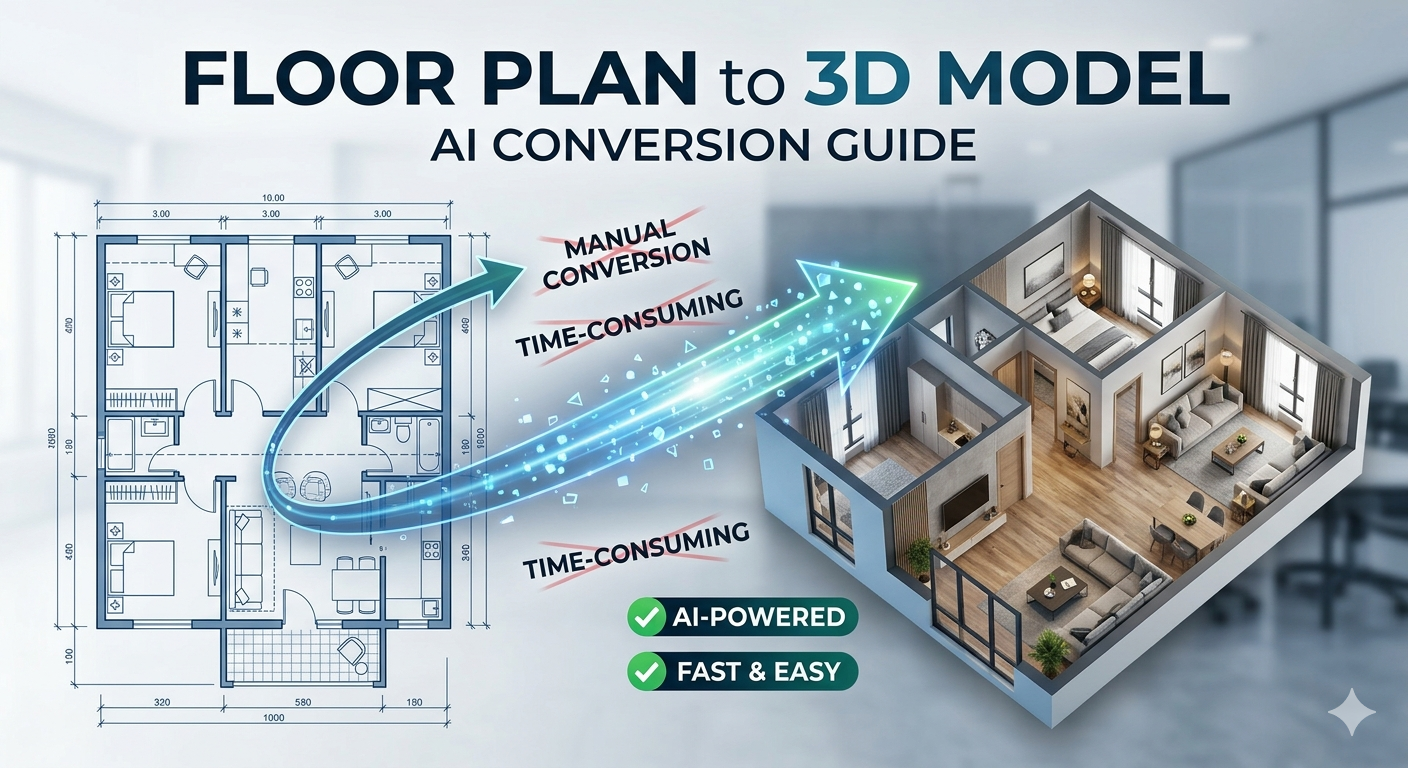
Floor Plan to 3D Model: AI Conversion Guide
Converting a floor plan to 3d model is a fundamental task in modern architecture and interior design. While this process was once a time-consuming manual effort, a new generation of AI-powered tools has made it faster and more accessible than ever. Platforms like Hyper3D, Planner 5D, and Coohom are changing how designers and architects work, offering automated solutions for floor plan to 3d model conversion alongside traditional software like SketchUp and Blender. This article explores the different methods for turning a flat drawing into a fully realized 3D space, giving you the information to choose the best approach for your project.
Why Convert a Floor Plan to a 3D Model?
The benefits of a 3D model extend far beyond a simple ??ow??factor. For architects and interior designers, a 3D representation of a floor plan provides an immersive and realistic view of the space. This helps in communicating design ideas to clients, who can better understand the layout, scale, and flow of a room. It also makes it easier to spot potential design flaws that might not be apparent in a 2D drawing, such as awkward door swings or insufficient clearance for furniture.
In real estate, 3D models have become a powerful marketing tool. They allow potential buyers to take virtual tours of a property, giving them a much better sense of the space than static photos can provide. This enhanced visualization can lead to faster sales and more engaged clients.
Methods for Converting Floor Plans to 3D Models
There are two primary approaches to converting a 2D floor plan into a 3D model: the traditional manual process and the newer, automated AI-driven method. Each has its own set of advantages and disadvantages.
Manual Conversion Using 3D Modeling Software
The traditional method involves using 3D modeling software like SketchUp, AutoCAD, or Blender to trace over a 2D floor plan. This process is akin to digital drafting, where you manually build the walls, add openings for doors and windows, and then extrude the entire structure to give it height. This approach offers a high degree of precision and control, allowing for detailed and highly customized models. You can specify exact wall thicknesses, window heights, and other architectural details with complete accuracy.
However, this level of control comes at a cost. Manual conversion is a time-intensive process that requires a significant level of technical skill. Learning to use professional 3D modeling software can take weeks or even months, and the software itself can be expensive. This method is best suited for professionals who require a high level of detail and have the time and expertise to invest.
AI-Powered Floor Plan to 3D Model Conversion
AI-powered tools represent a major shift in the industry. These platforms use computer vision and machine learning algorithms to automatically analyze a 2D floor plan image and generate a 3D model from it. The AI can identify walls, doors, windows, and even furniture, and then construct a 3D representation of the space in a matter of minutes. Many of these tools are web-based, making them easily accessible without the need for powerful hardware or complex software installations.
The main advantage of AI conversion is its speed and ease of use. It allows designers to quickly create a 3D visualization without getting bogged down in the technical details of 3D modeling. This is particularly useful for initial design concepts or for those who are not 3D modeling experts. The trade-off is that you may give up some of the fine-grained control that comes with manual modeling. The accuracy of the AI can vary, and you may need to make manual adjustments to the generated model.
Top Tools for Floor Plan to 3D Model Conversion
Choosing the right tool depends on your specific needs, budget, and technical skill level. Here?? a look at some of the leading options available today.
For Automated AI Conversion: Hyper3D, Planner 5D, and Floor Plan AI
For those looking for a fast and automated solution, AI-powered platforms are the way to go. Hyper3D's architecture 3D generator is a strong contender in this space, offering a suite of tools for creating and editing 3D models from various inputs. Other popular choices include Planner 5D, which provides a user-friendly interface for creating home designs, and Floor Plan AI, which specializes in quickly converting floor plan images to 3D models. These tools are excellent for rapid prototyping and visualization.
For Manual Control: SketchUp and Blender
If you need a high level of detail and customization, traditional 3D modeling software is still the best choice. SketchUp is widely regarded as one of the most intuitive and easy-to-learn 3D modeling programs, making it a favorite among architects and interior designers. Blender is a powerful, open-source alternative that offers a vast array of features for modeling, rendering, and animation. While it has a steeper learning curve, it is an incredibly versatile tool for those willing to invest the time to learn it.
My First-Hand Experience: Testing an AI Floor Plan to 3D Model Converter
To get a real sense of how these AI tools work, I decided to test one out with a sample floor plan. I used a tool similar to Hyper3D's image to 3D feature. The process was straightforward. I started by uploading a simple JPEG of a one-bedroom apartment layout.
The AI began processing the image, and within about a minute, it presented me with a 3D model. The initial result was impressive. The AI had correctly identified the exterior and interior walls, and it had even placed doors and windows in roughly the right locations. The sense of space was immediate, and I could already navigate the model to get a feel for the layout.
Of course, it wasn't perfect. A couple of the interior walls were slightly misaligned, and one window was missing. This is where a tool like Hyper3D's OmniCraft editor would come in handy. I was able to easily select the misaligned walls and nudge them into the correct position. Adding the missing window was as simple as clicking on the wall and selecting the window tool. After a few minutes of tweaking, I had a clean and accurate 3D model of the floor plan. The ability to quickly generate a base model and then refine it manually is a powerful workflow.
Objective Comparison: AI vs. Manual Conversion
To help you decide which method is right for you, here is a comparison of AI-powered conversion and manual 3D modeling:
| Feature | AI-Powered Conversion (e.g., Hyper3D) | Manual Modeling (e.g., SketchUp) |
|---|---|---|
| Speed | Very Fast (minutes) | Slow (hours to days) |
| Ease of Use | Very Easy, intuitive interface | Difficult, steep learning curve |
| Cost | Often subscription-based or pay-per-use | Can be expensive (software licenses) |
| Level of Detail | Good, but may require manual tweaks | Very High, full control |
| Customization | Limited to the tool's features | Nearly unlimited |
| Best For | Quick concepts, non-experts, presentations | Detailed architectural plans, professionals |
Ultimately, the best tool depends on the job. For a quick visualization to show a client, an AI tool is hard to beat. For a detailed construction document, manual modeling is still the standard. Many designers are now using a hybrid approach, using AI to generate a base model and then importing it into a traditional 3D modeling program for further refinement.
The Future of Architectural Visualization with AI
The conversion of a floor plan to 3D model is just the beginning. AI is poised to reshape the entire field of architectural visualization. We are already seeing the emergence of tools that can automatically furnish a 3D model based on a specified style, such as modern or rustic. AI can also be used to generate realistic textures and lighting, creating photorealistic renderings in a fraction of the time it would take manually. Hyper3D's AI texture generator is an example of this trend.
Also, AI is making it possible to create interactive 3D experiences. Imagine sending a client a link to a virtual model of their future home, which they can explore on their own computer or with a VR headset. This level of immersion is the future of architectural communication. As AI technology continues to advance, the line between the digital and physical worlds will become increasingly blurred.
Frequently Asked Questions (FAQ)
How accurate is AI floor plan conversion?
AI conversion is generally quite accurate for standard floor plans, but complex or unconventional layouts may require some manual correction. The technology is constantly improving, with newer models offering better accuracy.
Can I convert a hand-drawn sketch to a 3D model?
Yes, many AI tools can interpret hand-drawn sketches, as long as they are clear and reasonably to scale. The quality of the input drawing will affect the quality of the output model.
What file formats are used for 3D models?
Common 3D model file formats include OBJ, FBX, and GLB. These formats are compatible with most 3D modeling and viewing software. Hyper3D's 3D format converter can handle a variety of formats.
Do I need a powerful computer to create 3D models?
For web-based AI tools, you do not need a powerful computer, as the processing is done in the cloud. For traditional 3D modeling software like Blender or SketchUp, a computer with a dedicated graphics card is recommended for a smooth experience.
Can I use AI to create a 3D model from a photo of a room?
Yes, this technology, often called image to 3D, is becoming more common. It allows you to create a 3D model of an existing space by taking a series of photos. This is especially useful for renovation projects. You can also use a text to 3D model generator for more creative projects.
I've also included a link to our interior design 3D generator for more specific interior projects. For character design, you can check out our character design generator and the ChatAvatar AI avatar tool. Finally, explore the possibilities with our AI 3D model generator and our vector to 3D converter.