

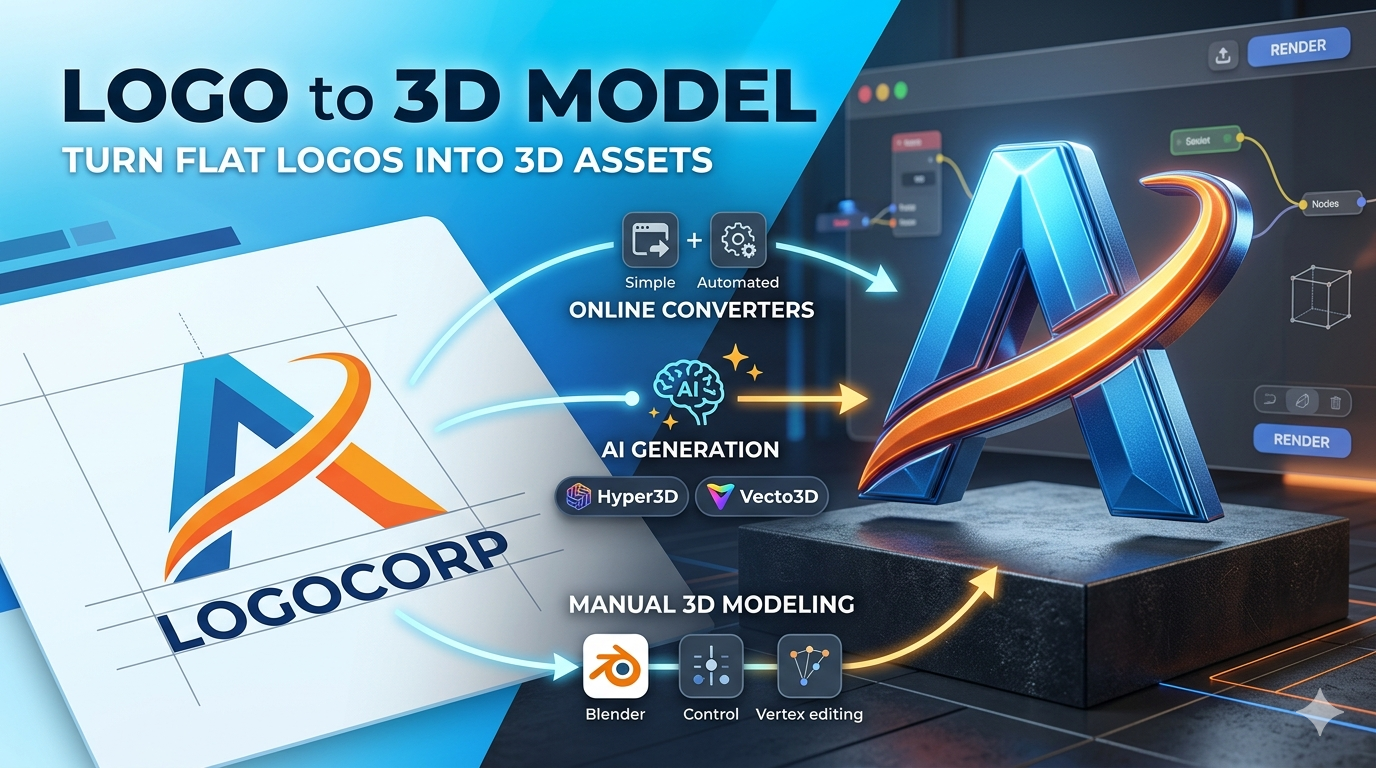
Logo to 3D Model: Turn Flat Logos Into 3D Assets
In a world where digital interaction is increasingly three-dimensional, having a 3D version of your logo is no longer a luxury??t's a strategic advantage. A 3D logo can bring your brand to life in augmented reality, virtual reality, product animations, and even 3D printing. But how do you go from a flat, 2D logo to a fully realized 3D asset? This process is often referred to as logo to 3d model conversion. There are several paths you can take, ranging from simple online converters to powerful 3D modeling software and the latest AI-driven tools. In this article, we'll explore these options to help you find the best method for your needs, ensuring your brand stands out in the ever-evolving digital landscape.
Methods for Converting Logos to 3D Models
There are three primary ways to tackle the logo to 3D model conversion process. Let's explore each logo to 3d model method in detail. Each has its own set of advantages and disadvantages, so the right choice for you will depend on your budget, timeline, and desired level of quality.
Using Online Logo to 3D Model Converters
For those who need a quick and easy solution, online converters are an excellent starting point. These web-based tools are designed for simplicity. You typically upload your 2D logo in a common image format like PNG, JPG, or SVG, and the platform automatically generates a 3D model. Some popular options include 3DLogoLab, imagetostl.com, and Convertio. The entire process can take just a few minutes, and you can often download your 3D model in a standard format like STL or OBJ. While these converters are incredibly convenient, they may not always produce perfect results, especially with complex logos. The algorithms used are often generalized and may struggle with intricate details, gradients, or overlapping shapes. The resulting 3D model might require significant cleanup in a separate 3D editing program to be usable for professional applications.
Manual Conversion with 3D Modeling Software
If you need more control and precision, manual conversion using 3D modeling software is the way to go. Tools like Blender and SketchUp are industry standards for 3D creation and offer the flexibility to create a high-quality 3D logo from scratch. The general workflow involves importing your logo (preferably in a vector format like SVG), tracing it if necessary, and then extruding the 2D shape to give it depth. This method allows for meticulous adjustments and is ideal for professional applications. For instance, in Blender, you can import an SVG, convert it to a mesh, and then use a variety of modeling tools to add bevels, textures, and lighting to create a photorealistic render. In SketchUp, the Push/Pull tool makes it easy to create the basic 3D shape, but you can also use extensions to add more complex details. However, it comes with a steeper learning curve and requires a significant time investment. You'll need to be familiar with the basic principles of 3D modeling to achieve a professional result.
The Rise of AI-Powered Logo to 3D Model Generation
The newest and perhaps most exciting method for creating 3D logos is through AI-powered tools. Platforms like Hyper3D's logo to 3D converter, 3D AI Studio, and Meshy AI are changing the game by using artificial intelligence to generate 3D models from 2D images or even text prompts. These tools can produce impressive results in a fraction of the time it would take to create a model manually. For example, you can upload a PNG of your logo and let the AI interpret the shapes and colors to build a 3D asset. Some tools even allow you to generate a 3D model from a simple text description, opening up a world of creative possibilities. If you're interested in this approach, you might also want to explore other image to 3D and text-to-3D model technologies. The underlying technology often involves sophisticated machine learning models, such as generative adversarial networks (GANs) or diffusion models, which have been trained on vast datasets of 3D objects. This allows them to generate novel 3D geometry that closely matches the input image or text prompt.
My First-Hand Experience: Putting the Tools to the Test
To give you a real-world perspective, I decided to test a few of these logo to 3d model methods with a sample logo?? stylized letter 'A' with a swoosh. I wanted to see how each tool handled the conversion process and what the final results looked like.
First, I tried an online converter. The process was as simple as advertised: I uploaded a PNG of the logo, and within a minute, I had a downloadable STL file. The result was decent, but it lacked some of the finer details of the original logo. The swoosh was a bit jagged, and the edges weren't as sharp as I would have liked. It would be suitable for a quick visualization but not for a professional animation.
Next, I turned to Hyper3D's Vecto3D tool. The experience was similarly straightforward, but the results were a step up in quality. I uploaded the logo, and the platform gave me a few options for how the 3D model would be generated. I was able to preview the model in a 3D viewer before downloading it. The final asset was clean and accurate, with a smooth swoosh and sharp edges. I could easily export it to various formats using Hyper3D's format conversion tools.
Finally, I opened up Blender to try the manual approach. This was by far the most involved method. I had to convert my logo to an SVG file first, then import it into Blender, clean up the curves, and extrude it to create the 3D shape. It took me about an hour to get a result I was happy with, but the level of control was unmatched. I could adjust every vertex and create a truly polished and professional 3D logo. I even added a slight bevel to the edges to catch the light in a more appealing way.
Objective Comparison: Which Method is Right for You?
Choosing the best logo to 3d model method depends on your specific needs. Here?? a breakdown to help you decide:
Online Converters
- Pros: Extremely fast and easy to use, no software installation required, great for quick mockups.
- Cons: Limited customization, may struggle with complex logos, and the quality can be inconsistent.
- Best for: Beginners and hobbyists who need a quick 3D model for a personal project.
3D Modeling Software (e.g., Blender)
- Pros: Offers complete control over the final model, produces high-quality, professional results, and can handle any logo complexity.
- Cons: Has a steep learning curve, is time-consuming, and requires manual work.
- Best for: Professionals and artists who need a high-quality 3D logo for commercial use.
AI-Powered Tools (e.g., Hyper3D)
- Pros: A great balance of speed and quality, often provides more accurate results than basic online converters, and some tools offer advanced features like text-to-3D generation.
- Cons: May require some minor cleanup of the generated model, and the best features are often part of a paid subscription.
- Best for: Designers and creators who want a high-quality 3D model without the steep learning curve of traditional 3D software.
For most users, AI-powered tools like Hyper3D's logo to 3D converter offer the best of both worlds. They are fast and easy to use, yet they provide a level of quality that is close to what you can achieve with manual modeling. For those who need absolute perfection and have the time to learn, diving into Blender is a rewarding experience. And for a quick and simple conversion, an online converter will get the job done.
Tips for a Successful Logo to 3D Model Conversion
No matter which logo to 3d model method you choose, there are a few things you can do to ensure the best possible results:
- Start with a clean, high-resolution logo: The quality of your input file will have a big impact on the quality of your 3D model. A high-resolution image with clear lines and distinct shapes will always produce a better result than a low-resolution, pixelated image.
- Choose the right file format: Whenever possible, use a vector format like SVG. Vector files are infinitely scalable and will produce a much cleaner 3D model than a raster format like PNG or JPG.
- Simplify complex logos: If your logo is extremely detailed, you may need to simplify it before converting it to 3D. Small details and thin lines can be difficult to reproduce in 3D, especially for 3D printing.
- Consider the end-use of the 3D model: Are you creating the model for an animation, a video game, or a 3D print? The intended use will determine the level of detail and the file format you need.
- Don't be afraid to manually tweak the results: Even the best automated tools can sometimes produce imperfect results. Don't be afraid to open your 3D model in a program like Blender or Meshmixer to make small adjustments and clean up any issues.
Frequently Asked Questions (FAQ)
What is the best file format for a logo to be converted to 3D?
A vector format like SVG (Scalable Vector Graphics) is ideal. Vector files are based on mathematical equations, so they can be scaled to any size without losing quality. This makes it much easier for 3D software to create clean and accurate models.
Can I 3D print a model created from my logo?
Yes, absolutely! Once you have a 3D model of your logo (usually in STL or OBJ format), you can send it to a 3D printer. This is a great way to create physical branding materials like signs, keychains, and promotional items.
How much does it cost for a logo to 3d model conversion?
The cost can range from free to several hundred dollars. Free online converters and the free tiers of AI tools are a good starting point. If you need a high-quality model for professional use, you might consider a subscription to a platform like Hyper3D or hiring a freelance 3D artist.
Do I need any 3D modeling experience to use these tools?
For online converters and most AI-powered tools, no prior experience is necessary. They are designed to be user-friendly. However, if you choose to use professional 3D modeling software like Blender, you will need to invest time in learning the basics.
What are the advantages of having a 3D logo?
A 3D logo can make your brand more memorable and engaging. It can be used in a wide range of applications, from animated videos and interactive web experiences to augmented reality filters and 3D printed merchandise. A 3D logo shows that your brand is modern and forward-thinking. You can even use tools like Hyper3D Rodin to create compelling stories with your 3D assets.
How do I add color and texture to my 3D logo?
Most 3D modeling software and some advanced AI tools allow you to add materials, textures, and colors to your 3D model. This is a crucial step in bringing your 3D logo to life. You can create a metallic finish, a wood grain texture, or any other material you can imagine.
What is the difference between a 3D model and a 3D rendering?
A 3D model is the mathematical representation of a three-dimensional object. A 3D rendering is a 2D image that is created from a 3D model. The rendering process involves adding lighting, shadows, and other effects to make the 3D model look realistic.