

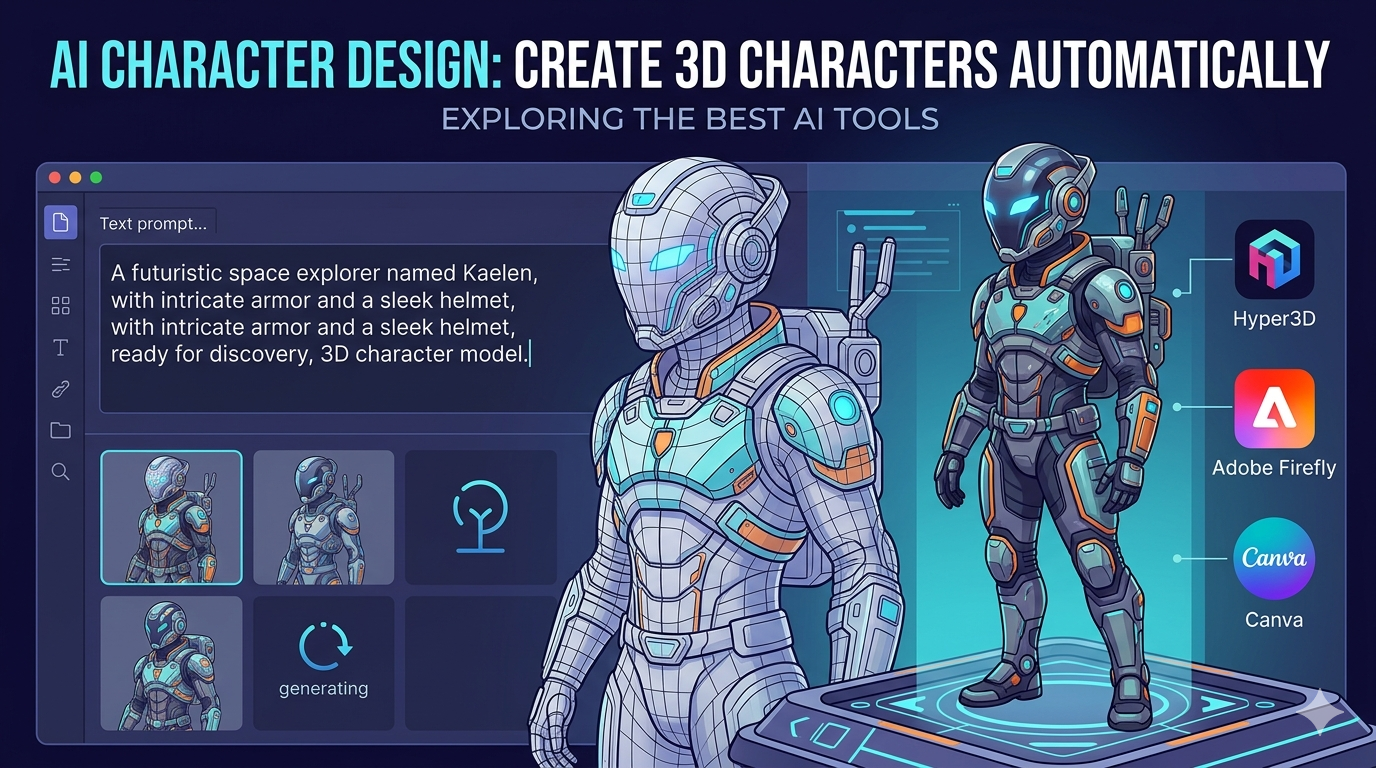
AI Character Design: Create 3D Characters Automatically
From blockbuster films to the video games we play, character design has always been a cornerstone of compelling storytelling. Traditionally, this has been a labor-intensive process, requiring artistic skill and countless hours of work. But what if you could generate unique, high-quality characters in a fraction of the time? That's where AI character design comes in. Tools like Hyper3D, Canva, and Adobe Firefly are changing the way we create, offering powerful new ways to bring our ideas to life. In this article, we'll explore the world of AI character design, from the basics of how it works to a hands-on look at the best tools available.
What is AI Character Design?
AI character design is the process of using artificial intelligence to generate or assist in the creation of characters. This can range from generating a simple 2D portrait to creating a fully-realized 3D model, complete with textures and rigging. At a basic level, AI character design uses machine learning models trained on vast datasets of images and text descriptions. These models learn to associate words with visual styles, allowing them to generate new and original characters based on a user's text prompt. This technology is not just for professionals; it's accessible to anyone with an idea, opening up a new world of creative possibilities.
How to Create Your First AI Character
Creating your first AI character is an exciting process. Here?? a simple breakdown of the steps to get you started:
Step 1: Choosing the Right AI Character Design Tool
The first step is to select an AI character design tool that fits your needs. There are many options available, each with its own strengths. For example, if you're looking for a user-friendly tool with a wide range of templates, Canva might be a good choice. If you're a professional designer who needs advanced features and integration with other creative tools, Adobe Firefly is a powerful option. For those who want to create 3D characters automatically, a tool like the Hyper3D AI character design tool is an excellent choice. We'll explore these and other tools in more detail later in this article.
Step 2: Crafting the Perfect Prompt
Once you've chosen your tool, it's time to write a prompt. A prompt is a text description of the character you want to create. The more detailed your prompt, the better the AI will be able to understand your vision. Think about your character's appearance, clothing, and even their personality. For example, instead of just writing "a fantasy warrior," you could write "a female elf warrior with long silver hair, wearing ornate silver armor and carrying a glowing sword." Don't be afraid to experiment with different prompts to see what kind of results you get.
Step 3: Generating and Refining Your Character
After you've written your prompt, the AI will generate a character for you. This process usually only takes a few seconds. Once the character is generated, you can refine it until you're happy with the result. Many tools allow you to edit the character's features, clothing, and pose. You can also generate multiple variations of the character to choose from. With Hyper3D's ChatAvatar tool, you can even generate a 3D avatar from a single photo.
My First-Hand Experience with AI Character Design Tools
To give you a real-world perspective on AI character design, I decided to test out a few of the most popular tools available. My goal was to create a consistent character across different platforms, a futuristic space explorer named "Kaelen."
My first stop was Hyper3D. I used the Rodin generator to create the initial concept. I was impressed with the quality of the 3D model it produced from a simple text prompt. The interface was intuitive, and I was able to generate a few different variations of Kaelen in minutes. I then took the model into OmniCraft to refine the details. I was able to easily edit the textures and even convert the model to different formats like FBX and GLB, which is a huge plus for anyone working with 3D. I also experimented with the image-to-3d and text-to-3d-model tools, which were equally impressive.
Next, I tried Canva. While Canva is primarily known for its 2D design tools, its AI character generator is surprisingly capable. I was able to create a 2D portrait of Kaelen that matched the 3D model I created in Hyper3D. Canva's strength is its simplicity. The interface is incredibly user-friendly, and there are tons of templates and styles to choose from. It's a great option for beginners or anyone who needs to create a character quickly.
Finally, I tested Adobe Firefly. As expected, Firefly offered the most advanced features of the three. I was able to generate a highly detailed and realistic portrait of Kaelen. The level of control Firefly gives you is impressive. You can fine-tune everything from the lighting to the camera angle. The integration with other Adobe products is also a major advantage. I was able to easily import the character into Photoshop to make further edits.
Comparing the Best AI Character Design Tools
Choosing the right AI character design tool depends on your specific needs and skill level. Here's a breakdown of some of the top contenders to help you decide.
Hyper3D
Hyper3D is a powerful platform that specializes in 3D model generation. Its suite of tools, including Rodin, OmniCraft, and ChatAvatar, offers a complete solution for creating and editing 3D characters.
Pros:
- High-Quality 3D Models: Hyper3D excels at generating detailed and realistic 3D models from text prompts or images.
- Comprehensive Toolset: With tools for generation, editing, and format conversion, Hyper3D provides an end-to-end workflow for 3D character creation.
- Multiple Export Formats: The ability to export models in various formats like STL, FBX, OBJ, GLB, and USDZ makes it incredibly versatile for use in different 3D applications.
Cons:
- Learning Curve: While the interface is intuitive, mastering the full suite of tools may take some time for beginners.
- Focused on 3D: If you only need to create 2D characters, other tools might be more straightforward.
Best for: 3D artists, game developers, and anyone who needs to create high-quality 3D characters for their projects.
Canva
Canva is a popular online design platform that has recently added an AI character generator to its arsenal. It's known for its user-friendly interface and vast library of templates and assets.
Pros:
- Easy to Use: Canva's drag-and-drop interface makes it incredibly easy for anyone to create a character, regardless of their design experience.
- Wide Range of Styles: With a huge selection of templates and styles, you can create characters for any type of project, from social media posts to presentations.
- Free to Use: Canva offers a generous free plan that includes the AI character generator, making it an accessible option for everyone.
Cons:
- Limited to 2D: Canva's AI character generator is focused on 2D images, so it's not the right tool if you need to create 3D models.
- Less Control: While Canva is easy to use, it doesn't offer the same level of control as more advanced tools like Adobe Firefly.
Best for: Beginners, marketers, and anyone who needs to create 2D characters quickly and easily.
Adobe Firefly
Adobe Firefly is a powerful AI art generator from the creators of Photoshop and Illustrator. It's designed for professional artists and designers who need advanced features and smooth integration with other Adobe products.
Pros:
- Advanced Features: Firefly offers a high level of control, allowing you to fine-tune every aspect of your character, from lighting and composition to artistic style.
- High-Quality Output: The images generated by Firefly are incredibly detailed and realistic, making it a great choice for professional projects.
- Integration with Adobe Creative Cloud: If you're already an Adobe user, Firefly's smooth integration with apps like Photoshop and Illustrator is a major advantage.
Cons:
- Requires a Subscription: Unlike some other tools, Firefly is not free to use. You'll need an Adobe Creative Cloud subscription to access it.
- Steeper Learning Curve: With its advanced features, Firefly can be more challenging for beginners to learn than simpler tools like Canva.
Best for: Professional artists, designers, and anyone who needs to create high-quality, photorealistic characters.
DeepAI
DeepAI is a research company that provides a suite of AI tools, including a 3D character generator. It's a more experimental platform that offers a glimpse into the future of AI-powered creativity.
Pros:
- Free to Use: DeepAI's 3D character generator is free to use, making it an accessible option for anyone who wants to experiment with AI character design.
- Unique Styles: The tool can generate characters in a variety of unique and artistic styles.
- API Access: For developers, DeepAI offers API access, allowing you to integrate their technology into your own applications.
Cons:
- Less Refined: The results from DeepAI can be less polished than those from more mature platforms like Hyper3D or Adobe Firefly.
- Limited Control: The tool offers limited options for refining and customizing your character.
Best for: Developers, hobbyists, and anyone who wants to experiment with advanced AI technology.
Frequently Asked Questions (FAQ)
What is the best AI for character design?
There's no single "best" AI for character design, as the ideal tool depends on your specific needs. For high-quality 3D models and a comprehensive workflow, Hyper3D is a top choice. If you're a beginner looking for a user-friendly 2D character creator, Canva is an excellent starting point. For professional artists who need advanced features and photorealistic results, Adobe Firefly is hard to beat.
Can I use AI-generated characters for commercial projects?
In most cases, yes. Many AI character design tools, including Hyper3D, Canva, and Adobe Firefly, allow you to use the characters you create for commercial projects. However, it's always a good idea to check the terms of service for the specific tool you're using to ensure you're in compliance with their policies.
How can I ensure my AI characters are consistent?
Maintaining character consistency across different images and platforms can be a challenge. Some tools, like Adobe Firefly, have features specifically designed to help with this. Another technique is to use a detailed prompt that includes specific information about your character's appearance, clothing, and style. You can also use a consistent seed number if the tool you're using supports it.
What are the limitations of AI character design?
While AI character design is a powerful technology, it does have its limitations. The quality of the generated character is highly dependent on the quality of the prompt. It can also be difficult to create characters with very specific or unusual features. Additionally, there are ethical considerations to keep in mind, such as the potential for bias in the training data.
How is AI changing the future of character design?
AI is poised to have a major impact on the future of character design. It's making it easier and faster for artists to create high-quality characters, which is freeing them up to focus on the creative aspects of their work. It's also opening up new possibilities for interactive and dynamic characters in games and other applications. As the technology continues to evolve, we can expect to see even more amazing and innovative uses of AI in AI character design.
Conclusion
The world of AI character design is evolving at a rapid pace. What was once a complex and time-consuming process is now more accessible than ever before. Whether you're a seasoned 3D artist or a complete beginner, there's an AI tool out there that can help you bring your creative visions to life. By understanding the different tools available and how to use them effectively, you can unlock a new level of creativity and produce stunning characters that will captivate your audience. So why not give it a try? You might be surprised at what you can create.