

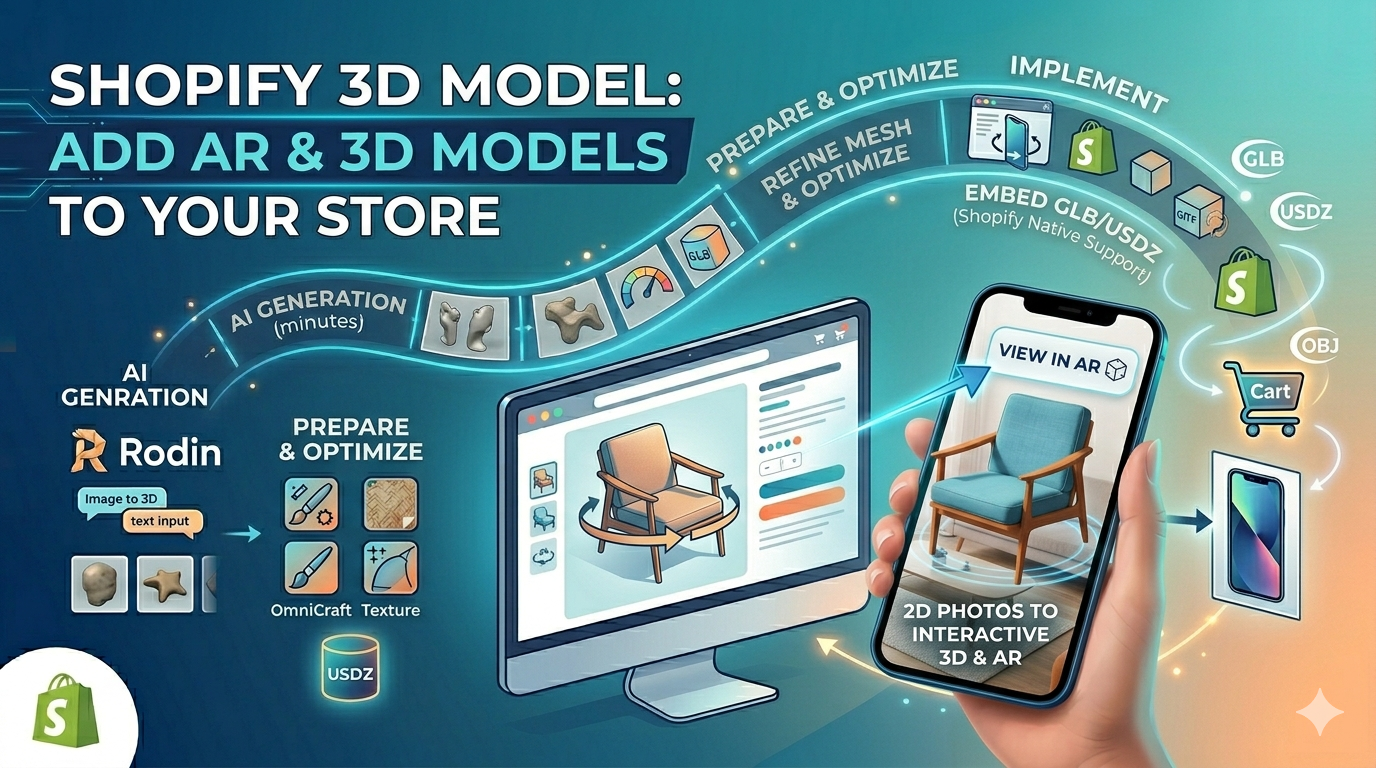
Shopify 3D Model: Add AR & 3D Models to Your Store
Introduction
In the competitive world of e-commerce, providing an immersive and interactive shopping experience is key to capturing customer attention and driving sales. While high-quality images and videos have long been the standard, 3D models and augmented reality (AR) are rapidly becoming essential tools for online stores. This is especially true for platforms like Shopify, where merchants are constantly seeking innovative ways to showcase their products. In this article, we'll explore how you can use the power of a shopify 3d model to create stunning product visualizations for your Shopify store. A shopify 3d model can be a powerful tool for any e-commerce business. We'll cover everything from creating the models to embedding them on your product pages, and we'll also take a look at some of the best tools available to help you get the job done.
Why Use 3D Models on Your Shopify Store?
Before we dive into the how-to, let's briefly touch on the why. What makes 3D models so effective for e-commerce?
Enhanced Product Visualization
Unlike static images, 3D models allow customers to view products from every angle, zoom in on details, and get a true sense of their size and scale. This level of interaction builds confidence and helps customers make more informed purchasing decisions.
Increased Engagement and Conversions
Interactive 3D content is inherently more engaging than traditional media. By allowing customers to play with your products in a virtual space, you can create a memorable experience that keeps them on your site longer and encourages them to convert.
Reduced Returns
One of the biggest challenges in e-commerce is the inability for customers to physically inspect products before buying. 3D models help bridge this gap, providing a more accurate representation of the product and reducing the likelihood of returns due to unmet expectations.
Creating a Shopify 3D Model for Your Products
Now, let's get to the exciting part: creating the 3D models themselves. There are a few different approaches you can take, depending on your budget, timeline, and technical expertise.
DIY with 3D Modeling Software
If you have experience with 3D modeling software like Blender, Maya, or 3ds Max, you can create your own models from scratch. This approach gives you complete creative control but can be time-consuming and requires a high level of skill. You can also use an AI 3D model generator or an AI product 3D model to speed up the process.
Hire a 3D Artist or Agency
For those without the time or expertise to create their own models, hiring a professional 3D artist or agency is a great option. Platforms like Shopify's own Partner Directory can connect you with experienced professionals who specialize in creating 3D models for e-commerce.
Use a 3D Scanner
Another option is to use a 3D scanner to create models from physical objects. Shopify even has a built-in 3D scanner in its mobile app, which can be a good starting point for simple products. For more complex items, you may need to invest in a dedicated 3D scanner.
Image to 3D Conversion
An increasingly popular and accessible method is to use an image to 3D conversion tool. These tools use AI to generate a 3D model from a series of photos. This can be a fast and cost-effective way to create models, especially for products with relatively simple shapes.
My First-Hand Experience with Shopify 3D Model Creation Tools
To give you a better sense of the options available, I decided to try out a few different 3D model creation tools. I focused on tools that are accessible to a non-technical user like myself, and I was pleasantly surprised by the results.
First, I experimented with the Shopify 3D scanner in their mobile app. It was surprisingly easy to use, and I was able to create a decent model of a coffee mug in just a few minutes. The quality wasn't perfect, but it was certainly good enough for a basic product visualization. I also tried an image to 3D tool, which was even faster. I simply uploaded a few photos of a shoe, and the tool generated a 3D model in a matter of seconds. The model was a bit rough around the edges, but with a little cleanup in a 3D editing tool, it would be ready for a product page.
Finally, I explored some of the AI 3D model generator platforms. These tools are a bit more advanced, but they offer a lot of flexibility and control. I was able to generate a high-quality model of a chair by simply typing in a text description. The ability to create a model from a text prompt is a big deal, and I can see this technology becoming increasingly popular in the e-commerce world.
Preparing Your 3D Models for Shopify
Once you have your 3D model, you'll need to make sure it's optimized for Shopify. This means ensuring it's in the correct file format and that the file size is as small as possible without sacrificing quality.
File Formats
Shopify supports the GLB and USDZ file formats for 3D models. GLB is the standard for Android and the web, while USDZ is used for AR on Apple devices. If your model is in a different format, you'll need to use a 3D format converter to convert it.
File Size
Large 3D models can slow down your site's loading speed, which can negatively impact the user experience and your search engine rankings. To avoid this, it's important to optimize your models for the web. This can involve reducing the polygon count, compressing textures, and using other optimization techniques. Many 3D modeling and editing tools have built-in optimization features, and there are also standalone tools available that can help you reduce your file sizes.
Adding 3D Models to Your Shopify Store
With your optimized 3D model in hand, you're ready to add it to your Shopify store. The process is surprisingly simple.
Uploading Your Model
First, you'll need to upload your GLB and USDZ files to the Files section of your Shopify admin. You can do this by going to Content > Files and clicking the "Upload files" button.
Adding the Model to a Product
Once your files are uploaded, you can add them to a product. Simply go to the product you want to add the model to, and in the Media section, click "Add media" and select your 3D model files. Shopify will automatically recognize the files as 3D models and display them in an interactive viewer on your product page.
Using a USDZ Viewer
For an even more immersive experience, you can use a USDZ viewer to allow customers to view your products in AR. This is a great way to let customers see how your products will look in their own space, and it can be a powerful conversion driver.
FAQ
How much does it cost to create a 3D model for Shopify?
The cost of creating a 3D model can vary widely depending on the complexity of the product and the method you choose. DIY options can be free or low-cost, while hiring a professional can cost anywhere from a few hundred to several thousand dollars.
What is the best file format for a shopify 3d model?
Shopify supports both GLB and USDZ file formats. It's a good idea to provide both to ensure your models are viewable on all devices.
How can I optimize my 3D models for Shopify?
To optimize your models, you should focus on reducing the file size. This can be done by reducing the polygon count, compressing textures, and using other optimization techniques.
Can I add 3D models to any Shopify theme?
Most modern Shopify themes support 3D models. However, it's always a good idea to check with your theme developer to be sure.
Do I need to be a 3D expert to use 3D models on Shopify?
Not at all! With the wide range of tools and resources available, anyone can add 3D models to their Shopify store. Whether you're a seasoned 3D artist or a complete beginner, there's a solution out there for you.
Objective Comparison of 3D Model Creation Tools
To provide a more objective comparison, I've broken down the pros and cons of each method I tried:
| Tool/Method | Pros | Cons |
|---|---|---|
| Shopify 3D Scanner | - Integrated into the Shopify app - Easy to use for beginners - Free | - Limited to simple objects - Model quality can be inconsistent - Requires a physical product to scan |
| Image to 3D | - Very fast and automated - Cost-effective - Doesn't require 3D modeling skills | - Model quality depends heavily on input photos - May require manual cleanup - Not suitable for complex or detailed objects |
| AI 3D Model Generator | - Creates high-quality models from text prompts - Offers a lot of creative control - Can generate models without a physical product | - Can be more expensive than other methods - May have a steeper learning curve - Some tools have limitations on model complexity |
Ultimately, the best tool for you will depend on your specific needs and budget. For simple products and a quick turnaround, the Shopify 3D scanner or an image to 3D tool are great options. For more complex products or when you need a higher level of quality and control, an AI 3D model generator is the way to go. I recommend trying out a few different options to see which one works best for your workflow. For anyone looking to create a high-quality shopify 3d model, I would recommend using an AI 3D model generator.
Conclusion
Adding a Shopify 3D model to your product pages is a powerful way to enhance the customer experience, increase engagement, and boost conversions. With the variety of tools and resources available today, creating and implementing 3D models has never been more accessible. Whether you choose to create your own models, hire a professional, or use an AI-powered tool, the benefits of offering a Shopify 3D model are clear. By embracing this technology, you can set your store apart from the competition and provide your customers with a truly immersive and memorable shopping experience. A shopify 3d model is a great way to do this. The The future of e-commerce is three-dimensional, and with a Shopify 3D model, you can be leading of this exciting new trend. Implementing a shopify 3d model is a step towards the future of e-commerce.