

STL to GLB Converter: Convert for Web 3D Viewers
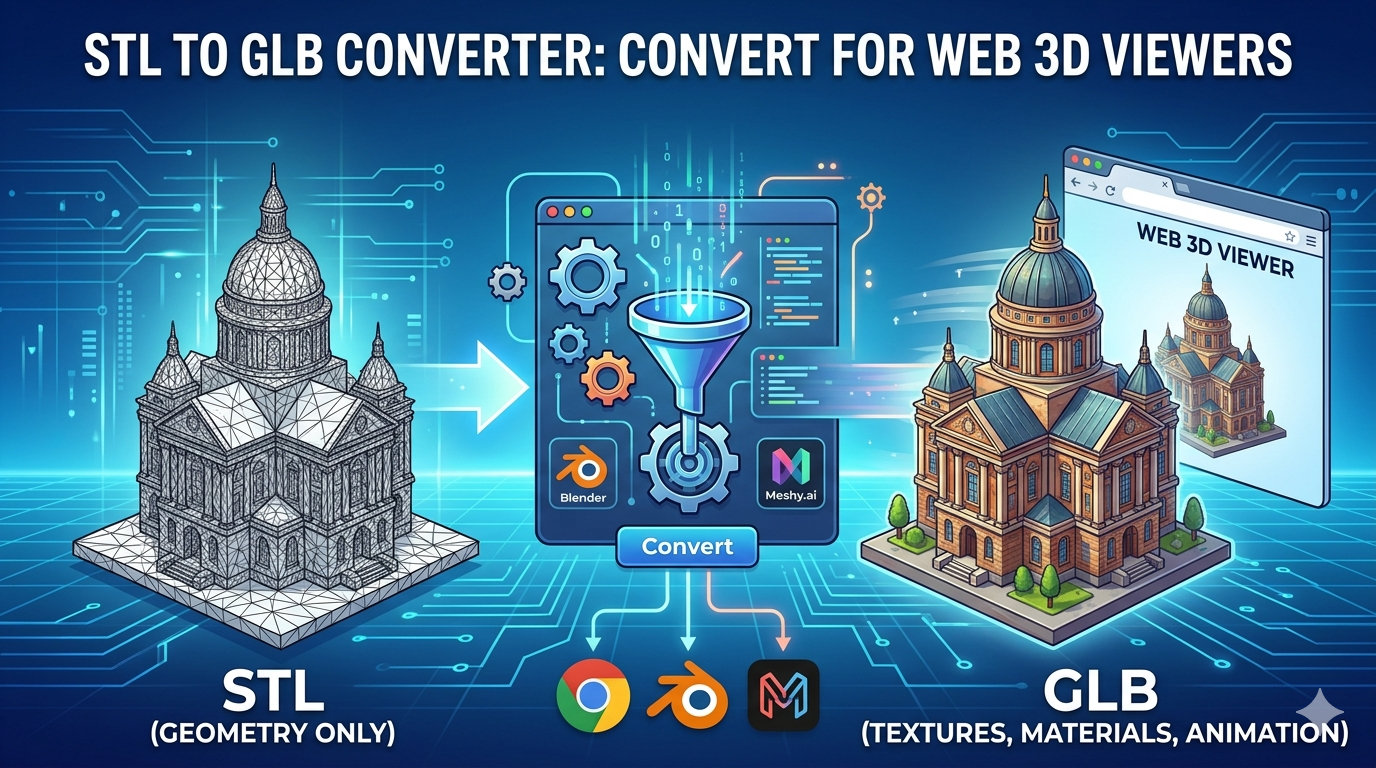
Converting 3D models from STL to GLB is a common task for anyone working with web-based 3D viewers, AR applications, or game development. While STL files are the standard for 3D printing, they lack the color, texture, and animation data that make GLB files so versatile for on-screen applications. Whether you're using a dedicated online tool, desktop software, or a comprehensive 3D creation suite, there are plenty of options available to make the switch. In this article, we'll explore some of the most popular and effective STL to GLB converter tools, and I'll share my first-hand experience with a few of them.
Why Convert from STL to GLB?
STL (Stereolithography) files are a lightweight and widely supported format, but they only describe the surface geometry of a 3D object. This makes them perfect for 3D printing, but less than ideal for on-screen applications where visual fidelity is key. GLB files, on the other hand, are the binary version of the glTF (GL Transmission Format) and can package everything from geometry and materials to textures and animations into a single, compact file. This makes them the preferred format for web-based 3D viewers and AR experiences.
Top Online STL to GLB Converters
There are many online tools that can convert your STL files to GLB, each with its own set of features and limitations. Here are a few of the most popular options:
Convert3D.org
Convert3D.org is a straightforward, browser-based converter that supports a wide range of 3D file formats. It's free to use and doesn't require you to create an account. The interface is simple: you just upload your STL file, select GLB as the output format, and the tool does the rest. It's a great option for quick, one-off conversions.
Meshy.ai
Meshy.ai is another popular online converter that offers a free tier. It's known for its high-quality conversions and user-friendly interface. Meshy.ai also offers a suite of other 3D tools, including a 3D model generator and a texture generator. The free tier has some limitations, but it's a great way to test out the platform.
ImageToSTL.org
As the name suggests, ImageToSTL.org started as a tool for converting images to STL files, but it has since expanded to include a variety of other conversion options, including STL to GLB. It's a free, browser-based tool that's easy to use and doesn't require an account. It's a solid choice for basic conversions.
My First-Hand Experience with STL to GLB Converter Tools
To get a better sense of how these tools perform, I tested them out with a sample STL file of a detailed architectural model. I was looking for a converter that was fast, easy to use, and produced a high-quality GLB file with no loss of detail.
I started with Convert3D.org. The process was as simple as advertised: I uploaded my STL file, selected GLB as the output format, and the conversion was complete in a matter of seconds. The resulting GLB file looked great, with all the fine details of the original model intact. I was impressed with the speed and quality of the conversion, especially for a free tool.
Next, I tried Meshy.ai. The interface was a bit more polished than Convert3D.org, and the conversion process was just as smooth. The resulting GLB file was also of high quality, and I appreciated the fact that Meshy.ai offers other 3D tools that could be useful for future projects. The free tier limitations are something to keep in mind, but for occasional use, it's a great option.
Finally, I tested ImageToSTL.org. The conversion process was similar to the other two tools, and the resulting GLB file was of comparable quality. While the name of the tool is a bit misleading, it's a perfectly capable STL to GLB converter that gets the job done.
For those looking for a more integrated workflow, Hyper3D's OmniCraft is a powerful option. It's a full-featured 3D content creation suite that includes a solid format converter. If you're already using Hyper3D for your 3D modeling and rendering needs, using OmniCraft for your conversions is a no-brainer. You can also use the GLTF viewer to inspect your models.
Objective Comparison
| Feature | Convert3D.org | Meshy.ai | ImageToSTL.org | Hyper3D OmniCraft |
|---|---|---|---|---|
| Price | Free | Freemium | Free | Subscription-based |
| Ease of Use | Very Easy | Easy | Very Easy | Moderate |
| Conversion Quality | High | High | High | Very High |
| Batch Conversion | No | Yes (Paid) | No | Yes |
| API Access | Yes | Yes | No | Yes |
Pros and Cons
Convert3D.org
- Pros: Free, easy to use, fast conversions, wide range of supported formats.
- Cons: No batch conversion, limited features.
Meshy.ai
- Pros: High-quality conversions, user-friendly interface, additional 3D tools.
- Cons: Free tier has limitations, requires an account for full access.
ImageToSTL.org
- Pros: Free, easy to use, no account required.
- Cons: Misleading name, limited features.
Hyper3D OmniCraft
- Pros: Very high-quality conversions, integrated with a full 3D content creation suite, batch conversion, API access.
- Cons: Subscription-based, may be overkill for simple conversions.
For more advanced generation needs, you can check out Hyper3D Rodin or our Image to 3D tool.
Frequently Asked Questions (FAQ)
What is the best STL to GLB converter?
The best STL to GLB converter really depends on your needs. For quick, one-off conversions, a free online tool like Convert3D.org or ImageToSTL.org is a great option. If you need higher quality conversions or additional features, a freemium tool like Meshy.ai or a full-featured 3D content creation suite like Hyper3D OmniCraft may be a better choice.
Can I convert large STL files?
Most online converters have a file size limit, typically around 50MB. If you need to convert a larger file, you may need to use a desktop application or a paid online service.
Do online converters support textures and materials?
STL files do not contain texture or material information, so there is nothing to convert. However, if you are converting from a format that does support textures and materials, such as FBX or OBJ, most online converters will preserve them in the resulting GLB file.
Is it safe to upload my files to online converters?
Most reputable online converters use secure connections and delete your files from their servers after a short period of time. However, if you are working with sensitive or proprietary files, it's always a good idea to use a desktop application or a service that offers end-to-end encryption.
Are there any free desktop alternatives?
Yes, there are several free desktop applications that can convert STL files to GLB, including Blender and MeshLab. These applications offer more features and flexibility than online converters, but they also have a steeper learning curve. You can also check out our GLB to STL converter if you need to go the other way.
Conclusion
Converting STL files to GLB is a simple process with the right tools. Whether you choose a free online converter or a full-featured 3D content creation suite, you can easily transform your 3D models into a format that's perfect for the web. By understanding the strengths and weaknesses of each tool, you can choose the one that's right for your needs and start sharing your 3D creations with the world.
A Deeper Dive into the Conversion Process
While the online converters are incredibly convenient, it's helpful to understand a little more about what's happening behind the scenes. When you convert an STL file to GLB, the software is essentially taking the raw geometric data from the STL and repackaging it into the more complex GLB format. This involves creating a scene graph, defining materials, and embedding any textures or animations. The quality of the conversion can vary depending on the software's ability to interpret the STL data and create an optimized GLB file.
The Importance of Clean Geometry
One of the most common issues when converting from STL to GLB is dealing with messy or non-manifold geometry. STL files are notorious for having holes, flipped normals, and other issues that can cause problems during the conversion process. Before you even think about converting your file, it's a good idea to run it through a mesh repair tool like Meshmixer or the built-in tools in Blender. A clean, watertight mesh will always produce a better result.
Working with Textures and Materials
As mentioned earlier, STL files don't support textures or materials. This means that if you want to add color or detail to your model, you'll need to do it after the conversion. Most 3D modeling software will allow you to import your GLB file and apply materials and textures. If you're using a tool like Hyper3D's OmniCraft, you can do this all within the same environment. This is a huge time-saver and allows you to create a much more polished final product.
Exploring Desktop Alternatives
While online converters are great for quick and easy conversions, sometimes you need a little more power and flexibility. This is where desktop applications come in. Here are a couple of the most popular options:
Blender
Blender is a free and open-source 3D creation suite that can do just about anything, including converting STL files to GLB. The process is a little more involved than with an online converter, but it gives you a lot more control over the final output. You can clean up your mesh, apply materials and textures, and even add animations before exporting to GLB. If you're serious about 3D modeling, Blender is an essential tool to have in your arsenal.
MeshLab
MeshLab is another free and open-source tool that's specifically designed for processing and editing 3D meshes. It's not as full-featured as Blender, but it's a great option for cleaning up your STL files and preparing them for conversion. MeshLab has a number of powerful tools for repairing holes, simplifying meshes, and re-meshing, all of which can help you create a better GLB file.
The Future of 3D File Formats
The world of 3D is constantly evolving, and new file formats are always emerging. While GLB is currently the standard for web-based 3D, it's not the only option. USDZ, which was developed by Apple and Pixar, is another popular format that's gaining traction, especially in the AR space. As the technology continues to develop, we can expect to see even more powerful and versatile file formats that will make it easier than ever to create and share 3D content.