

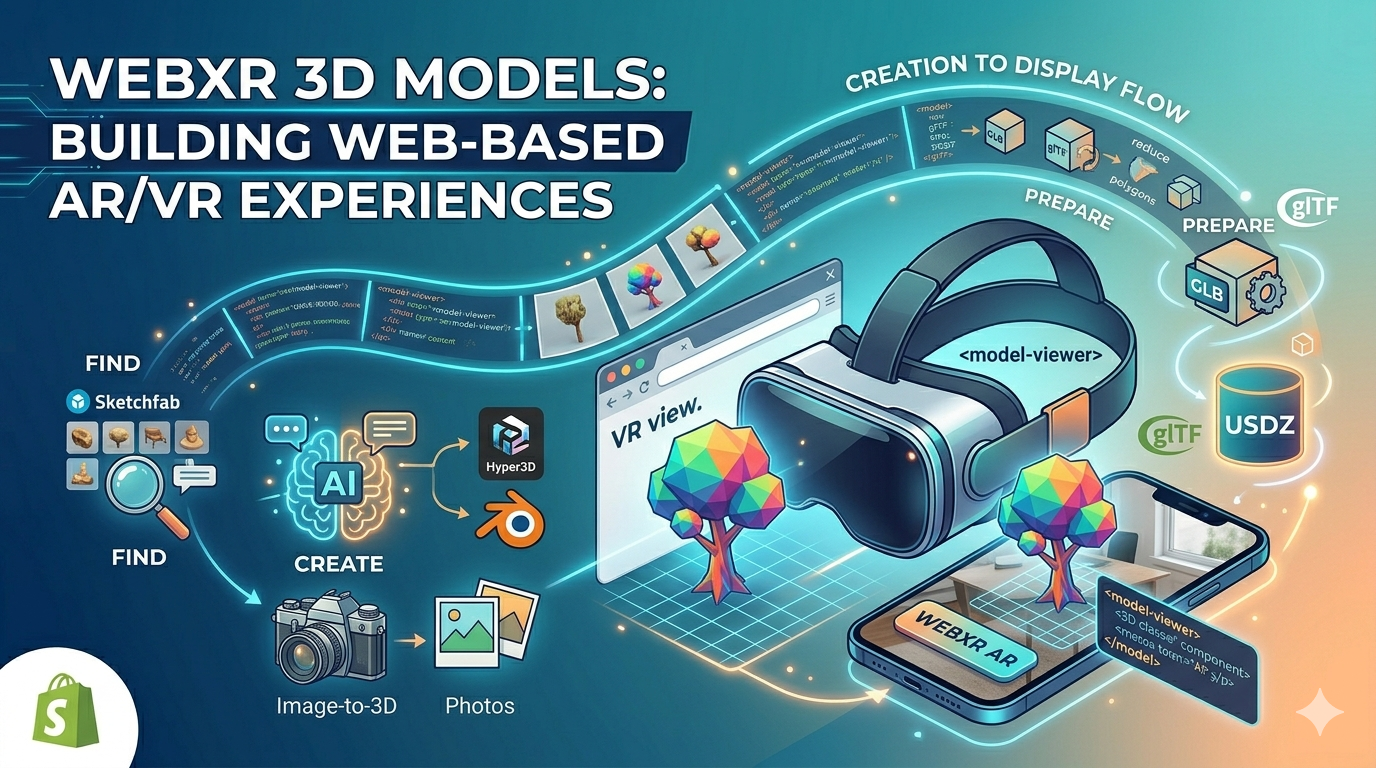
WebXR 3D Models: Building Web-Based AR/VR Experiences
WebXR is transforming the way we interact with the internet, moving from flat, 2D pages to immersive 3D experiences. At the heart of this evolution are WebXR 3D models, the building blocks of virtual and augmented reality on the web. Whether you're a developer, a designer, or just curious about the future of the web, understanding how to create, optimize, and display these models is essential. In this article, we'll explore the world of WebXR 3D models, from finding the right assets to building your own from scratch.
What are WebXR 3D Models?
WebXR 3D models are digital assets specifically designed and optimized for use in web-based augmented and virtual reality applications. Unlike 3D models for movies or games, which can be incredibly complex, these models need to be lightweight and efficient to ensure smooth performance across a wide range of devices, from high-end VR headsets to everyday smartphones. The goal is to deliver an immersive experience without long loading times or lag.
To achieve this, these models are typically created using specific file formats that are well-suited for the web. The most common formats are glTF (GL Transmission Format) and its binary version, GLB. These formats are often referred to as the "JPEG of 3D" because they are designed to be compact and easy for web browsers to process. The glTF format stores 3D model information in a JSON file, while the GLB format is a binary file that includes all the model's data, such as geometry, textures, and animations, in a single file. This makes GLB files particularly easy to share and load in web applications. Another format you might encounter is USDZ, which is favored by Apple for its AR Quick Look feature. USDZ is a zero-compression, unencrypted zip archive that contains all the necessary files to display a 3D model in AR on iOS devices.
Where to Find WebXR 3D Models
Not everyone has the time or skills to create 3D models from scratch. Fortunately, there are many online platforms where you can find a vast library of ready-to-use 3D models for WebXR. Marketplaces like Sketchfab, CGTrader, and TurboSquid offer millions of models, both free and paid, that you can download and use in your projects. When choosing a model, it's important to check its license to ensure you have the right to use it for your intended purpose. Some models may be free for personal use but require a license for commercial projects.
Using pre-made models can be a great way to get started quickly, but it also has its limitations. You may not find a model that perfectly fits your vision, or you might see the same model used in other projects. For a truly unique experience, you may want to consider creating your own custom WebXR 3D models.
Creating Your Own WebXR 3D Models
There are several ways to create your own 3D models for WebXR, each with its own set of advantages. For those who are new to 3D modeling, an AI 3D model generator can be an excellent starting point. These tools allow you to generate 3D models from text descriptions or images, making the creation process more accessible to a wider audience. The quality of AI-generated models can vary, but they are often a good starting point that can be refined using other tools.
Another user-friendly method is photogrammetry, which involves taking multiple photos of an object from different angles and using software to stitch them together into a 3D model. You can even use an image to 3D tool to simplify this process. Photogrammetry is great for creating realistic models of real-world objects, but it can be a time-consuming process that requires a good camera and a lot of patience.
For those who need more control and precision, traditional 3D modeling software like Blender or Maya is the way to go. These powerful tools offer a wide range of features for creating highly detailed and complex models. However, they also have a steeper learning curve and may require a significant time investment to master. Blender is a popular choice for many developers because it is free and open-source, and has a large and active community that provides tutorials and support.
Preparing 3D Models for WebXR
Once you have a 3D model, you'll likely need to optimize it for use in WebXR. This is a critical step to ensure that your application runs smoothly on all devices. The main goal of optimization is to reduce the file size of the model without sacrificing too much visual quality. This can be achieved through a variety of techniques, such as reducing the number of polygons in the model, compressing textures, and converting the model to an efficient web-friendly format.
A 3D format converter can be an invaluable tool in this process. These tools can help you convert your models to the glTF or GLB format, which are ideal for WebXR. They can also help you with other optimization tasks, such as resizing textures and simplifying the model's geometry. Some converters even offer advanced features like Draco compression, which can significantly reduce the file size of your models without a noticeable loss in quality.
My First-Hand Experience with WebXR 3D Model Tools
I recently had the opportunity to experiment with a web AR 3D model tool to create a simple WebXR experience. I started by using an AI-powered generator to create a 3D model of a futuristic car. The process was surprisingly simple: I just typed in a description of the car I wanted, and the AI generated a 3D model for me in a matter of minutes. The initial model was a bit rough around the edges, so I used an online editor to refine the details and adjust the materials. I was able to smooth out the car's body, add some metallic paint, and even add some glowing headlights.
Once I was happy with the model, I exported it as a GLB file and used a simple HTML snippet to embed it in a web page. I was impressed by how easy it was to create an interactive 3D experience that could be viewed in both a standard web browser and an AR-enabled smartphone. The whole process, from generating the model to embedding it in a web page, took less than an hour. The ability to go from a simple text prompt to a fully interactive 3D model in such a short amount of time is a testament to how far WebXR technology has come.
Displaying WebXR 3D Models on the Web
There are several ways to display WebXR 3D models on a web page. One of the easiest methods is to use the `
Here's a simple example of how to embed a 3D model using the `
```html
```
This code will create an interactive 3D viewer that allows users to view the model in 3D, as well as in AR on supported devices. The `ar` attribute enables the AR functionality, and the `ar-modes` attribute specifies the different AR modes that are available. The `camera-controls` attribute allows users to rotate and zoom the model, and the `poster` attribute specifies an image to display while the model is loading.
Objective Comparison of WebXR Tools
When it comes to creating and displaying WebXR 3D models, there is no one-size-fits-all solution. The best tool for the job will depend on your specific needs and skill level. Here's a comparison of some of the most popular tools:
| Tool | Type | Pros | Cons |
|---|---|---|---|
| Blender | 3D Modeling Software | Free and open-source, powerful and versatile, large community | Steep learning curve, can be overwhelming for beginners |
| Hyper3D | AI 3D Model Generator | Easy to use, fast, great for beginners | Less control over the final model, quality can be inconsistent |
| Photogrammetry Apps | 3D Scanning | Creates realistic models of real-world objects | Time-consuming, requires a good camera and lighting |
| Web Component | Easy to use, declarative, great for simple applications | Limited interactivity, less control over the rendering | |
| Three.js/Babylon.js | JavaScript Libraries | Powerful and flexible, great for complex applications | Requires coding knowledge, steeper learning curve |
For beginners, I would recommend starting with an AI 3D model generator like Hyper3D to get a feel for the 3D modeling process. Once you're more comfortable, you can move on to a more powerful tool like Blender. For displaying your models, the `
FAQ about WebXR 3D Models
What is the best file format for WebXR 3D models?
The best file format for 3D models in WebXR is glTF or GLB. These formats are designed to be lightweight and efficient, making them ideal for use on the web.
How can I optimize my 3D models for WebXR?
You can optimize your 3D models for WebXR by reducing the number of polygons, compressing textures, and converting the model to an efficient web-friendly format like glTF or GLB. You can also use tools like Draco to further compress your models.
What are some free tools for creating 3D models for WebXR?
There are many free tools for creating 3D models for WebXR, including Blender, which is a powerful open-source 3D modeling software, and various AI-powered tools that can generate models from text or images.
How do I add interactivity to my 3D models in WebXR?*
You can add interactivity to your 3D models in WebXR using JavaScript libraries like Three.js or Babylon.js. These libraries allow you to control the camera, lighting, and other aspects of the scene, as well as respond to user input.
Can I use WebXR on my smartphone?
Yes, you can use WebXR on many modern smartphones. Most Android and iOS devices with AR capabilities support WebXR, allowing you to view 3D models in your real-world environment.
What is the difference between WebXR, WebAR, and WebVR?
WebXR is the overarching standard for creating immersive experiences on the web. WebAR refers to augmented reality experiences that are delivered through a web browser, while WebVR refers to virtual reality experiences that are delivered through a web browser. WebXR encompasses both WebAR and WebVR.
Do I need to know how to code to create WebXR experiences?
Not necessarily. There are many tools available that allow you to create WebXR experiences without writing a single line of code. However, if you want to create more complex and interactive experiences, you will need to have some knowledge of JavaScript.
Conclusion
WebXR 3D models are opening up a new frontier for the web, allowing us to create immersive and interactive experiences that were once only possible in native applications. Whether you're a seasoned developer or just starting out, there has never been a better time to explore the world of WebXR and start building your own 3D web experiences. With a growing number of tools and resources available, the only limit is your imagination. So what are you waiting for? Start creating your own WebXR 3D models today and help shape the future of the web.