

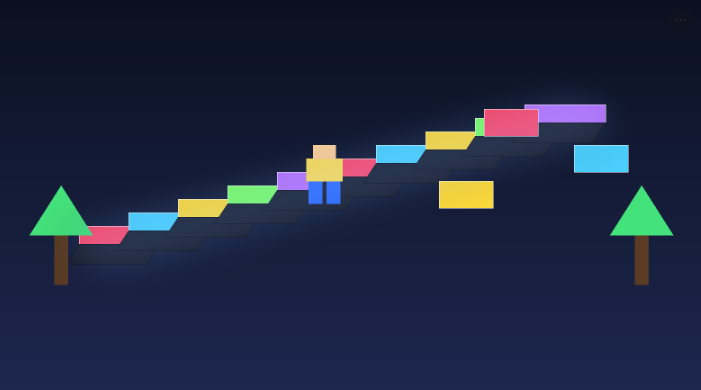
How To Make A Roblox Game
'''# How to Make a Roblox Game: 3D Assets & Design Guide
So, you want to know how to make a Roblox game? You're in the right place. Roblox is a massive platform with millions of players, and it's a fantastic place to get started with game development. The best part is that the tools to create your own games are free and accessible. This guide will walk you through the process of creating your first Roblox game, with a special focus on 3D assets and design. We'll cover everything from the initial idea to publishing your game for the world to play.
Getting Started with Roblox Studio: How To Make A Roblox Game
Roblox Studio is the official and essential tool for creating Roblox games. It?? an all-in-one application that lets you build, script, and test your games. Before you can learn how to make a Roblox game, you need to download and install it from the Roblox website. Once you have it installed, you??l be greeted by the main interface. It might look a little intimidating at first, but it?? easy to get the hang of. The main windows you'll be using are the Explorer, which shows all the objects in your game, the Properties window, where you can change the attributes of those objects, and the Toolbox, which is full of pre-made models, scripts, and other assets you can use in your game.
Designing Your Game
Before you start building, it?? a good idea to have a plan. What kind of game do you want to make? An obby (obstacle course)? A tycoon game? A role-playing game? The possibilities are endless. Think about the core mechanics of your game. What will players do? What are the goals? Sketch out your ideas on paper or in a document. This will help you stay focused during the development process. Don't be afraid to start small. Your first game doesn't have to be a massive open-world RPG. A simple obby or a small showcase of your building skills is a great way to learn the ropes.
Building the Game World
Now for the fun part of how to make a Roblox game: building your game world. Roblox Studio provides a variety of tools to help you create your environment. You can start with a pre-made template or a blank slate. The terrain editor allows you to sculpt landscapes, create mountains, and paint different materials like grass, sand, and water. You can also use parts, which are the basic building blocks of Roblox, to construct buildings, props, and other structures. The Toolbox is a great resource for finding free models and assets to populate your world, but be careful. Some free models can contain malicious scripts, so it?? always a good idea to inspect them before adding them to your game.
3D Modeling and Asset Creation
This is where your game can really start to shine. While Roblox Studio has its own set of modeling tools, you can also import custom 3D models from other software like Blender. This gives you the freedom to create unique assets that will make your game stand out. If you're new to 3D modeling, it can be a steep learning curve. Fortunately, there are other options. AI-powered tools are changing the way we create 3D assets. For example, you can use a game 3D model generator to create assets quickly and easily. These tools can take a text prompt or an image and generate a 3D model for you. This is a great way to get custom assets for your game without spending hours learning complex 3D modeling software. Once you have your 3D models, you might need to convert them to a format that Roblox supports. An OBJ to GLB converter can be a lifesaver in these situations.
How to Make a Roblox Game with Custom 3D Assets
Creating custom 3D assets is a great way to make your Roblox game unique. While you can use the built-in tools in Roblox Studio, using external software like Blender or an AI-powered tool like Hyper3D gives you more flexibility. With an AI 3D model generator, you can create assets from a simple text description. Or, if you have a concept image, you can use an image to 3D tool to turn it into a 3D model. Once you have your models, you may need to use a 3D format converter to get them into the right format for Roblox.
My First-Hand Experience with 3D Asset Creation Tools
I??e spent a good amount of time exploring the different ways to create 3D assets for Roblox games. I started with the built-in modeling tools in Roblox Studio. They are great for creating simple shapes and structures, but I found them to be a bit limited for more complex models. I then moved on to Blender, which is an incredibly powerful and free 3D modeling software. The learning curve was steep, but the results were worth it. I was able to create detailed and unique assets for my games.
More recently, I??e been experimenting with AI-powered 3D model generators, specifically Hyper3D. I was skeptical at first, but I was blown away by the results. I used the text-to-3D generator to create a variety of props for a fantasy-themed game I was working on. I simply typed in "glowing magic sword" and within minutes, I had a 3D model that was ready to be imported into Roblox. The quality was impressive, and it saved me hours of work. I also tried the image-to-3D tool. I uploaded a sketch of a creature I had drawn, and Hyper3D turned it into a fully-realized 3D model. The ability to quickly iterate on ideas and create custom assets without extensive 3D modeling knowledge is a huge advantage for any game developer.
Scripting with Luau
Scripting is what brings your game to life. It?? how you create game mechanics, player interactions, and all the other dynamic elements of your game. Roblox uses a scripting language called Luau, which is a modified version of Lua. If you??e never coded before, don?? worry. Luau is a relatively easy language to learn, and there are tons of resources available to help you get started. You can start with simple scripts, like making a part change color when a player touches it, and gradually work your way up to more complex systems. The Roblox Developer Hub is a great place to find tutorials and documentation on Luau scripting.
Testing and Publishing Your Game
Once you??e built your world and scripted your game mechanics, it?? time to test your game. Roblox Studio has a built-in testing feature that lets you play your game as a player would. This is a crucial step to find and fix any bugs or issues before you release your game to the public. Once you??e confident that your game is ready, you can publish it to the Roblox platform. This will make your game accessible to millions of players around the world. You can choose to make your game public or private, and you can also share it with your friends for feedback.
Monetizing Your Game
Did you know you can earn money from your Roblox games? There are several ways to monetize your game, such as selling game passes, which give players special perks or abilities, or developer products, which are one-time purchases. You can also earn Robux, the virtual currency of Roblox, based on the engagement your game receives. While making money from your first game shouldn?? be your primary goal, it?? good to know that it?? a possibility for the future.
FAQ
How much does it cost to make a Roblox game?
It?? completely free to make a Roblox game. Roblox Studio, the development tool, is free to download and use. You can also publish your games to the Roblox platform for free.
Can I make a Roblox game on a mobile device?
While you can play Roblox games on a mobile device, you cannot create them on one. You need a computer (Windows or macOS) to use Roblox Studio.
How long does it take to make a Roblox game?
The time it takes to make a Roblox game can vary greatly depending on the complexity of the game. A simple obby could be made in a few hours, while a more complex game could take months or even years to develop.
Do I need to know how to code to make a Roblox game?
You don?? need to know how to code to make a simple game in Roblox. You can use the free models and scripts in the Toolbox to create a game without writing any code. However, if you want to create more complex and unique game mechanics, you will need to learn how to script in Luau.
What are the best resources for learning Roblox game development?
The Roblox Developer Hub is the best place to start. It has a wealth of tutorials, documentation, and articles on all aspects of Roblox game development. There are also many great YouTube channels and online communities dedicated to Roblox game development.
Conclusion
Making a Roblox game is a rewarding experience that can teach you valuable skills in game design, 3D modeling, and programming. Don?? be afraid to experiment, make mistakes, and have fun with it. With the tools and resources available, you have everything you need to bring your game ideas to life. And when you're ready to take your 3D assets to the next level, remember that tools like Hyper3D's 3D format converter can help you manage your assets and streamline your workflow. Now you know how to make a Roblox game, go out there and start creating!
'''