

_# Hyper3D vs Tripo3D: Which Is the Better AI 3D Tool?_
The world of 3D asset creation is changing fast. What once took days of painstaking manual modeling can now be generated in minutes, thanks to a new wave of AI 3D tools. These platforms are making 3D creation more accessible to everyone, from game developers and artists to hobbyists and designers. Among the many options available, Hyper3D and Tripo3D have emerged as two strong contenders, each with its own unique strengths and weaknesses. Many users are searching for a tripo3d alternative. If you're looking for a capable Tripo3D alternative or simply trying to decide which tool is right for you, this comparison will break down everything you need to know. This article is the definitive guide for anyone considering a tripo3d alternative.
We'll take an honest look at both Hyper3D and Tripo3D, comparing their features, performance, and ideal use cases. The goal isn't to declare one tool the absolute winner, but to give you a clear, objective picture so you can choose the platform that best fits your specific project and workflow. This is a comprehensive tripo3d alternative guide. We'll explore everything from their core generation technologies to their pricing models, helping you make an informed decision.
What is Hyper3D?
Hyper3D is a comprehensive AI 3D suite that offers a wide array of tools for generating and editing 3D models, making it a leading tripo3d alternative. It's not just a single-function tool but a collection of powerful applications designed to work together. Fundamentally is Hyper3D Rodin, the primary generation engine that can create detailed models from text or images. Whether you need a text to 3D model or want to convert an image to 3D, Hyper3D provides the necessary tools.
Beyond basic generation, Hyper3D includes specialized modules for more specific tasks. OmniCraft is a versatile editor that handles format conversions, Vecto3D, and HDRI environments, giving you more control over the final look of your assets. For character artists, ChatAvatar offers a dedicated solution for generating realistic faces and avatars. This modular approach makes Hyper3D a flexible platform that can adapt to various creative needs, and a great tripo3d alternative. The platform supports a range of professional export formats, including STL, FBX, OBJ, GLB, and USDZ, ensuring compatibility with most 3D software and game engines. This makes it a very strong tripo3d alternative. With different generation modes like Gen-2, Default, and Speedy, users can balance between quality and generation time.
What is Tripo3D?
Tripo3D has carved out a niche for itself by focusing heavily on the needs of game developers. Its main selling point is the ability to produce game-ready models with clean, optimized topology directly from a text prompt. This focus on efficiency makes it an attractive option for indie developers and small teams who need to create assets quickly without spending a lot of time on manual retopology and optimization. It's a strong contender for anyone looking for a Tripo3D alternative that is fast and efficient.
While it may not have the extensive suite of editing tools that Hyper3D offers, Tripo3D excels fundamentally function: rapid 3D model generation. For many, finding a tripo3d alternative is about finding a tool with a different focus. The platform is known for its speed, often delivering usable models in under a minute. This makes it ideal for prototyping, creating background assets, or filling a game world with a variety of objects without a large time investment. The trade-off for this speed is sometimes a lower level of detail compared to more quality-focused generators, but for many game development scenarios, the results are more than sufficient. This is a key consideration when looking for a tripo3d alternative.
My First-Hand Experience
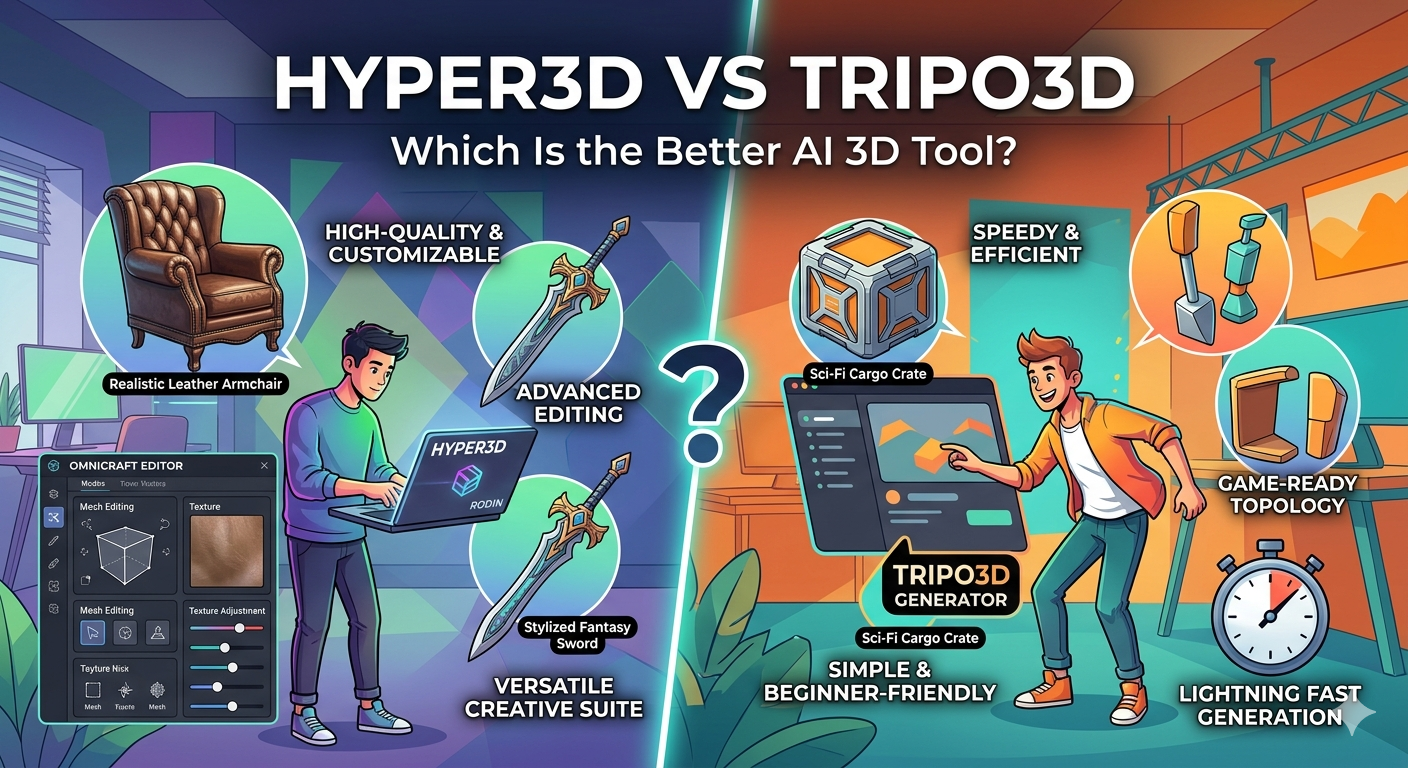
To get a real feel for both platforms, I spent time using Hyper3D and Tripo3D to create a few different assets. My goal was to test their text-to-3D capabilities with the same prompts and see how they handled different levels of complexity. I tried generating a "sci-fi cargo crate," a "stylized fantasy sword," and a "realistic leather armchair."
With Tripo3D, I was immediately impressed by the speed. For the "sci-fi cargo crate," I had a decent-looking model in about 45 seconds. The topology was indeed clean, and it was something I could drop into a game engine right away. The interface is straightforward and minimalist, which is great for getting started quickly. However, when I tried the "realistic leather armchair," the results were less convincing. The overall shape was there, but the texture lacked the fine details and looked a bit flat. It felt like a great tool for hard-surface, geometric objects but struggled more with organic textures and complex surfaces.
Switching over to Hyper3D, the first thing I noticed was the wider range of options. Using the Rodin generator, I input the same prompts. The generation time was a bit longer, averaging around 2-3 minutes per model, but the difference in quality was noticeable, especially for the armchair. The leather texture had realistic wrinkles and a subtle sheen that was missing from the Tripo3D version. The "stylized fantasy sword" also came out with more intricate details on the hilt and blade. The OmniCraft editor was a huge plus, allowing me to tweak the model's mesh and materials after generation. This level of control is something you don't get with Tripo3D, and a key reason why many seek a tripo3d alternative. While the interface has more of a learning curve due to the number of features, it offers a much higher degree of creative freedom.
Tripo3D Alternative: Objective Comparison: Hyper3D vs. Tripo3D
Both Hyper3D and Tripo3D are powerful tools, but they cater to slightly different needs. Here's a breakdown of how they stack up against each other in key areas, which is essential when considering a tripo3d alternative. This comparison should be particularly useful if you are looking for a tripo3d alternative.
| Feature | Hyper3D | Tripo3D |
|---|---|---|
| Primary Focus | High-quality, customizable 3D models | Fast, game-ready 3D assets |
| Core Technology | Advanced generation with multiple models (Rodin) | Single, speed-optimized AI model |
| Editing Tools | Extensive editing with OmniCraft (mesh, materials) | Limited to no post-generation editing |
| Generation Speed | 2-5 minutes (quality dependent) | 30-60 seconds |
| Model Quality | Higher detail, more realistic textures | Good for stylized/hard-surface, less detail |
| Export Formats | STL, FBX, OBJ, GLB, USDZ | GLB, FBX, OBJ |
| Ease of Use | Steeper learning curve due to more features | Very beginner-friendly and straightforward |
| Best For | Hero assets, character design, product viz | Prototyping, background assets, mobile games |
Tripo3D Alternative: Pros and Cons
To put it simply, neither tool is strictly better than the other; they just serve different purposes.
Hyper3D Pros:
- Higher Quality: The models generally have more detail and better textures, a key feature for a tripo3d alternative.
- Greater Control: The ability to edit models after generation is a significant advantage.
- Versatility: The suite of tools (Rodin, OmniCraft, ChatAvatar) covers a wider range of 3D tasks.
Hyper3D Cons:
- Slower Generation: Quality comes at the cost of longer wait times.
- More Complex: The number of options can be overwhelming for absolute beginners.
Tripo3D Pros:
- Incredibly Fast: It's one of the fastest text-to-3D generators available.
- Game-Ready Output: The clean topology saves a lot of time for game developers.
- Simple to Use: The minimalist interface makes it easy to get started.
Tripo3D Cons:
- Lower Detail: Models can sometimes lack fine details and realistic textures.
- No Editing: What you generate is what you get, with no options for in-app adjustments.
Which Tool Should You Use?
Choosing between Hyper3D and Tripo3D ultimately comes down to your specific needs for a given project, and what you are looking for in a tripo3d alternative. There is no one-size-fits-all answer, and the right choice will depend on your priorities.
You should use Hyper3D if:
- Quality is your top priority. For hero assets, main characters, or detailed product visualizations, Hyper3D's superior model quality and texture detail will make a significant difference. The extra time it takes to generate is well worth the final result.
- You need creative control. If you want to do more than just generate a model, Hyper3D is the clear winner. The ability to fine-tune the mesh, adjust materials, and convert formats with OmniCraft gives you the flexibility to perfect your assets.
- You are working on character design. With ChatAvatar, Hyper3D offers a specialized tool for creating realistic faces and avatars that you won't find in Tripo3D.
You should use Tripo3D if:
- Speed is essential. For game jams, rapid prototyping, or situations where you need to produce a large volume of assets quickly, Tripo3D's speed is unmatched. It's an excellent tool for getting ideas out of your head and into a 3D space in seconds.
- You are creating background or prop assets. For objects that don't need to be the center of attention, Tripo3D provides more than enough detail. It's perfect for filling out a scene with props, environmental objects, and other secondary assets.
- You are a beginner. The simplicity of Tripo3D makes it a fantastic entry point into AI 3D generation. There are no complex settings to worry about, allowing you to focus purely on your creative prompts.
Frequently Asked Questions
Is Hyper3D or Tripo3D better for beginners?
For absolute beginners, Tripo3D is arguably the easier tool to pick up. Its interface is extremely simple: you type in a prompt and get a model. There are very few settings to distract you. However, for those looking for a more powerful tripo3d alternative, Hyper3D offers a more comprehensive learning experience. While it has more features, the platform provides a clear path for growth. You can start with simple text-to-3D generation and gradually explore more advanced features like the OmniCraft editor as you become more comfortable.
Can I use models from these tools in commercial projects?
Yes, both platforms generally allow for commercial use of the models you create, especially with their paid plans. However, it is always crucial to read the specific terms of service for each platform. Licensing terms can change, and there might be different restrictions for free versus paid tiers. Always verify the latest licensing agreements before using assets in a commercial product.
What are the main differences in their pricing models?
Both platforms typically operate on a subscription-based model that provides a certain number of credits per month. The main difference often lies in the value offered at each price point. Tripo3D's plans are often geared towards providing a large number of fast generations, while Hyper3D's pricing structure might reflect the higher quality and advanced features available. For example, a plan on Hyper3D might offer fewer generations than a similarly priced plan on Tripo3D, but each generation has access to more powerful tools and potentially higher-quality output. As a tripo3d alternative, Hyper3D aims to provide more value through its features.
How does the quality of the generated models compare?
Generally, Hyper3D produces models of higher fidelity. The textures are more detailed, and the geometry can be more complex and nuanced. This is especially true for organic shapes and realistic objects. Tripo3D excels at producing clean, stylized, or hard-surface models quickly, but they may lack the fine detail and realism that Hyper3D can achieve. The choice depends on whether you need a photorealistic hero asset or a simple, optimized prop.
Which tool is better for creating animated characters?
For animated characters, topology is critical. Tripo3D's focus on clean, game-ready topology gives it an edge for assets that need to be rigged and animated right away. However, Hyper3D's ChatAvatar tool is specifically designed for creating high-quality characters, and the models from Hyper3D Rodin can be retopologized for animation using external tools. If you need a character model that is immediately ready for animation with minimal cleanup, Tripo3D is a strong choice. If you want a higher-quality base model that you are willing to process further, Hyper3D is a better starting point.
Conclusion: The Right Tool for the Job
In the rapidly evolving landscape of AI 3D generation, both Hyper3D and Tripo3D have established themselves as valuable tools. For those searching for a tripo3d alternative, understanding the nuances of each platform is key. There is no definitive "better" platform, only the one that is better suited for your specific needs. Tripo3D shines as a fast, efficient solution for game developers and prototypers who need to generate assets quickly. Its focus on speed and clean topology makes it an excellent choice for filling out game worlds and rapidly iterating on ideas.
On the other hand, Hyper3D offers a more solid and versatile suite of tools for those who prioritize quality and creative control. With its higher-fidelity models, advanced editing capabilities in OmniCraft, and specialized tools like ChatAvatar, Hyper3D is the ideal choice for creating hero assets, detailed characters, and professional visualizations. It serves as a powerful tripo3d alternative for users who need more than just basic generation.
The best way to know for sure is to try them both. If you are looking for a tripo3d alternative, you owe it to yourself to experiment. Experiment with each platform, see how they handle your unique prompts, and decide which workflow feels right for you. Whether you choose the lightning-fast generation of Tripo3D or the creative power of Hyper3D, you'll be stepping into the exciting future of 3D content creation.