

VTuber Avatar Creator: AI 3D Vtubing Model Guide
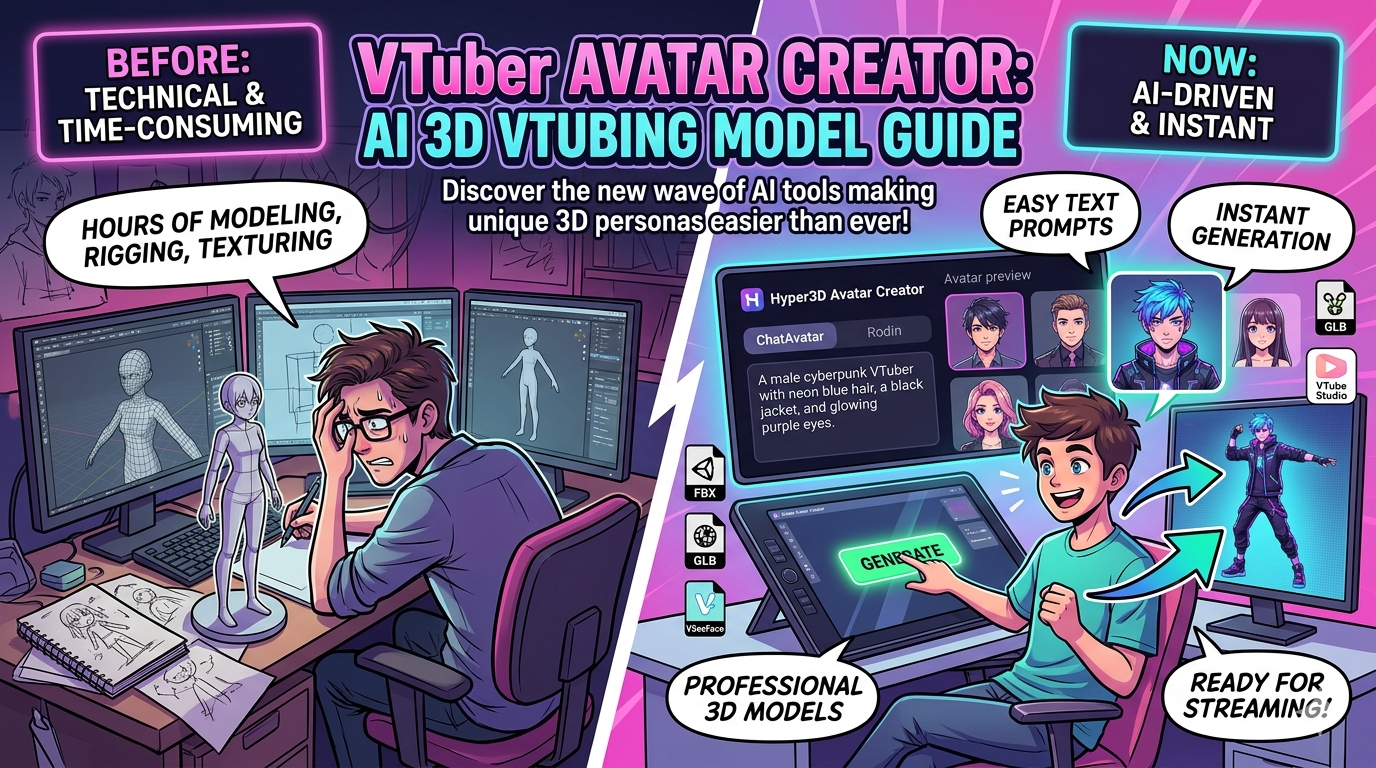
Becoming a VTuber is an exciting way to create content and connect with an audience online. Instead of showing your real face, you use a digital avatar that mirrors your movements and expressions. This avatar is your online persona, and creating the perfect one is the first step in your VTubing journey. In the past, this required significant artistic and technical skill, but now, a new wave of VTuber avatar creators, many powered by AI, are making it easier than ever to design a unique 2D or 3D character.
What is a VTuber Avatar Creator?
A VTuber avatar generator is a tool, either software or a web-based platform, that allows you to design and generate a virtual avatar. These creators range from simple mobile apps to powerful desktop programs. The main advantage of using a dedicated creator is that it streamlines the entire process. Instead of building a model from scratch in complex 3D modeling software, you can use intuitive interfaces, pre-made assets, and AI-powered generation to bring your vision to life. This opens up the world of VTubing to a much broader audience, regardless of their technical background.
Top VTuber Avatar Creator Tools
When it comes to creating your VTuber avatar, you have several excellent options. For those who prefer a hands-on, artistic approach, VRoid Studio is a popular choice, offering deep customization for 3D anime-style characters. For a more streamlined, AI-driven experience, platforms like Hyper3D offer a suite of tools, including the VTuber avatar creator, that can generate a 3D model from a simple text prompt or image. Other notable tools include VTube Studio for bringing 2D models to life, and mobile apps like REALITY for creating and streaming on the go.
My First-Hand Experience with VTuber Avatar Creators
As someone who has explored various content creation tools, I was eager to see how easy it is to create a VTuber avatar with the current generation of software. I decided to start with Hyper3D's suite of tools, specifically ChatAvatar, to see what its AI could do.
My goal was to create a futuristic, cyberpunk-themed avatar. I started with a simple text prompt in ChatAvatar: "a male cyberpunk VTuber with neon blue hair, a black jacket, and glowing purple eyes." The AI generated several distinct faces in under a minute. The level of detail, from the texture of the skin to the reflection in the eyes, was remarkable. I selected a face that had the edgy look I was going for and proceeded to Rodin to generate the rest of the model. Here, I could choose from various body types and clothing styles. I opted for a slender build and a sleek, futuristic jacket. The integration between ChatAvatar and Rodin was smooth, and the entire process of generating the initial model took less than 15 minutes.
What stood out to me was the ease of export. With a single click, I could download my model in various formats, including FBX, GLB, and USDZ, which are ready for use in most streaming and animation software. I also experimented with the different generation modes. 'Gen-2' provided a highly detailed model, while 'Speedy' gave me a quicker, lower-poly version that would be great for real-time performance.
For comparison, I also spent some time with VRoid Studio. The experience is fundamentally different. It's a powerful, artist-centric tool that gives you granular control over every polygon and texture. I started with a base model and began sculpting the facial features, adjusting the hairstyle strand by strand, and painting custom textures for the clothing. This level of control is incredible for creating a truly unique character, but it comes at the cost of time and a significant learning curve. It took me several hours to create a character that was comparable in quality to what I generated in Hyper3D in minutes. For artists and those with a specific vision, VRoid Studio is an amazing tool. For those who want to get a great-looking avatar quickly, the AI-driven approach of a tool like the Hyper3D VTuber avatar creator is far more efficient.
Objective Comparison of VTuber Avatar Creators
To help you choose the right tool, here is a comparison of some of the most popular VTuber avatar creators:
| Feature | Hyper3D (ChatAvatar, Rodin, OmniCraft) | VRoid Studio | REALITY (Mobile App) |
|---|---|---|---|
| Ease of Use | Very easy; AI-driven | Moderate; requires artistic skill | Easy; intuitive mobile interface |
| Customization | Good; AI-based with some manual controls | Excellent; deep, granular control | Limited; pre-set options |
| Output Quality | High-quality 3D models | High-quality 3D anime models | Good quality 3D models for mobile |
| Cost | Freemium model | Free | Free with in-app purchases |
| Platform | Web-based | Windows, macOS | iOS, Android |
| Export Formats | STL, FBX, OBJ, GLB, USDZ | VRM | Not directly exportable |
Hyper3D is the best choice for beginners and those who want to create high-quality 3D avatars quickly without a steep learning curve. The AI-powered tools make it incredibly accessible. VRoid Studio is ideal for artists and creators who want to have complete control over their character's design and are willing to invest the time to learn the software. REALITY is a great option for those who want to get started with VTubing directly from their mobile devices.
How to Create Your VTuber Avatar with an AI 3D Model Generator
Creating a VTuber avatar with an AI-powered tool like Hyper3D is a straightforward process. Here?? a simple guide to get you started:
1. Generate Your Avatar's Face: Start by visiting the VTuber avatar creator on Hyper3D. You can use a text prompt to describe the face you want, or upload an image for the AI to use as a reference. Experiment with different descriptions to get a variety of options.
2. Create the Full Body: Once you have a face you're happy with, use a tool like Rodin to generate the full 3D model. You can specify the body type, clothing, and other details to match your vision.
3. Animate Your Avatar: To bring your character to life, you can use an animation 3D generator. This will allow you to apply motion capture data to your model, making it move and express itself realistically.
4. Refine and Export: If you need to make any adjustments or convert your model to a different format, you can use OmniCraft. This tool also allows you to use features like Vecto3D and HDRI for advanced customization. Once you're done, you can export your model in a variety of formats, including FBX and GLB, which are compatible with most streaming software.
For more advanced creation, you can also explore other Hyper3D tools like the image to 3D converter or the 3D character designer.
Frequently Asked Questions (FAQ)
What is the best VTuber avatar creator for beginners?
For beginners, an AI-powered tool like Hyper3D's ChatAvatar is an excellent choice. It's easy to use and produces high-quality results without requiring any artistic or technical skills. VRoid Studio is also a good option for those who want to learn the basics of 3D modeling.
Can I create a VTuber avatar for free?
Yes, many VTuber avatar creators, including VRoid Studio and the basic features of Hyper3D, are available for free. This allows you to experiment and create your first avatar without any financial commitment.
What's the difference between a 2D and 3D VTuber avatar?
A 2D avatar is a flat, illustrated character that is animated to create the illusion of movement. A 3D avatar is a full 3D model that can be viewed from any angle and allows for more complex movements and animations.
How long does it take to create a VTuber avatar?
With an AI VTuber avatar creator, you can generate a basic avatar in just a few minutes. Creating a highly customized avatar from scratch in a program like VRoid Studio can take several hours or even days, depending on your skill level and the complexity of the design.
What software do I need to use my VTuber avatar?
How can I make my VTuber avatar look more professional?
To make your avatar look more professional, focus on high-quality textures, good lighting in your streaming setup, and smooth animations. Using a tool that generates high-resolution models, like Hyper3D's Gen-2 mode, can make a big difference. Additionally, take the time to properly rig your model and set up your face-tracking software to capture your expressions accurately.
Can I use my VTuber avatar on different platforms?
Yes, if you export your avatar in a common format like FBX or GLB, you can use it on a variety of platforms, including Twitch, YouTube, and VR chat applications. Make sure to check the specific requirements of each platform to ensure compatibility.
To use your VTuber avatar, you will need streaming software like OBS Studio and a face-tracking application like VSeeFace or VTube Studio. These programs will capture your movements and apply them to your avatar in real-time.
Your Journey as a VTuber Starts Now
The world of VTubing is more accessible than ever, thanks to the growing number of powerful and user-friendly avatar creators. Whether you're an aspiring streamer, a content creator looking for a new way to engage your audience, or just curious about the world of virtual avatars, there's a tool out there that's perfect for you. With AI-powered platforms like Hyper3D, you can create a professional-looking 3D VTuber avatar in a matter of minutes. So what are you waiting for? It's time to bring your virtual persona to life and start your VTubing adventure.