

What Is 3D Rendering? How It Works Explained
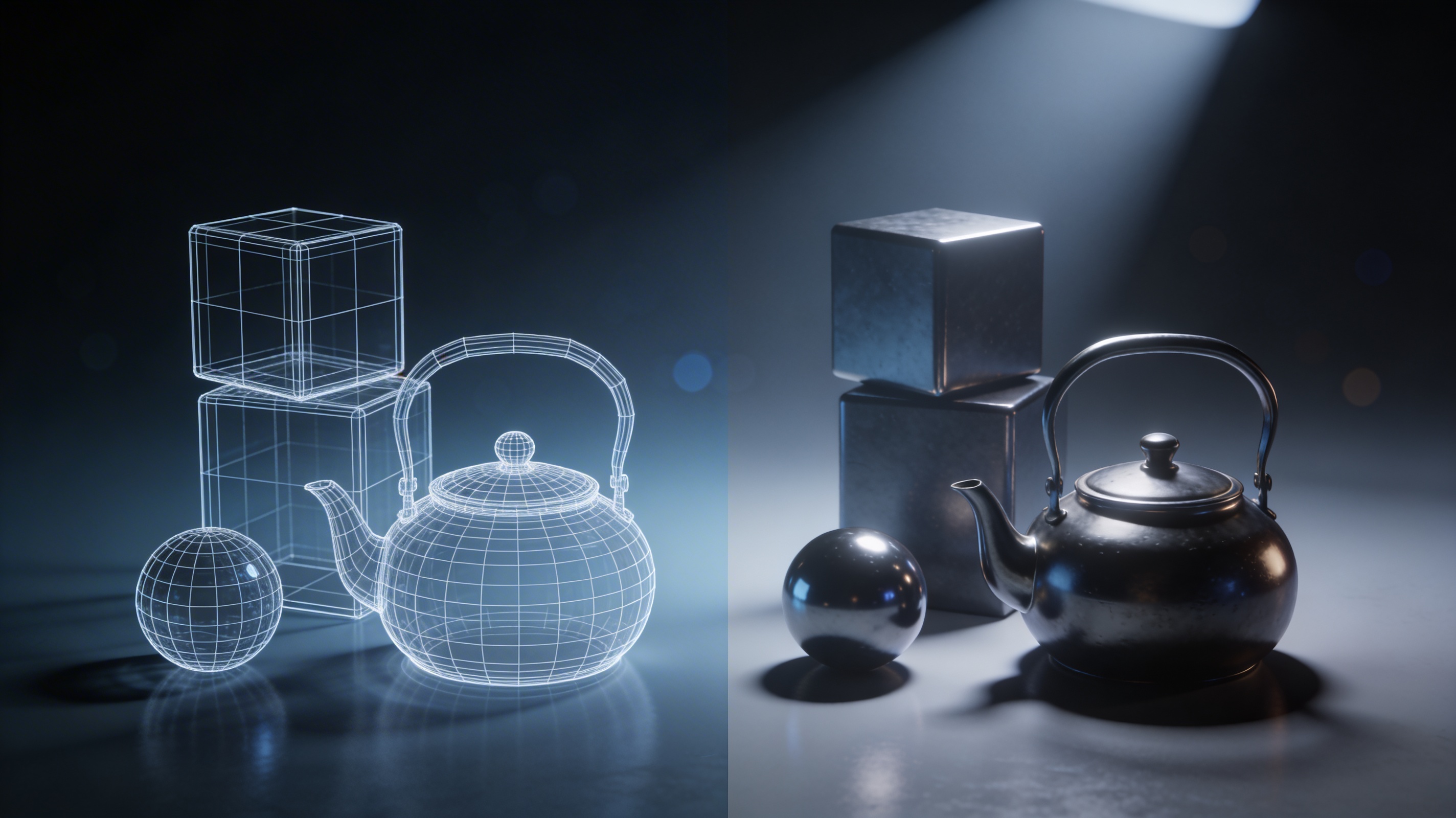
3D rendering is a term you've likely heard if you're interested in digital art, animation, or design. It's the magic that turns a wireframe model into a stunningly realistic image. From the special effects in blockbuster movies to the architectural visualizations that bring buildings to life before they're even built, 3D rendering is everywhere. This process is used across many platforms and software, each with its own strengths, to create the incredible 2D images we see from 3D data. Understanding what is 3d rendering is the first step to creating stunning visuals.
What is 3D Rendering?
fundamentally, what is 3D rendering is the process of generating a two-dimensional image from a three-dimensional model. Think of it like taking a photograph in the virtual world. A 3D artist creates a scene with models, textures, and lighting, and the rendering engine acts as the camera, capturing the final image. This isn't just a simple screenshot, though. The rendering process calculates how light interacts with the objects in the scene, creating realistic shadows, reflections, and colors. The final output can be a single photorealistic image or a sequence of images that form an animation.
How Does 3D Rendering Work? for What Is 3D Rendering
The creation of a 3D rendered image is a multi-step process, often referred to as the rendering pipeline. It?? a journey from a simple 3D model to a detailed 2D image. Understanding this pipeline helps to appreciate the complexity and artistry behind every rendered image. It is a core concept in understanding what is 3d rendering.
The Rendering Pipeline
The rendering pipeline can be broken down into a few key stages:
1. Modeling: The first step is to create the 3D models of the objects you want to render. This can be done using various techniques, from polygonal modeling to digital sculpting. You can even use an AI 3D model generator to create models from text prompts.
2. Texturing: Once the models are created, they are given surfaces and colors through a process called texturing. This is where you can apply materials like wood, metal, or plastic to your models. An AI texture generator can be a great tool for creating unique and realistic textures.
3. Lighting: Lighting is crucial for creating a realistic scene. Artists place virtual lights in the 3D scene to simulate how light would behave in the real world. The direction, intensity, and color of the lights all affect the final look of the image.
4. Rendering: This is the final step where the computer takes all the information from the scene??he models, textures, and lighting??nd calculates the final image. This is the most computationally intensive part of the process.
Rasterization vs. Ray Tracing
There are two primary methods for rendering 3D scenes: rasterization and ray tracing. Each has its own advantages and is used for different purposes.
- Rasterization: This technique is commonly used in real-time applications like video games. It works by projecting the 3D models onto the 2D screen and then coloring in the pixels. It's a very fast method, which is why it's ideal for interactive media.
- Ray Tracing: Ray tracing is a more physically accurate method that simulates the path of light rays from the camera to the objects in the scene. It can produce incredibly realistic images with accurate shadows, reflections, and refractions. However, it is much more computationally expensive than rasterization.
Real-time vs. Offline Rendering
The distinction between rasterization and ray tracing leads to another important concept in what is 3d rendering: real-time versus offline rendering.
- Real-time rendering is used when images need to be generated very quickly, such as in video games or interactive simulations. The goal is to produce a high frame rate (typically 30 or 60 frames per second) to create the illusion of smooth motion. Rasterization is the dominant technique used for real-time rendering.
- Offline rendering, also known as pre-rendering, is used when image quality is more important than speed. This is common in animated movies and visual effects, where each frame can take minutes or even hours to render. Ray tracing and other advanced techniques are often used in offline rendering to achieve the highest level of realism. A photorealistic 3D generator often relies on these advanced techniques.
GPU vs. CPU Rendering
The rendering process can be handled by either the computer's Central Processing Unit (CPU) or its Graphics Processing Unit (GPU). The choice between them depends on the specific rendering software and the desired outcome.
- CPU Rendering: CPUs are designed for a wide range of tasks and can handle complex rendering calculations. They are often used for high-quality offline rendering where accuracy is critical.
- GPU Rendering: GPUs are specialized for parallel processing, which makes them very efficient at handling the massive number of calculations required for rendering. GPU rendering is generally much faster than CPU rendering and is the standard for real-time applications. Many modern renderers can use both the CPU and GPU to maximize performance.
Top 3D Rendering Software Compared
There are many different 3D rendering software options available, each with its own strengths and weaknesses. Here's a comparison of a few popular choices:
| Software | Pros | Cons | Best For |
|---|---|---|---|
| Blender (Cycles) | Free and open-source, powerful and versatile, large community | Steep learning curve, can be resource-intensive | Hobbyists, freelancers, and small studios |
| V-Ray | Industry standard, produces highly realistic results, wide range of features | Expensive, can be complex to learn | Professional architectural visualization and visual effects |
| Arnold | High-quality, physically-based rendering, integrated with many 3D applications | Can be slow for complex scenes, subscription-based | Feature film animation and visual effects |
My First-Hand Experience with 3D Rendering
As a 3D artist, I've spent a lot of time working with different rendering tools. I remember my first time using Blender's Cycles renderer. I had created a simple scene with a few objects and a single light source. After setting up my materials and hitting the render button, I was amazed to see my simple creation come to life with realistic shadows and reflections. It was a magical moment that hooked me on the art of 3D rendering and solidified my understanding of what is 3d rendering.
More recently, I've been exploring the world of AI-powered 3D tools. I've used an image to 3D converter to quickly create a 3D model from a photograph. I then used an AI 3D model editor to refine the model and prepare it for rendering. The ability to generate and edit 3D assets so quickly has been a huge boost to my workflow. I can export my models in formats like FBX and GLB and then bring them into my preferred rendering software to create the final image.
Frequently Asked Questions
What is the difference between 3D modeling and 3D rendering?
3D modeling is the process of creating the 3D object itself, like sculpting a statue out of clay. 3D rendering is the process of creating a 2D image of that object, like taking a photograph of the statue.
How long does 3D rendering take?
The time it takes to render a 3D image can vary from a few seconds to many hours, depending on the complexity of the scene, the rendering settings, and the power of your computer.
What is a render farm?
A render farm is a large group of computers that are networked together to share the workload of rendering. This is often used in professional productions to render complex animations in a timely manner.
Can I use my gaming PC for 3D rendering?
Yes, a gaming PC is often well-suited for 3D rendering, especially if it has a powerful GPU. Many 3D artists use gaming PCs for their work.
What is the best 3D rendering software for beginners?
Blender is a great choice for beginners because it is free, has a large and supportive community, and there are many tutorials available online to help you get started. It's a great way to learn the answer to what is 3d rendering.