

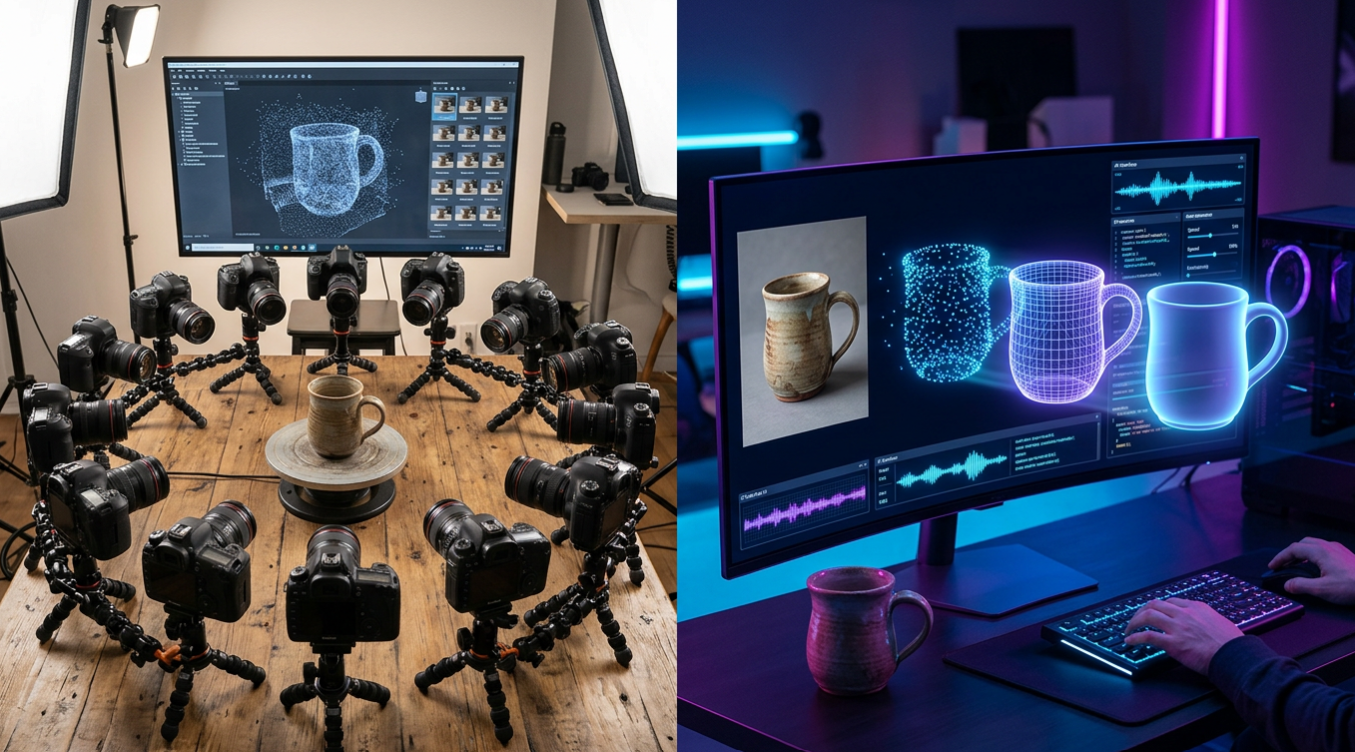
Photogrammetry vs AI 3D Generation: Which Is Better?
If you need a 3D model of something that exists in the real world, you've got two main options right now: photogrammetry and AI 3D generation. Both take 2D images and turn them into 3D assets, but they do it in completely different ways ??and the results aren't interchangeable.
Photogrammetry has been the standard for years. Tools like RealityCapture, Meshroom, and Polycam stitch together dozens (sometimes hundreds) of photos to reconstruct geometry. AI generation, on the other hand, uses platforms like Hyper3D, Meshy, and Tripo to build 3D models from just one or a few images using trained neural networks. The question of photogrammetry vs AI 3D comes down to what you're building, how much time you have, and what quality you need.
This guide breaks down both approaches honestly ??where each one wins, where each one falls short, and when to use which.
What Is Photogrammetry?
How Photogrammetry Works
Photogrammetry reconstructs 3D geometry by analyzing overlapping photographs taken from multiple angles. The software identifies matching feature points across images, calculates camera positions, and generates a dense point cloud. That point cloud gets converted into a mesh, and the original photos are projected onto the surface as texture.
The process typically requires 30-200+ photos of the subject, taken with consistent lighting and significant overlap between shots. Professional setups use turntables, controlled lighting rigs, and calibrated cameras.
Common Photogrammetry Tools
The main players in photogrammetry vs AI 3D on the photogrammetry side include:
- RealityCapture ??Industry standard for speed and accuracy. Used in film VFX and game studios. Paid license.
- Meshroom ??Open-source alternative built on the AliceVision framework. Free but slower.
- Polycam ??Mobile-first photogrammetry app for iPhone (LiDAR) and Android. Great for quick scans.
- Agisoft Metashape ??Professional-grade tool popular in archaeology, surveying, and cultural heritage.
What Is AI 3D Generation?
How AI 3D Generation Works
AI 3D generation uses deep learning models ??typically diffusion-based or transformer-based architectures ??to predict 3D geometry from minimal input. You feed in a single photo or text description, and the model generates a complete 3D mesh with textures. It's not reconstructing what it sees; it's inferring what the full object should look like based on training data.
This is fundamentally different from photogrammetry. The AI fills in geometry it can't see ??the back of an object, the underside, hidden details. The trade-off is that it's generating plausible geometry, not measured geometry.
Top AI 3D Generation Tools
When comparing photogrammetry vs AI 3D generation tools:
- Hyper3D (Rodin) ??Clean topology, multiple generation modes (Default, Focal, Zero, Speedy), full OmniCraft editing suite. Best for characters and clean mesh output.
- Meshy AI ??Strong texturing engine, polished UI. Best for quick textured assets.
- Tripo AI ??Built-in auto-rigging, fast generation. Best for game-ready assets.
- Tencent Hunyuan3D ??20 free generations per day. Best budget option.
Photogrammetry vs AI 3D: Head-to-Head Comparison
Accuracy and Fidelity
Photogrammetry wins here ??it's measuring real geometry from real photos. If you need millimeter-accurate scans for engineering, cultural preservation, or forensics, photogrammetry is the only option. AI generation creates plausible shapes, not precise replicas.
Speed and Convenience
AI generation wins by a wide margin. A single photo uploaded to an image to 3D model tool produces a result in under 30 seconds. Photogrammetry requires shooting dozens of photos, processing them (which can take hours), and cleaning up the mesh afterward.
Input Requirements
Photogrammetry needs 30-200+ overlapping photos with controlled lighting. AI generation needs one photo ??or even just a text description. For the photogrammetry vs AI 3D debate, this is often the deciding factor for solo creators.
Mesh Quality and Topology
Photogrammetry produces dense, unstructured meshes that almost always need retopology before use in games or animation. AI tools like Hyper3D's AI 3D model editor generate cleaner topology out of the box, though it's still not hand-modeled quality.
Cost
Photogrammetry software ranges from free (Meshroom) to $3,750+/year (RealityCapture). You also need a decent camera and possibly a lighting setup. AI generation tools offer free tiers ??Hyper3D and Meshy both give free credits, and Hunyuan3D is completely free.
| Factor | Photogrammetry | AI 3D Generation |
|---|---|---|
| Accuracy | High (measured) | Moderate (inferred) |
| Speed | Hours | Seconds |
| Photos needed | 30-200+ | 1 (or text only) |
| Mesh topology | Dense, needs cleanup | Cleaner, more usable |
| Cost | Free to $3,750+/yr | Free to ~$20/mo |
| Best for | Real-world scanning | Creative asset generation |
My First-Hand Experience
I tested both approaches with the same subject ??a ceramic coffee mug sitting on my desk. For photogrammetry, I used Meshroom with 47 photos taken on my phone. The process took about 20 minutes to shoot and 2 hours to process on my laptop. The result was geometrically accurate but had messy topology and some texture artifacts where lighting was uneven.
For AI generation, I uploaded a single photo of the same mug to Hyper3D's image to 3D tool. The model appeared in about 15 seconds using Focal mode. The geometry wasn't a perfect replica ??the handle shape was slightly different ??but the topology was much cleaner and the model was immediately usable. I ran it through the AI Texture Generator in the OmniCraft sidebar and exported as GLB.
For exact replication, photogrammetry won. For a usable 3D asset I could drop into a scene? The AI route was faster and produced a more practical result.
When to Use Photogrammetry vs AI 3D
Use Photogrammetry When:
- You need exact replicas of real objects (heritage preservation, forensics, surveying)
- Dimensional accuracy matters (engineering, architecture, manufacturing)
- You're scanning large environments (landscapes, buildings, archaeological sites)
- You have time and equipment for a proper photo shoot
Use AI 3D Generation When:
- You need assets fast for games, marketing, or prototyping
- You only have one reference photo or a concept sketch
- You want to create objects that don't exist yet (from text descriptions)
- You need clean topology without manual retopology
- Budget is limited ??most AI tools have generous free tiers
The Hybrid Approach
Many studios now combine both. They use photogrammetry to scan real-world references, then feed those scans into AI tools for cleanup, retopology, and texture enhancement. Hyper3D's GLTF Viewer and format conversion tools make it easy to move assets between photogrammetry and AI pipelines.
You can also use photogrammetry for hero assets that need perfect accuracy, and AI generation for background props and fill objects. This photogrammetry vs AI 3D hybrid workflow is becoming standard in game studios.
Frequently Asked Questions (FAQ)
Is photogrammetry more accurate than AI 3D generation?
Yes. Photogrammetry measures real geometry from photos, so it produces dimensionally accurate models. AI generation infers geometry based on training data ??it creates plausible shapes, not exact replicas. For anything requiring measurement accuracy, photogrammetry is the right choice.
Can AI 3D generation replace photogrammetry?
Not entirely. They serve different purposes. AI generation is faster and more accessible for creative work, but photogrammetry remains essential for accurate real-world scanning. The two approaches complement each other more than they compete.
What is the best free photogrammetry vs AI 3D tool?
For free photogrammetry, Meshroom is the strongest open-source option. For free AI 3D generation, Tencent's Hunyuan3D offers 20 generations per day at no cost, while Hyper3D and Meshy both offer free credits for new users.
Do I need a powerful computer for photogrammetry?
Yes ??photogrammetry processing is computationally heavy, especially with large photo sets. A GPU with at least 8GB VRAM is recommended. AI 3D generation tools run in the cloud, so you only need a browser and internet connection.
Which approach is better for 3D printing?
It depends on what you're printing. If you're replicating a real object, photogrammetry gives you the accurate geometry you need. If you're creating something new or working from a single reference image, AI generation through tools like Hyper3D's Image-to-STL converter is faster and produces print-ready STL files directly.
Can I combine photogrammetry and AI 3D generation?
Absolutely. Many professionals scan objects with photogrammetry, then use AI tools to clean up topology, generate textures, or fill in missing geometry. This hybrid workflow gives you the accuracy of photogrammetry with the speed and polish of AI generation.