

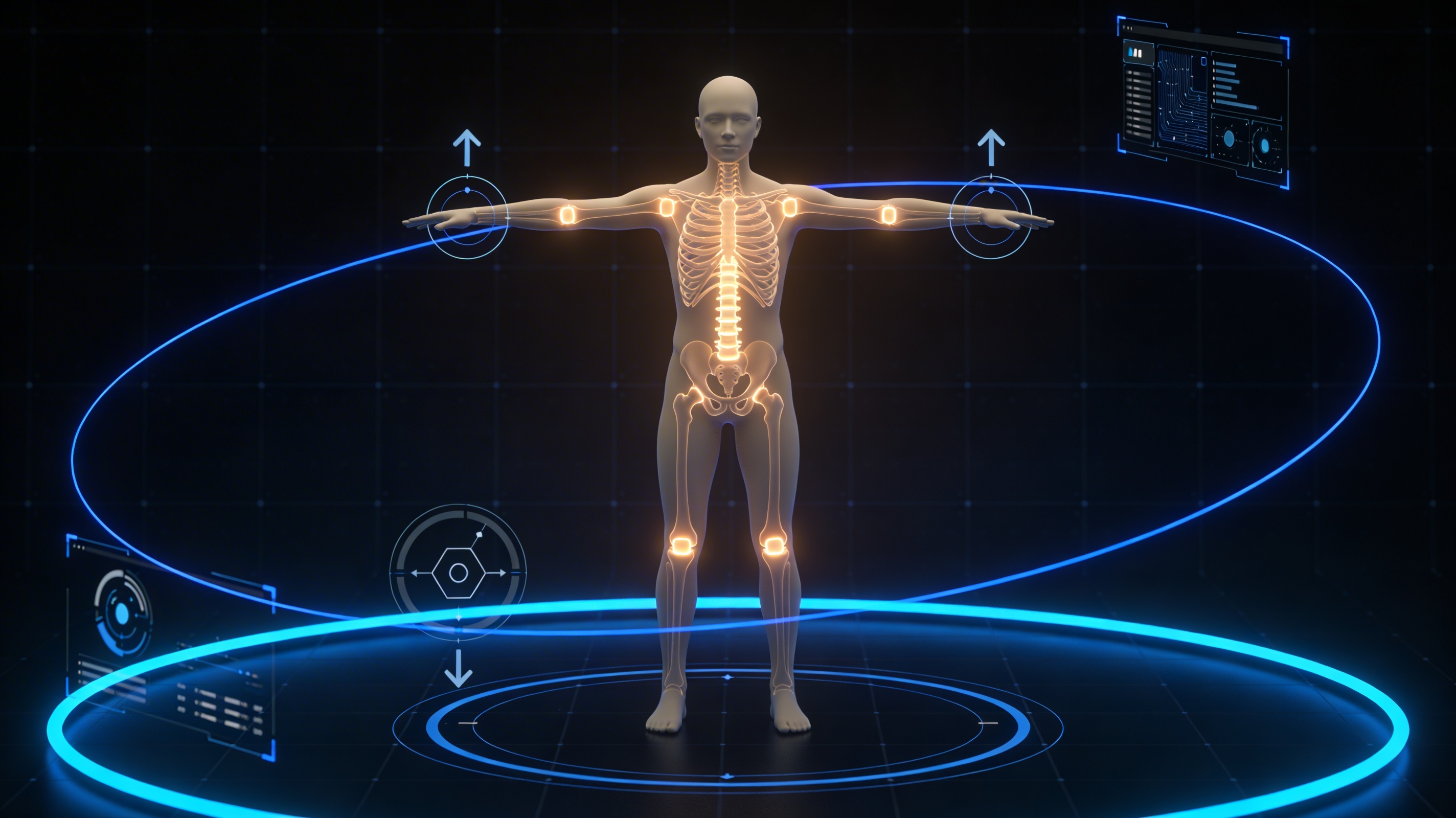
3D Rigging
'''# 3D Rigging for Beginners: Auto-Rig AI Characters
3D rigging is the secret sauce that brings digital characters to life. It's the process of creating a virtual skeleton for a 3D model, allowing animators to move and pose it. WWhether you're creating characters for a film or a video game, understanding 3d rigging is a fundamental step. fundamental stepp. In the past, this was a highly technical and time-consuming task, often reserved for specialists. But today, with the rise of AI-powered tools like Hyper3D's ChatAvatar and other platforms like Mixamo, the world of 3D character rigging is more accessible than ever. This article will guide you through the essentials of 3d rigging, from the basic principles to using AI for quick and efficient character setup.
'''
The Fundamentals of 3D Rigging
fundamentally, the process of 3d rigging is about creating a system of controls that an animator can use to manipulate a 3D model.
The Skeleton: Bones and Joints
A 3D model has a digital skeleton. This skeleton is made up of a hierarchy of bones and joints. The bones are the rigid parts of the skeleton, while the joints define how the bones can move in relation to each other. The process of creating this skeleton is often the first step in 3d rigging a character.
Skinning and Weight Painting
Once the skeleton is in place, it needs to be attached to the 3D model's "skin" or mesh. This process is called skinning or binding. After the initial binding, the rigger needs to define how much influence each bone has on the surrounding vertices of the mesh. This is done through a process called weight painting. For example, the vertices around the elbow should be influenced by both the upper arm bone and the forearm bone to create a natural-looking bend. Proper weight painting is crucial for achieving smooth and realistic deformations.
Forward and Inverse Kinematics (FK/IK)
Forward Kinematics (FK) and Inverse Kinematics (IK) are two different ways to control the movement of the skeleton. With FK, you animate each joint in a chain individually. With IK, you move the end of the chain, and the rest of the joints automatically adjust. IK is often used for tasks like making a character's feet stick to the ground while walking, while FK is useful for more detailed and specific movements.
Getting Started with 3D Rigging
For those new to the world of 3d rigging, the process can seem daunting. However, by breaking it down into a few key steps, it becomes much more manageable. Here?? a basic workflow for rigging a 3D character from scratch.
Preparing Your 3D Model
Before you even start building a skeleton, it?? important to make sure your 3D model is ready for rigging. This means ensuring the model has clean topology. A well-prepared model will deform much more cleanly and will save you a lot of headaches down the line. A symmetrical model will allow you to mirror your work, saving time.
Building the Skeleton
With your model prepared, you can start building the skeleton. This is done by creating a series of joints, starting from the root and working your way out. It?? important to place the joints at the correct pivot points to ensure natural-looking movement. For example, the elbow joint should be placed at the center of the elbow, and the knee joint at the center of the knee.
Setting up Controls
Once the skeleton is built and bound to the model, the next step is to create a set of controls that the animator can use to manipulate the rig. Animators use intuitive controls linked to the joints instead of directly selecting them. This makes the 3d rigging and animation process much more user-friendly and efficient. You can also set up more advanced controls, such as those for facial expressions or hand poses, to give the animator even more creative freedom.
AI-Powered Auto-Rigging Tools
The traditional process of manual 3d rigging, while powerful, can be a significant bottleneck in the animation pipeline. This is where AI-powered auto-rigging tools come in. These tools use machine learning algorithms to automate the process of creating a skeleton, skinning the model, and even generating a set of animation controls. This can save artists a huge amount of time and effort, allowing them to focus on the creative aspects of animation.
How AI is Changing the Game
AI-powered auto-rigging tools are trained on vast datasets of 3D models and their corresponding rigs. This allows them to recognize the common patterns and structures of different types of characters, from bipeds to quadrupeds and beyond. By simply uploading your 3D model, the AI can automatically generate a high-quality rig in a matter of minutes.
Introduction to Popular Auto-Rigging Tools
There are a number of popular auto-rigging tools available today, each with its own strengths and weaknesses. Some of the most well-known options include:
- Mixamo: An online service from Adobe that offers free auto-rigging and a library of motion-captured animations.
- ActorCore: A cloud-based platform from Reallusion that provides auto-rigging, character generation, and a large library of animations.
- Hyper3D: Our own suite of tools, including ChatAvatar for generating and rigging realistic 3D faces, and our AI animation tool for bringing your characters to life.
Benefits of Using AI for Rigging
The benefits of using AI for 3d rigging are numerous. The most obvious advantage is the significant time savings. What used to take days or even weeks can now be done in a matter of minutes. This allows for faster iteration and experimentation, as artists can quickly create and test different rigs for their characters. AI-powered rigging also democratizes the animation process, making it accessible to a wider range of creators. With tools like our AI 3D model generator, you can go from a simple text prompt to a fully rigged 3D character in a smooth workflow.
My First-Hand Experience with Auto-Rigging
To get a real sense of how these AI-powered tools perform, I decided to put them to the test. I started with Hyper3D's ChatAvatar, which allows you to generate a 3D avatar from a single photo. The process was incredibly simple. I uploaded a picture of myself, and within a few minutes, I had a surprisingly accurate 3D model of my face, complete with a full facial rig. The rig included controls for my eyes, eyebrows, mouth, and jaw, allowing for a wide range of expressions.
Next, I tried out Hyper3D's AI animation tool. I uploaded a simple biped character that I had modeled, and the tool automatically generated a full-body rig. The process was just as straightforward as with ChatAvatar. The resulting rig was clean and well-structured. I also experimented with the image to 3D feature, which allowed me to create a 3D model from a 2D image and then rig it using the same AI animation tool.
Objective Comparison of Rigging Tools
With so many auto-rigging tools on the market for 3d rigging, it can be tough to know which one is the right fit for your project. To help you decide, here?? a breakdown of three of the most popular options: Hyper3D, Mixamo, and ActorCore.
| Feature | Hyper3D | Mixamo | ActorCore |
|---|---|---|---|
| Character Creation | Yes (Text-to-3D, Image-to-3D, ChatAvatar) | No | Yes (with Character Creator) |
| Auto-Rigging | Yes | Yes | Yes |
| Animation Library | Growing | Large (Free) | Large (Paid) |
| Cost | Freemium | Free | Paid |
| Best For | All-in-one character creation and animation | Quick and easy animation for humanoid characters | High-quality, professional character animation |
Mixamo is a fantastic option for beginners and those on a tight budget. However, it?? limited to humanoid characters.
ActorCore is a more professional-grade solution. It offers high-quality characters and animations. However, this comes at a price.
Hyper3D strikes a great balance between the two. It offers a full suite of tools, from character creation with our AI 3D model generator to editing with our AI 3D model editor, and animation with our AI animation tool. The ability to create and rig any type of character gives you creative freedom.
FAQs about 3D Rigging
What is the difference between rigging and skinning?
3D rigging and skinning are two distinct but closely related processes. Rigging is the process of creating the skeleton and control system for a 3D model. Skinning, on the other hand, is the process of binding the 3D model?? mesh to that skeleton.
How long does it take to rig a character?
The time it takes for 3d rigging a character can vary dramatically depending on the complexity of the model and the desired level of detail. AI-powered auto-rigging tools can significantly reduce this time.
Can I rig any 3D model?
For the most part, yes. As long as a 3D model has a clean and well-structured mesh, it can be used for 3d rigging. Models designed for animation will be easier to rig. With tools like Hyper3D?? AI 3D model editor, you can optimize your models for rigging and animation.
What are the most common rigging mistakes?
Some of the most common 3d rigging mistakes include poor joint placement, improper weight painting, and creating an overly complex or unintuitive control system. It?? important to plan your rig carefully.
Is 3D rigging a good career?
Yes, 3d rigging is a highly sought-after skill in the animation, visual effects, and video game industries. The demand for skilled riggers will continue to grow.
Conclusion
3D rigging is a vital part of the animation process, and while it can be a complex and technical discipline, it?? more accessible than ever before. With the rise of AI-powered tools like Hyper3D, artists of all skill levels can now create high-quality rigs in a fraction of the time. There?? never been a better time to dive into the world of 3D character rigging. So what are you waiting for? Head over to Hyper3D.ai and start bringing your characters to life today!