

3D Printing Guide: Everything You Need to Know
This 3D printing guide will walk you through everything you need to know to get started with this exciting technology. 3D printing, once a technology reserved for industrial manufacturing, has become increasingly accessible to hobbyists, artists, and entrepreneurs. It?? a process of creating three-dimensional objects from a digital file, building them layer by layer. This technology opens up a world of possibilities, from creating custom prototypes to personalized gifts. Whether you're using a sophisticated 3D printing model generator or a simple desktop machine, this 3d printing guide will provide a solid foundation.
How Does 3D Printing Work? The Three Main Stages
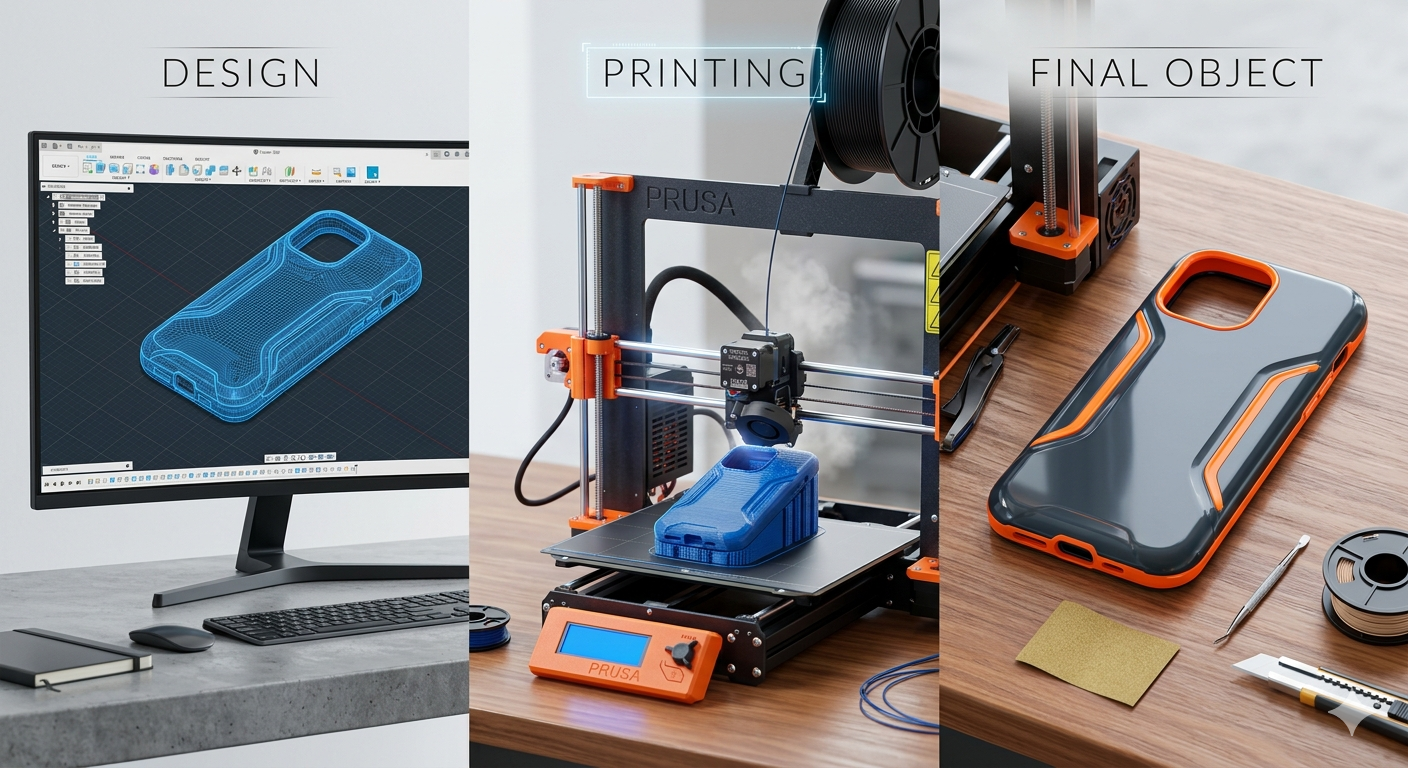
The 3D printing process can be broken down into three key stages: design, printing, and post-processing. This 3d printing guide will explain each stage in detail, as each is crucial for achieving a successful print.
1. Design: From Idea to Digital Model
Every 3D print begins with a digital design. This is a 3D model of the object you want to create, typically made using computer-aided design (CAD) software. There are many CAD programs available, ranging from beginner-friendly options like Tinkercad to professional-grade software like Fusion 360. If you're not a designer, you can also find millions of free 3D models online on platforms like Thingiverse and MyMiniFactory. For those looking to turn a 2D image into a 3D object, an image to STL converter can be an invaluable tool. Once your design is ready, it's exported as an STL or other 3D printable file format. This file is then imported into a slicer software, which, as the name suggests, slices the model into hundreds or thousands of thin layers and generates the G-code that tells the printer how to create the object.
2. Printing: Building the Physical Object
With the G-code loaded, the 3D printer begins its work. The printer reads the code and starts building the object layer by layer. The specific method of printing depends on the technology being used. For example, a fused deposition modeling (FDM) printer will melt and extrude a plastic filament, while a stereolithography (SLA) printer will use a laser to cure a liquid resin. The printing process can take anywhere from a few minutes to several days, depending on the size and complexity of the object.
3. Post-Processing: Finishing the Print
Once the printer has finished, the object is not always ready to use. This is where post-processing comes in. The steps involved in post-processing vary depending on the printing technology and material used. For FDM prints, this might involve removing support structures and sanding the object to create a smooth surface. For SLA prints, the object needs to be washed in isopropyl alcohol to remove any uncured resin and then cured under a UV light to achieve its final strength. A useful tool at this stage is an STL file viewer, which allows you to inspect your model and identify any potential issues before or after printing.
A 3D Printing Guide to Technologies
There are several different types of 3D printing technologies, each with its own strengths and weaknesses. Here are three of the most common types you'll encounter.
Fused Deposition Modeling (FDM)
FDM is the most common and affordable type of 3D printing. It works by melting a thermoplastic filament and extruding it through a nozzle onto a build platform. The nozzle moves layer by layer, building the object from the ground up. FDM printers are great for beginners and for creating simple prototypes and functional parts. However, they can struggle with fine details and often produce a rougher surface finish.
Stereolithography (SLA)
SLA is a resin-based 3D printing technology that uses a laser to cure liquid resin into a solid object. The laser traces the shape of each layer onto the surface of the resin, hardening it. SLA printers are known for their ability to produce highly detailed and accurate parts with a smooth surface finish. This makes them ideal for creating intricate models, jewelry, and dental applications. The main downside of SLA printing is the higher cost of the printers and materials.
Selective Laser Sintering (SLS)
SLS is a powder-based 3D printing technology that uses a high-powered laser to sinter, or fuse, small particles of polymer powder together. The laser selectively sinters the powder in the shape of each layer, and the unfused powder acts as a support structure for the object. This allows for the creation of complex and intricate geometries without the need for additional support structures. SLS printers are often used for creating durable, functional parts and prototypes.
A 3D Printing Guide to Materials
The choice of material is just as important as the choice of printing technology. Different materials have different properties, and the right material for your project will depend on its intended use. Some of the most common 3D printing materials include PLA, a biodegradable and easy-to-print plastic; ABS, a strong and durable plastic; PETG, a food-safe and water-resistant plastic; and various resins, which offer a wide range of properties from flexible to tough.
My First-Hand Experience with 3D Printing
I remember my first foray into 3D printing. I wanted to create a custom phone stand, something unique that I couldn't find in stores. I decided to try an AI 3D model generator to see if I could bring my idea to life without having to learn complex CAD software. The process was surprisingly straightforward. I described the design I had in mind, and the AI generated a 3D model for me. I had to make a few tweaks to the design, but within a few minutes, I had a printable file. I sent the file to my FDM printer and watched as it brought my creation to life, layer by layer. The initial print had some issues with the first layer not adhering properly to the print bed, a common issue for beginners. After a quick search online, I learned about the importance of bed leveling and applying an adhesive like a glue stick. On my second attempt, the print was a success. The final result wasn't perfect ??there were a few rough edges that needed sanding ??but it was a functional and personalized phone stand that I had created myself. This experience showed me the power of 3D printing to turn ideas into reality, and the importance of patience and troubleshooting in the learning process.
Objective Comparison of 3D Printing Tools
When it comes to 3D modeling, there are a range of tools available, each with its own learning curve and capabilities. For absolute beginners, Tinkercad is a great starting point. It's a free, browser-based tool with a simple drag-and-drop interface. For those who want more advanced features, Fusion 360 is a powerful and popular choice, offering a wide range of tools for both hobbyists and professionals. Blender is another excellent option, especially for artistic and organic modeling. It's a free and open-source program with a massive community and a steep learning curve. Regardless of which software you choose, you may find yourself needing to convert files between different formats. A 3D format converter can be a lifesaver in these situations, ensuring that your models are compatible with your printer and other software.
FAQ: Your 3D Printing Questions Answered
What is the best 3D printer for beginners according to this 3d printing guide?
For beginners, an FDM printer is generally the best choice. They are affordable, easy to use, and there is a large community of users online to help you if you run into any problems.
How much does it cost to 3D print?
The cost of 3D printing can vary greatly depending on the size and complexity of the object, the material used, and the type of printer. A small object printed in PLA can cost just a few cents, while a large, complex object printed in a specialized resin can cost hundreds of dollars.
What software do I need for 3D printing?
You will need a CAD program to create or modify 3D models, and a slicer program to prepare the model for printing. Many 3D printers come with their own slicer software, but there are also many free and paid options available.
Can I 3D print from a photo?
Yes, it is possible to 3D print from a photo, but it's not a straightforward process. You will need to use a photogrammetry software to create a 3D model from a series of photos, or use a tool like an image to STL converter.
What are the most common 3D printing problems?
Some of the most common 3D printing problems include prints not sticking to the bed, warping, and stringing. These problems can usually be solved by adjusting your printer's settings or by using a different material.
Conclusion
3D printing is a versatile and powerful technology that has the potential to change the way we make things. From creating custom prototypes to personalized gifts, the possibilities are endless. We hope this 3d printing guide has provided you with a solid foundation of knowledge to begin your 3D printing journey. Now it's time to get out there and start creating!