

how to create printable 3D models
Understanding the Basics of 3D Modeling
Before we dive into the methods of creating 3D models, it's important to understand some of the basic concepts. A 3D model is a digital representation of a three-dimensional object. It's created by connecting a series of points in 3D space with lines and faces to form a mesh. This mesh can then be exported as a file that a 3D printer can read and use to create a physical object. The most common file formats for 3D printing are STL, OBJ, and 3MF. STL is the most widely used format, but OBJ and 3MF are gaining popularity because they can store more information, such as color and material data.
Key Concepts in 3D Modeling: How To Make 3D Printer Models
There are a few key concepts that you'll encounter when you start learning about 3D modeling. These include:
- Vertices, Edges, and Faces: These are the basic building blocks of a 3D model. A vertex is a single point in 3D space. An edge is a line that connects two vertices. A face is a flat surface that is created by connecting three or more edges. Together, these elements form the mesh of the 3D model.
- Solid vs. Surface Modeling: There are two main types of 3D modeling: solid modeling and surface modeling. Solid modeling is used to create objects that have a defined volume. This is the most common type of modeling for 3D printing. Surface modeling, on the other hand, is used to create objects that are defined by their outer surfaces. This type of modeling is often used for more organic shapes, such as characters and creatures.
How to Make 3D Printer Models: Traditional Methods
For decades, the primary way to create 3D models has been through the use of traditional CAD (Computer-Aided Design) software. These programs provide a powerful set of tools for creating precise and detailed models. Some of the most popular CAD software options include:
- Tinkercad: This is a free, web-based program that is perfect for beginners. It has a simple, intuitive interface that makes it easy to create basic shapes and combine them to create more complex objects.
- Fusion 360: This is a more advanced program that is popular with engineers and product designers. It offers a wide range of tools for creating complex, parametric models.
- Blender: This is a free, open-source program that is used for a wide range of 3D modeling tasks, including creating models for 3D printing, animation, and visual effects.
The process of creating a 3D model in a traditional CAD program typically involves the following steps:
1. Sketching: The first step is to create a 2D sketch of your design. This can be done on paper or in a digital drawing program.
2. Extruding: Once you have a sketch, you can use the extrude tool to turn it into a 3D shape.
3. Adding Details: After you have the basic shape of your model, you can start adding details, such as holes, fillets, and chamfers.
4. Exporting: Once you're happy with your model, you can export it as an STL file that can be used for 3D printing.
My First-Hand Experience with an AI 3D Print Generator
The Future is Now: AI-Powered 3D Model Generation
While traditional CAD software is still a powerful tool, a new generation of AI-powered 3D model generators is changing the game. These tools use artificial intelligence to create 3D models from text prompts or 2D images. This makes it possible for anyone to create a 3D model, regardless of their skill level. The AI interprets your words and generates a corresponding 3D mesh. Similarly, image-to-3D tools can analyze a picture and extrapolate a 3D shape from it. This technology makes it possible to create a 3D model in minutes, without any prior modeling experience. The process of learning how to make 3d printer models has been simplified. This is a significant shift from the traditional methods that require a lot of time and effort. With AI, the barrier to entry for 3D modeling is lower than ever before, making it accessible to a wider audience. This is a great advantage for those who want to quickly prototype an idea or create a personalized object without getting bogged down in the technical details of 3D design. The AI does the heavy lifting, allowing you to focus on the creative aspect of your project. This is a powerful new way to approach 3D modeling, and it is changing the way people think about creating 3D content.
My First-Hand Experience with an AI 3D Print Generator
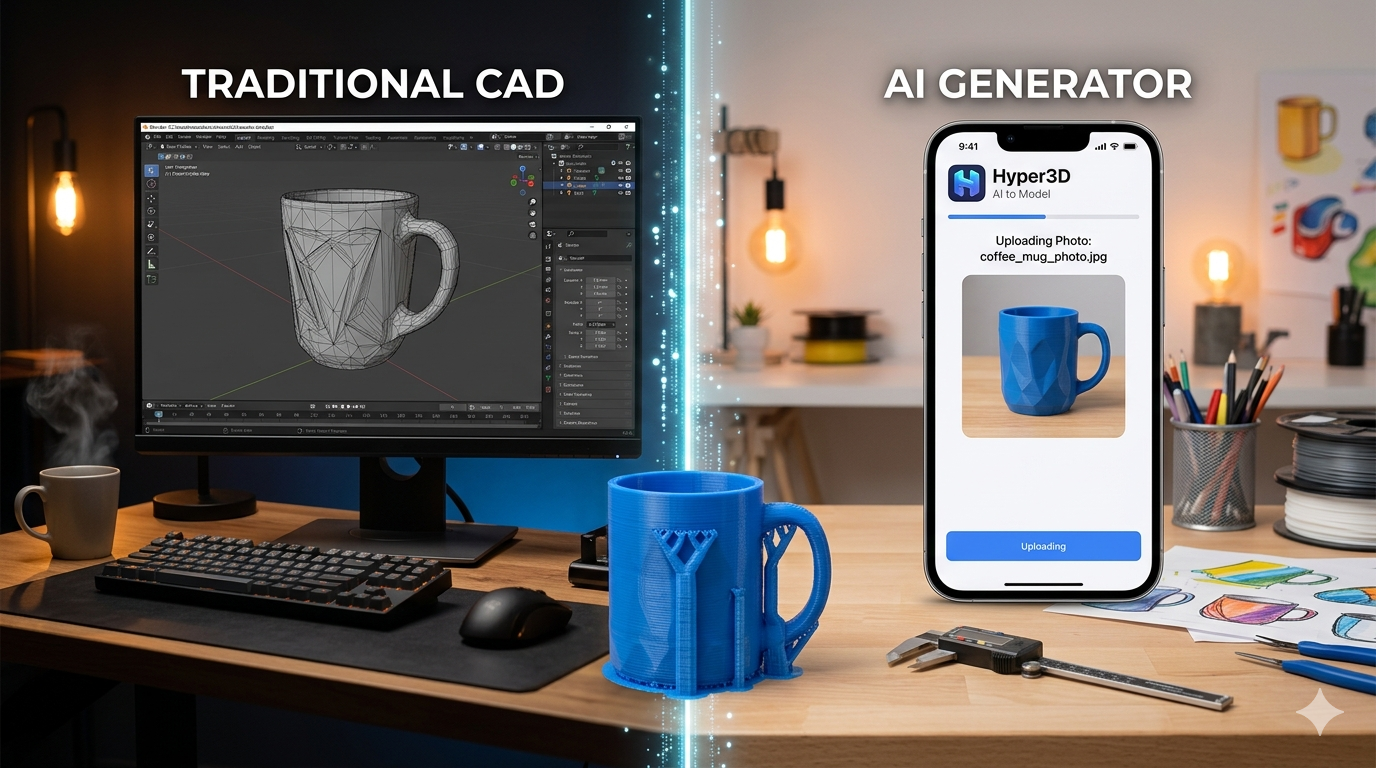
To truly understand how to create printable models with AI, I decided to test it myself. I used an AI 3D print generator to turn a simple photo into a printable model. I took a picture of a coffee mug on my desk?? simple, recognizable shape. I uploaded the image to the tool and waited. The process was surprisingly fast. Within about a minute, the AI had generated a 3D model of the mug. The platform was intuitive and easy to navigate. The user interface was clean and uncluttered, which made the process of uploading the image and generating the model straightforward. I was impressed by the speed of the AI, which was able to process the image and create a 3D model in such a short amount of time. This is a testament to the power of AI and its ability to automate complex tasks.
The initial result was impressive. It had clearly identified the main shape of the mug, including the handle. The model wasn't perfect; the handle was a bit thicker than in the photo, and the rim was slightly uneven. But with a few clicks, I was able to use the platform's editing tools to clean it up. I used the Focal generation mode, which seemed to provide a good balance between speed and detail. I also experimented with the Speedy and Zero modes. Speedy was even faster, but the model was less detailed. Zero produced a highly detailed model, but it took a bit longer to generate. After a few minor adjustments, I exported the model as an STL file, ready for printing. The entire process, from photo to printable file, took less than five minutes. It was a fascinating look at how AI is making complex tasks more accessible and is a key part of learning how to make 3d printer models today. The ability to quickly iterate on a design is a huge advantage. With traditional modeling software, making even minor changes can be a time-consuming process. But with an AI-powered tool, you can generate multiple variations of a model in a matter of minutes. This allows you to experiment with different ideas and find the perfect design without spending hours on manual modeling.
Traditional CAD vs. AI Generators: A Comparison
So, which method is right for you when learning how to make 3d printer models? Both traditional CAD and AI generators have their place. The best choice depends on your project and your skill level.
| Feature | Traditional CAD Software | AI 3D Model Generators |
|---|---|---|
| Control | Complete, precise control over every detail. | Limited control; the AI makes most of the decisions. |
| Skill Level | High. Requires significant time to learn. | Low. Anyone can use it with minimal instruction. |
| Speed | Slow. Can take hours or days to create a complex model. | Fast. Generates models in minutes. |
| Use Case | Engineering parts, precise prototypes, complex designs. | Quick concepts, artistic models, personalized items. |
Ultimately, these two approaches aren't mutually exclusive. Many designers are now using AI to quickly generate a base model and then importing it into a traditional CAD program for further refinement. This hybrid approach combines the speed of AI with the precision of CAD.
Getting Started with Hyper3D's AI Suite
If you're ready to dive into AI-powered 3D modeling, Hyper3D offers a suite of tools to get you started. These tools are designed to be intuitive and powerful, allowing you to create, edit, and convert 3D models with ease. This is a great way to get started with 3D modeling.
From Text to 3D Model
Have an idea for a model but don't have a reference image? With Hyper3D's text to 3D model tool, you can simply describe what you want to create. The AI will interpret your text and generate a 3D model for you. It's a fun and easy way to brainstorm ideas and create unique designs.
From Image to STL
As I described in my first-hand experience, the AI 3D print generator can turn a 2D image into a 3D model. This is perfect for creating models of existing objects or turning your drawings into physical creations. The tool supports various output formats, including STL, making it easy to prepare your model for printing.
Editing and Converting with OmniCraft
Once you've generated a model, you might want to make some adjustments or convert it to a different file format. Hyper3D's 3D format converter, OmniCraft, is a powerful tool for editing and converting your models. You can refine the mesh, adjust the shape, and export your model in a variety of formats, including FBX, OBJ, and GLB.
FAQ: Answering Your Questions
What is the easiest way to make a 3D model?
For absolute beginners, an AI-powered 3D printing model generator is the easiest way to start learning how to make 3d printer models. Tools like those offered by Hyper3D allow you to create models from text or images without any prior experience.
Can I turn a photo into a 3D model?
Yes, you can. Image-to-3D tools use AI to analyze a photo and generate a 3D model from it. The quality of the model will depend on the complexity of the image and the quality of the AI tool.
What is the best free 3D modeling software for beginners?
Tinkercad is widely regarded as the best free 3D modeling software for beginners due to its simple, intuitive interface. For those willing to invest more time, Blender is a powerful, free, and open-source option.
How long does it take to learn 3D modeling?
The learning curve for 3D modeling varies greatly depending on the software. You can learn the basics of Tinkercad in an afternoon, while mastering a program like Blender can take months or even years.
What file format is best for 3D printing?
The STL (Stereolithography) format is the most widely used file format for 3D printing. It's compatible with almost all 3D printers and slicing software.
Conclusion
Learning how to make 3D printer models is more accessible than ever before. While traditional CAD software still offers unparalleled precision and control, AI-powered tools have opened the door for everyone to participate in the world of 3D design. Whether you choose to master a traditional program, experiment with an AI 3D model generator, or combine both, the power to create is at your fingertips. The best way to learn is to start creating, so pick a tool and bring your ideas to life. The journey of learning how to make 3d printer models is an exciting one, and with the right tools, you can create anything you can imagine.