




Import Models Into Hyper3D Tools
Choose the appropriate Hyper3D tool for editing, texturing, viewing, or converting models, and check supported formats, file limits, subscription requirements, and credit costs before uploading.
Import Models Into Hyper3D Tools
Hyper3D browser tools accept different file types because editing, texturing, viewing, and conversion have different technical requirements. Check the active tool before upload rather than assuming every Hyper3D feature accepts the same formats.
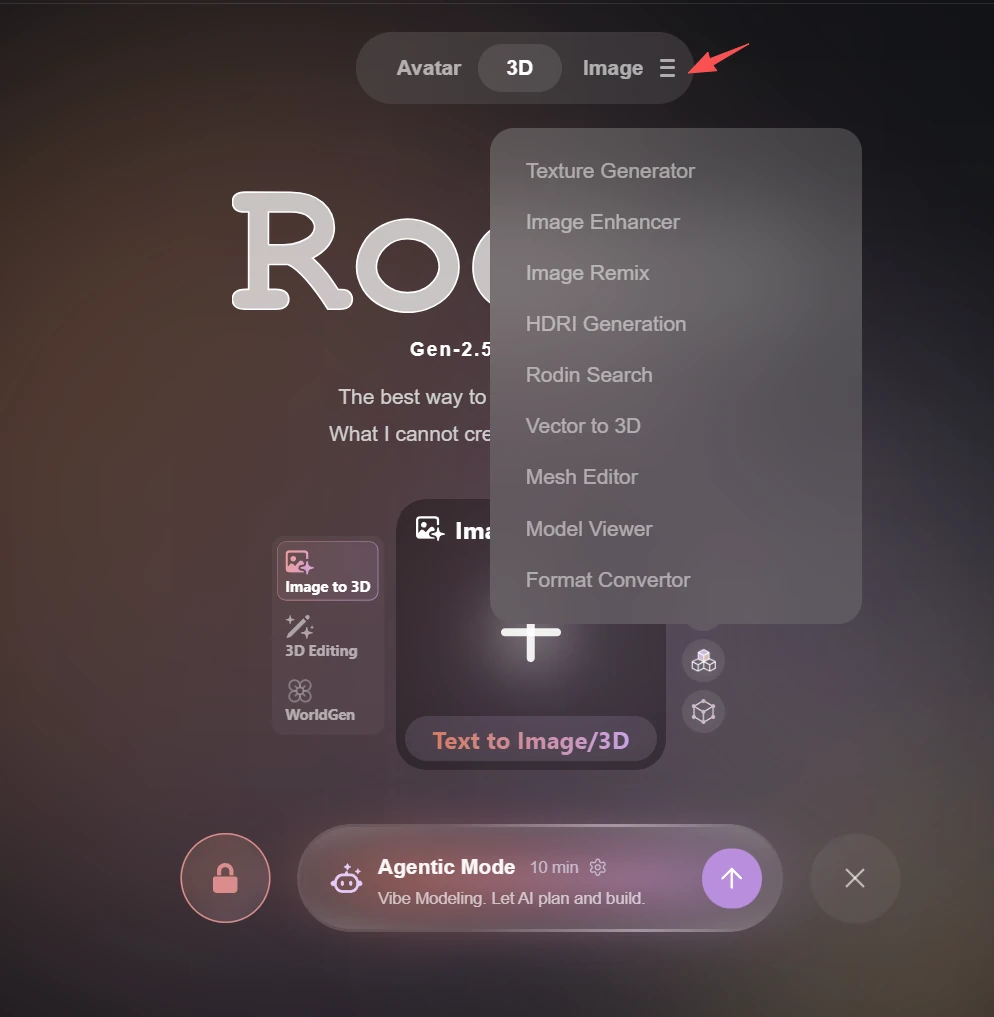
Choose the destination tool
Use OmniCraft Mesh Editor for sculpting, painting, and remeshing; AI Texture Generator for applying a new material direction; Model Viewer for inspection; and Format Converter for supported local conversions. Each tool displays its current format and file-size limits.
Usage Notes
Before using a tool, check the required subscription plan and credit cost on the webpage. If an error occurs, check potential causes such as file size limits, model watertightness, and format compatibility. If the issue persists and you cannot resolve it, contact Hyper3D Support for assistance.