AI Retro 3D Model Oluşturucu

Cassette decks, CRT monitors, chrome diner props — generate retro 3D models from photos or prompts, then remesh, texture, and export them for games, renders, or print.

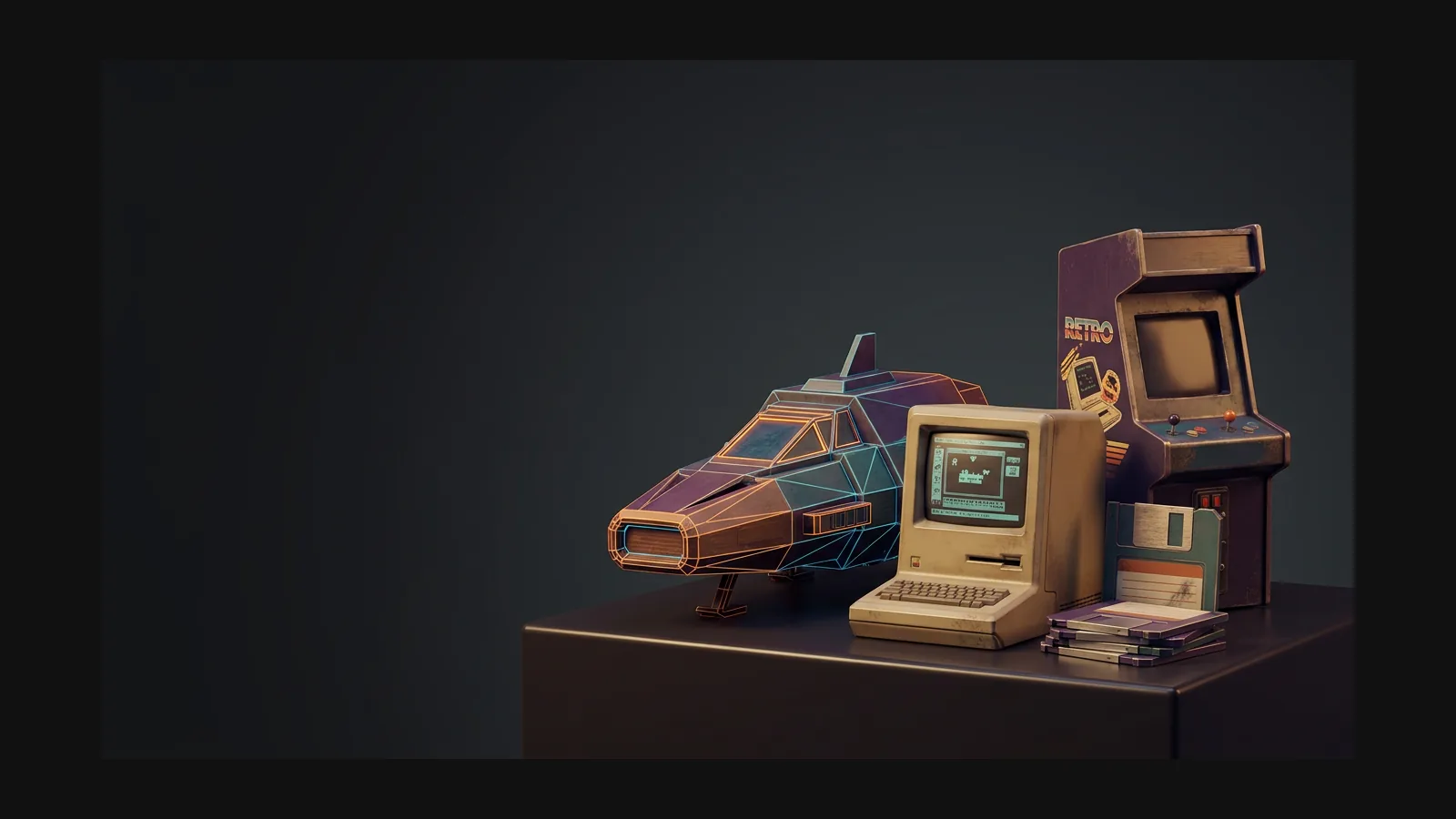
Retro 3D model generator hero image

Bir 3D modeli retro yapan nedir

Retro is not one look — it is a stack of decades, each with its own materials and silhouettes. Pick the era first; the prompts get specific on their own.

1970'ler ürün tasarımı

Warm plastics, wood-grain veneer, brushed-aluminum faceplates. Prompt for rounded rectangles, chunky dials, and orange-brown palettes to nail hi-fi gear and kitchen appliances from the decade.

1980'ler teknoloji ve oyuncak

Beige computer shells, neon accents, angular wedges. Ask for visible screws, vent slots, and two-tone injection-molded plastic to get convincing 80s hardware and action-figure looks.

1990'lar konsol dönemi

Translucent shells, blobby ergonomics, early-3D chunkiness. Pair these cues with a hard polycount cap from the low-poly style and props read like they shipped on a fifth-gen console.

Retro-fütürizm

Atomic-age chrome, tail fins, bubble canopies, cassette-futurism panels. Describe the imagined future — “a 1960s vision of a space heater” — and let the worn textures carry the age.

Kopyalanabilir retro prompt tarifleri

Steal these starting points: swap the subject, keep the material and wear cues. The quoted text goes straight into text-to-3D, or rides along as a note on an image upload.

80'ler müzik seti

“A 1980s boombox with dual cassette decks, chrome speaker grilles, chunky buttons and a worn carry handle, two-tone gray plastic.” Push roughness afterwards so the plastic looks handled, not showroom-fresh.

Diner müzik kutusu

“A 1950s chrome jukebox with bubble tubes, rounded glass top and glowing amber buttons, polished steel and enamel.” A retro-futurist hero prop — keep it clean and let the chrome do the talking.

90'lar CRT monitör

“A beige 1990s CRT computer monitor with curved glass screen, ventilation slots and yellowed plastic, slightly grimy.” The yellowed-plastic cue does more era work than any decade label.

Eskimişliği dokular anlatır

Factory-fresh surfaces break the retro illusion. After generation, push roughness variation, yellow the plastics, fade the label print, and leave sticker residue where thumbs would have been. The AI texture generator can re-skin the same mesh from mint to well-loved, and PBR maps keep that wear consistent under any lighting.

Retro 3D modeller nasıl oluşturulur

Three passes take a reference from “found in a thrift store” to “sitting in my scene”. No sculpting seat time required.

1

Dönem referansıyla başlayın

Upload a photo — an old catalog scan, an auction listing, a toy on your desk — or write a prompt that names the decade, the material, and the wear.

Old catalog photo uploaded as retro 3D model reference
2

Üretin ve varyantları karşılaştırın

Rodin returns a textured mesh in seconds. Run two or three takes with different era cues and keep the one whose silhouette feels right from across the room.

AI generating a textured retro 3D model from the reference
3

Remesh, doku, dışa aktarma

Set a polycount, bake the PBR maps, then export GLB for web, FBX or OBJ for engines and DCC tools, or STL when the asset is headed to a printer.

Exporting the finished retro 3D model as GLB, FBX, OBJ or STL

Gerçek 3D varlıklar üretenlerin güvendiği

Yaratıcılar Hyper3D ile Retro referansları ve promptları düzenlenebilir 3D modellere dönüştürür.

AI 3D just hit a new threshold. Rodin Gen-2.5: Geometry in ~4s, full model in ~5s, 10M+ polygons, clean structure, production-ready outputs. This is the moment AI 3D becomes an actual pipeline tool.

Sabir Hussain

Sabir Hussain

AI & Tech Enthusiast

Tested Rodin Gen-2.5 from Hyper 3D. Cleaner meshes, sharper surface detail, stronger multi-angle coherence. The results feel much closer to something you’d actually keep iterating on inside a real workflow.

BubbleBrain

BubbleBrain

AI Enthusiast

Rodin Gen 2.5 is a game-changer. 10M+ polygons, 3D-native textures, and seriously good results on complex high-poly models. Production-ready assets just got a lot closer.

Lagerskoy

Lagerskoy

Hunter & Builder

Retro 3D model oluşturucu SSS

Era cues, polycounts, formats, and how retro differs from its blockier neighbors.

What counts as a retro 3D model?

Anything that borrows its design language from roughly the 1950s through the 1990s: wood-grain hi-fi gear, beige computers, chrome diner fixtures, translucent 90s shells. In Rodin you get there through prompts and reference images — name the decade, the material, and the wear, and the generator follows.

Is this the same as pixel art or voxel style?

No. Retro styles the object itself — era-correct shapes and materials on standard smooth geometry. If you want blocky, grid-based looks, the Pixel Art and Voxel style pages cover that ground properly.

Can I rebuild a real vintage product from a photo?

Yes. Image to 3D works well with old catalog scans, auction listing photos, or a thrift-store find shot on your phone. One clear three-quarter view beats five blurry angles. For branded items, swap out logos before any commercial use.

How do I get PS1-style low-poly retro assets?

Generate with the era prompts from this page, then set an aggressive polycount target in the remesh step. The Low Poly page covers polygon budgets in detail — combine both and props look period-correct and run anywhere.

Which export formats fit retro projects?

Games and DCC tools: OBJ or FBX. Web configurators and AR: GLB or USDZ. Printing a desk-sized cassette deck? STL is your format.

How do I make new models look decades old?

Texture work. Use the AI texture generator to add UV yellowing, scuffed edges, faded print, and fingerprint grime. Age lives in the roughness map far more than in the geometry.

What belongs in a good retro prompt?

Decade, object, two materials, one wear cue. “A 1970s rotary desk phone, avocado-green plastic and chrome dial, light scratches” beats a paragraph of adjectives. Text to 3D handles the rest.

Retro 3D modeller üretmeye başlayın

Pick a decade, feed Rodin one reference, and drop an editable era prop into your scene today — then come back for the rest of the set.