
AI 3D 자동차 모델 생성기 — 자동차 디자인을 위해

스케치나 참고 사진을 몇 분 만에 텍스처 입힌 3D 자동차 모델로. 비율과 스탠스를 먼저 검토한 뒤 OBJ, FBX, GLB로 서피싱 파이프라인에 전달하세요.
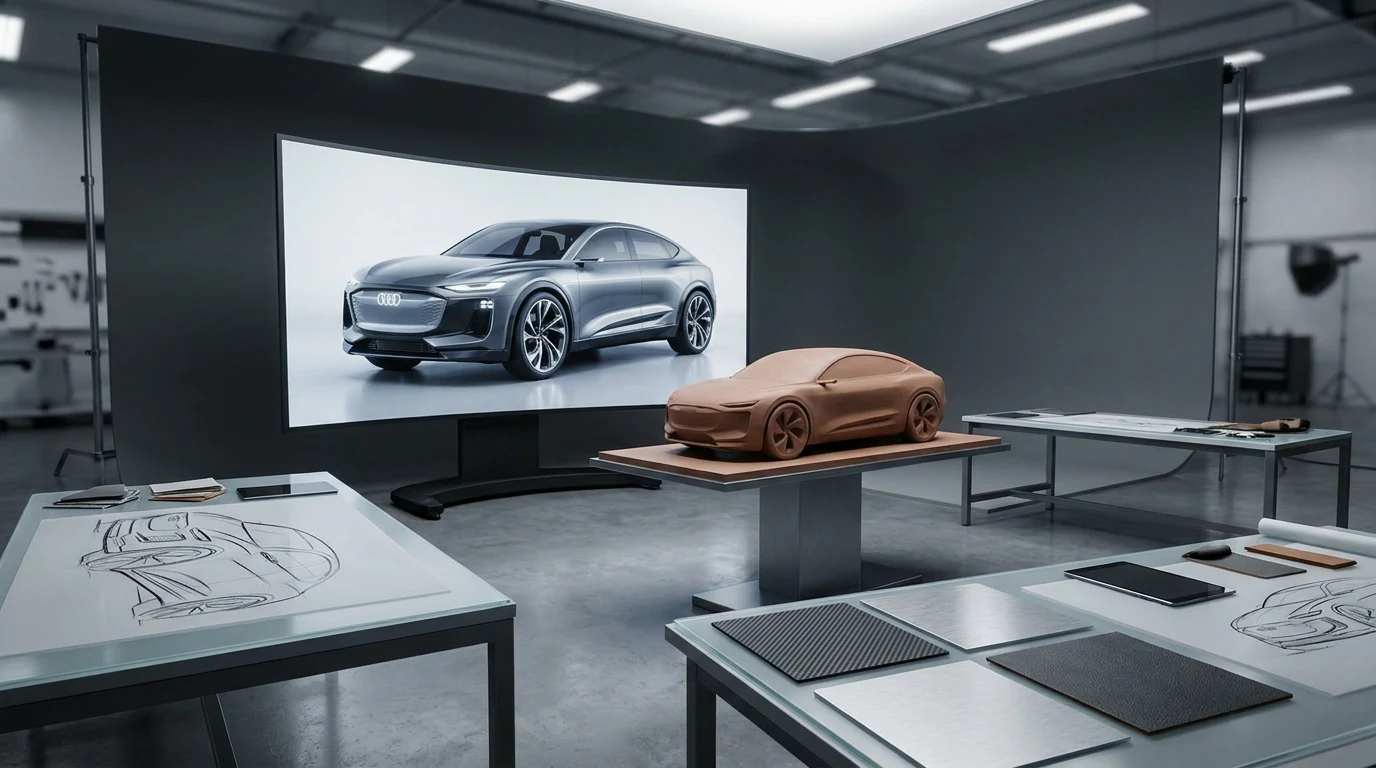
AI-generated 3D concept car model on a dark studio turntable — automotive concept visualization with Hyper3D

스케치 속도로 하는 콘셉트 반복

Theme development lives or dies on how many directions you can put in front of the room. A body-side sketch says a lot, but reviews get decided in 3D. Wheelbase, overhangs, greenhouse taper, the way a shoulder line catches light — none of it reads reliably on paper.
Explore image to 3D
Explore image to 3D

스케치에서 3D 자동차 모델로

Three steps between a reference and something you can spin in a review — with no modeling queue in the middle.

  1. Step 1 — Reference
    Uploading a car design sketch as reference for the AI 3D car model generator

    Upload a sketch or photo

    Feed Rodin a body-side sketch, a three-quarter render, or photos of a clay model. A short prompt pins stance, era, and trim.

    .png / .jpg reference · prompt optional
  2. Step 2 — Generate
    AI generating a textured 3D car model with PBR materials from the reference

    Get a textured volume model

    Rodin builds a watertight mesh with PBR materials — paint, glass, and tires read correctly on a turntable within minutes.

    watertight mesh · PBR maps · minutes per pass
  3. Step 3 — Export
    Exporting the generated 3D car model as OBJ, FBX, GLB, USDZ, or STL

    Drop it into your pipeline

    OBJ or FBX as reference geometry for Alias or Blender, GLB for a web configurator, USDZ for AR reviews, STL for a printed scale model.

    OBJ · FBX · GLB · USDZ · STL

생성 모델이 실제로 쓰이는 곳

Concept meshes don't replace Class-A surfacing — they replace the waiting. Use them wherever speed beats G2 continuity.

Theme exploration

Theme exploration

Put five body-side directions on a turntable before a modeler books time. Judge stance, proportion, and DLO in 3D, not on paper.

Configurators & AR walkarounds

Configurators & AR walkarounds

Export GLB for web configurators or USDZ for AR reviews on an iPad — remesh first so file weight stays showroom-friendly.

Wheels, trim, and accessories

Wheels, trim, and accessories

Generate wheel, mirror, or interior accent studies from photos, then tighten the geometry in the OmniCraft mesh editor.

Printed scale studies

Printed scale studies

Watertight meshes export straight to STL. Check wall thickness on mirrors and spoilers in the slicer before printing at 1:24.

자동차 파이프라인에 맞는 내보내기

Pick the format the next tool in your chain actually reads. Every export below comes from the same generated mesh.

OBJ / FBX — surfacing reference

Import into Blender, Maya, or Alias as an underlay. The surfacing team models against it instead of interpreting a sketch.

GLB / glTF — configurators & web

Geometry and PBR textures in one file. Drops into three.js dealer tools and review turntables without a bake step.

USDZ — AR design reviews

Quick Look on iPhone and iPad. Park the concept in the studio courtyard at full scale, mid-review.

STL — scale models

Watertight output for slicers. A 1:24 desk study prints overnight on a desktop FDM machine.

PBR texture maps

Base color, normal, metallic-roughness. Swap a body color or age the tires with the AI texture generator — geometry untouched.

Remesh & decimate

The OmniCraft mesh editor reduces a dense generation to a real-time budget before GLB export — configurators stay smooth on phones.

AI 자동차 모델 생성기 FAQ

Straight answers on meshes vs. Class-A, CAD-adjacent formats, poly budgets, and what makes a good reference.

Can AI generate a usable 3D car model from a sketch?

Yes — for concept work. A clean body-side or three-quarter sketch gives Rodin enough to build a textured volume model you can spin in a review. The clearer the silhouette, the better the proportions survive.

Will the output open in Alias, VRED, or Blender?

As reference geometry, yes. Export OBJ or FBX and import it as an underlay or context prop. Class-A surfacing still happens in your surfacing tool — the mesh is the target to model against, not the final surface.

Is this CAD? Do I get NURBS or STEP files?

No. Output is polygon mesh — OBJ, FBX, GLB, USDZ, STL — not NURBS or STEP. That makes it wrong for tooling and homologation, and right for theme iteration, visualization, and reviews upstream of CAD.

How do I keep the poly count usable in a web configurator?

Remesh, then export. The OmniCraft mesh editor reduces a dense generation to a real-time budget before you export GLB for three.js or a dealer tool.

Can I print a scale model of the concept?

Yes. Meshes export watertight, so STL goes straight to your slicer. At 1:24, watch wall thickness on mirrors, spoilers, and antennas — thicken or drop them before printing.

What reference images work best for car models?

Side views and three-quarters on a clean background. Keep one design language per generation — mixing a '60s coupe photo with a modern EV render averages into mush. Short prompts pin stance, era, and trim.

Can I use generated models in client or OEM work?

Generally yes — Hyper3D is built for professional work. Check your plan terms and the rights on your references, especially photos of existing production cars, before assets leave the studio.

실제 3D 에셋을 만드는 크리에이터가 신뢰

크리에이터는 Hyper3D로 레퍼런스와 프롬프트를 편집 및 내보내기 가능한 3D 모델로 바꿉니다.

AI 3D just hit a new threshold. Rodin Gen-2.5: Geometry in ~4s, full model in ~5s, 10M+ polygons, clean structure, production-ready outputs. This is the moment AI 3D becomes an actual pipeline tool.

Sabir Hussain

Sabir Hussain

AI & Tech Enthusiast

Tested Rodin Gen-2.5 from Hyper 3D. Cleaner meshes, sharper surface detail, stronger multi-angle coherence. The results feel much closer to something you’d actually keep iterating on inside a real workflow.

BubbleBrain

BubbleBrain

AI Enthusiast

Rodin Gen 2.5 is a game-changer. 10M+ polygons, 3D-native textures, and seriously good results on complex high-poly models. Production-ready assets just got a lot closer.

Lagerskoy

Lagerskoy

Hunter & Builder

첫 3D 자동차 모델을 생성해 보세요

One sketch in, one textured volume model out. Free to try — export when it earns a place in your next review.
