




Create 3D Scenes With WorldGen in Rodin Workspace
WorldGen is the scene workflow inside Rodin Workspace. Unlike Image to 3D, which focuses on one asset, WorldGen starts from a scene image and lets you choose which objects should become editable 3D content.
# Product Features
Users just need to simply upload a single scene image, and Hyper3D WorldGen automatically identifies the major objects within it. Users can also manually select specific objects or regions for generation. WorldGen then reconstructs the scene as a complete 3D environment composed of multiple editable, replaceable, and interactive assets.
To balance visual completeness with scene usability, WorldGen adopts a hybrid representation that combines Mesh and 3D Gaussian Splatting. Objects that need to be edited or interacted with are generated by Hyper3D Rodin as independent Mesh assets, with complete geometry and physical properties. The surrounding environment is represented through 3D Gaussian Splatting, preserving richer environmental information and a more immersive sense of space.
WorldGen also predicts each asset’s 3D position, scale, orientation, and spatial relationships, while estimating physical properties such as collision bodies, mass, and friction. As a result, the output is no longer just a 3D scene that can be viewed. It is a structured, physically grounded 3D world composed of independent objects, spatial relationships, and physical constraints—one that can be further edited, simulated, and interacted with.
Upload a readable scene image
Select WorldGen, upload one scene image, and pick the objects that matter. Use a reference with clear perspective, visible spatial anchors, and separable major objects. Heavy occlusion, extreme lens distortion, and dark areas make object selection and placement less reliable.
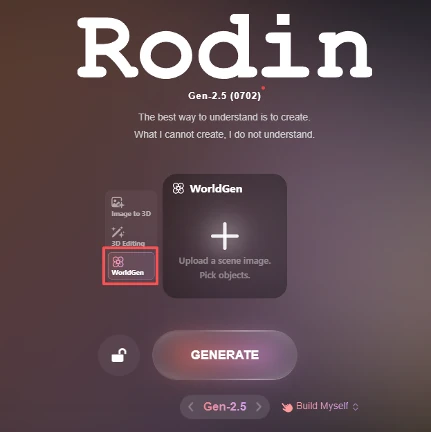
Choose the creation mode
- Manual is the manual path when you want to control what is created.
- Auto uses AI assistance for selected 3D objects.
- Agentic Mode is vibe modeling, which let AI plan and build.
Choose based on the editability you need. A complete scene is not the same deliverable as a collection of independent production meshes.
Validate the downstream package
Before using the result in a DCC tool or engine, inspect which elements are separate objects and which belong to the Gaussian environment. Check transforms, pivots, materials, occlusion, and editability in the actual exported package. Follow the current workspace for available processing and export options.