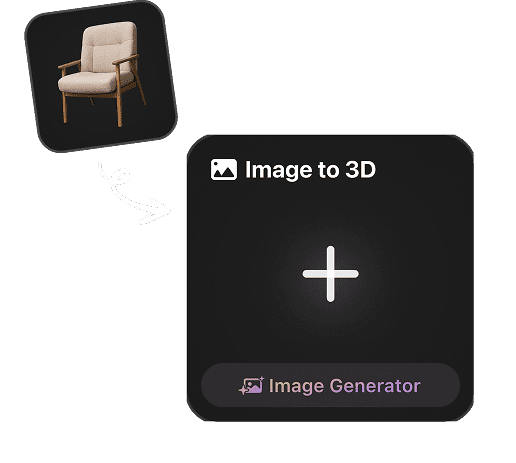

Image to 3D Model Generator

Convert a picture, product photo, or concept image to a textured 3D model in seconds. Our AI image to 3D generator creates export-ready assets for games, AR, and 3D printing online.

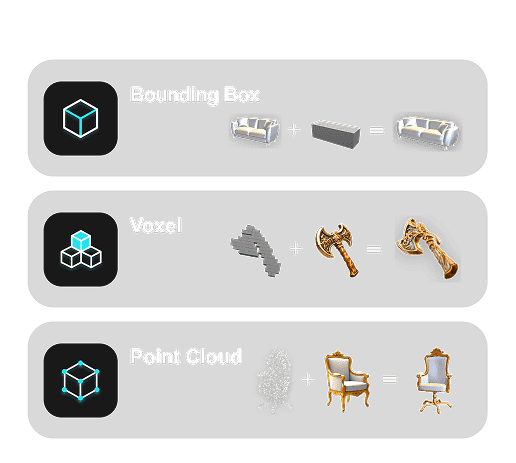
ControlNet
Bounding Box ControlNet
ControlNet
Voxel ControlNet
ControlNet
PointCloud ControlNet
ControlNet
Image to 3DImage to 3D
Text to Image/3D
Remix Gen
Turbo Gen
3D Editing
3D Editing
leftdefaultIcon
Gen-2.5
rightarrowIcon
Select Effort
High
Thinking Effort
Extreme-Low~ 4s
Low~ 9s
Medium~ 20s
High~ 40s
Extreme-High~ 80s
GENERATEFree Preview

How to Convert an Image to a 3D Model

Upload a photo, generate AI 3D geometry and textures, then export a usable 3D model for your pipeline.

1

Upload One or More Images

Start with a product photo, character reference, 2D cartoon, concept image, or multiple views when your image to 3D model needs extra detail.

Upload a source image for AI 3D generation
2

Generate AI 3D Geometry and Textures

Hyper3D analyzes depth, silhouette, structure, and surface detail to turn your photo to 3D model output with clean geometry and AI texturing.
AI analysis creates geometry and texture
3

Preview, Refine, and Export

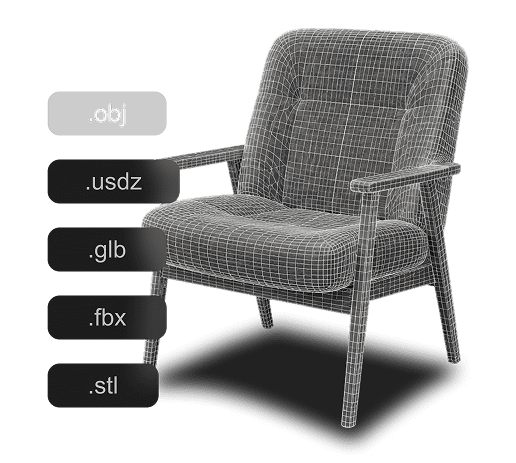
Review the generated 3D model, refine the result, and export image to 3D assets for GLB, OBJ, FBX, USDZ, STL, and real-time workflows.
Download the generated 3D model

Single-Image to 3D · Multi-View to 3D

Single-Image and Multi-View Input

Start from one photo or combine several angles — Hyper3D's image to 3D AI adapts to whatever input you have.

Uploading a product photo to the Hyper3D generator

Single-Image to 3D

Upload one clear photo and Hyper3D reconstructs a complete 3D model, predicting the unseen sides with AI trained on millions of objects. Ideal for fast concepts, product shots, and one-off assets.

Multi-View to 3D

Add front, side, and back images of the same subject to lock in accurate proportions and sharper surface detail. More views give the AI more context for production-ready geometry.

Trusted by creators, studios & enterprises

Trusted by professional 3D teams

Hyper3D Rodin comes from the team behind CLAY and CAST — research honored with a SIGGRAPH Best Paper award. Over 10 million creators and 100+ business clients rely on it to turn images into production-ready 3D.

Start for Free
10,000,000+ registered creators
SIGGRAPH Best Paper–winning research
100+ business clients
4.6★ from 203 reviews

I dropped a single product photo in and had a clean, textured mesh in under a minute — topology good enough to send straight into our game engine.

Marcus Lee

Marcus Lee

Technical Artist, indie game studio

We turn reference photos into base meshes for concept sculpts. It saves the team hours every week, and the PBR textures are genuinely usable.

Elena Rossi

Elena Rossi

3D Character Artist

Exported an STL from a toy photo, sliced it in PrusaSlicer, and it printed watertight on the first try — no mesh repair needed.

Dev Patel

Dev Patel

Product Designer & Maker

Multi-view mode nailed the proportions on a mechanical part that other tools turned to mush. Sharp edges, clean surfaces.

Sophie Nguyen

Sophie Nguyen

Hard-Surface & CAD Modeler

For e-commerce we convert catalog photos to 3D and drop them into AR with USDZ. Setup took minutes and product engagement went up.

James Carter

James Carter

E-commerce 3D Lead

Rodin Gen-2.5 is a step change — geometry in seconds, 10M+ polygons, clean structure, production-ready output.

Sabir Hussain

Sabir Hussain

AI & Tech Creator

Why Choose Hyper3D for Image to 3D Conversion?

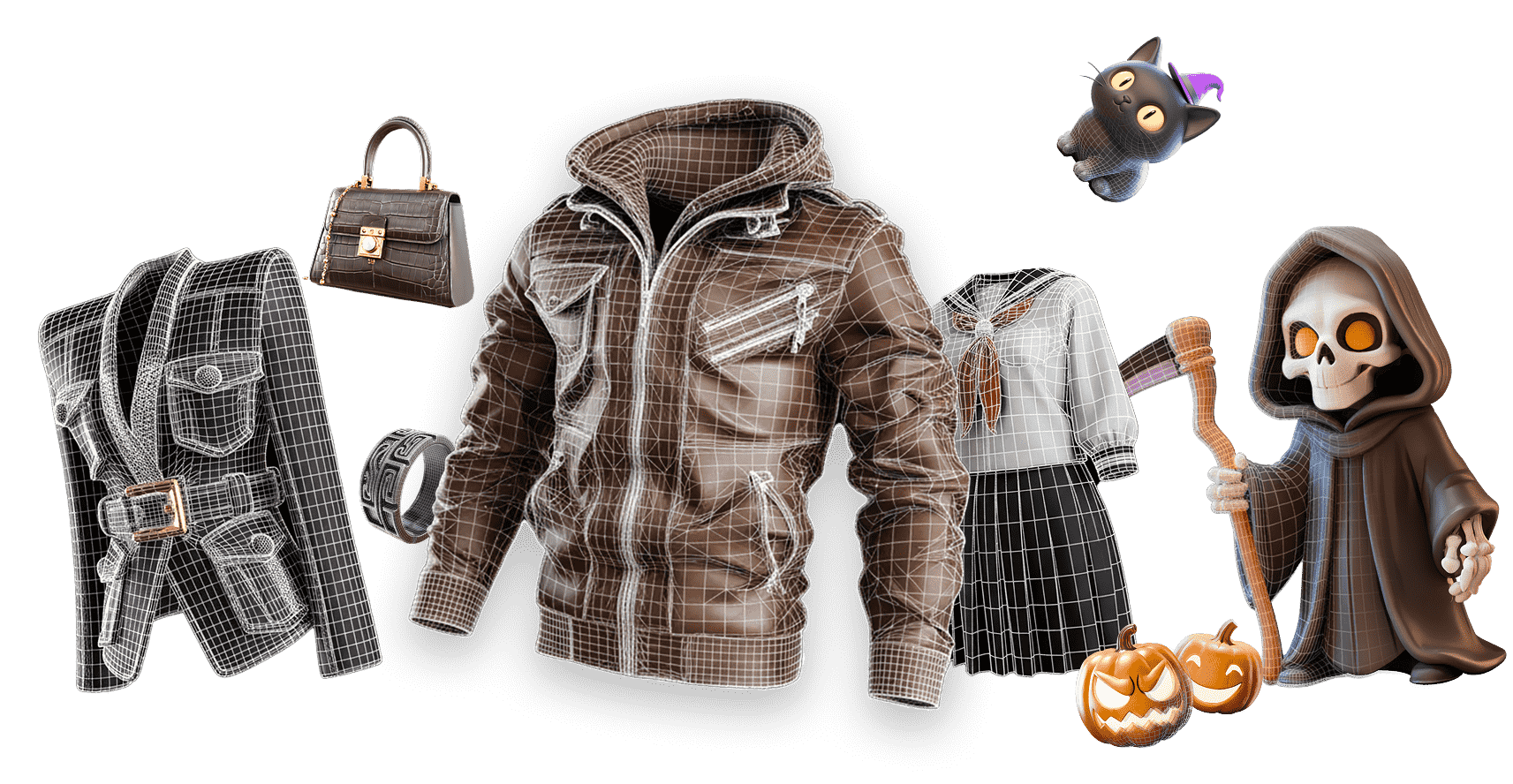
Hyper3D turns flat 2D images into detailed, textured 3D models with a workflow built for creators, studios, and product teams. Move from picture to 3D model faster while keeping the output practical for downstream tools.
Why Choose Hyper3D for Image to 3D Conversion? visual

Production-ready output

Sharp, clean 3D from a single image

Hyper3D reconstructs crisp silhouettes, well-defined edges, and clean topology — not blobby approximations. Every model ships with PBR textures and watertight geometry that's ready for games, AR, and 3D printing.

Sharp, clean 3D from a single image

Sharp, well-defined edges

Crisp silhouettes and hard-surface detail survive the conversion, so props, products, and mechanical parts stay accurate.

Clean, usable topology

Evenly distributed meshes that are easy to retopologize, rig, and animate in your downstream pipeline.

PBR textures included

Albedo, roughness, and metalness maps generate automatically for realistic, engine-ready materials — no manual texturing.

Watertight & print-ready

Solid, manifold geometry exports straight to STL or 3MF and slices cleanly, with no holes or non-manifold errors.

Who Uses Hyper3D?

AI 3D generation for teams that need usable 3D assets quickly.

Game Developers

Game Developers

Convert concept art, 2D cartoons, and reference images to 3D assets for Unity, Unreal Engine, and rapid game prototyping.

Product Teams

Product Teams

Turn product images to 3D models for interactive product views, configurators, marketplace previews, and visualization.

Educators & Students

Educators & Students

Use picture to 3D model generation to bring biology, architecture, history, and classroom references into 3D.

Artists & 3D Creators

Artists & 3D Creators

Create textured 3D models from images for animation, digital collectibles, moodboards, portfolio work, and personal art.

Why AI beats manual 3D

Photo to 3D vs traditional 3D creation

Skip the slow, expensive parts of 3D. Hyper3D turns a single photo into a usable model in seconds — no scanning rigs, no manual box-modeling, no marketplace hunting.

Image to 3D vs traditional 3D creation

Faster than photogrammetry

No turntables, camera rigs, or dozens of shots. One clear image is enough to reconstruct a full 3D model — multiple views are optional.

Cheaper than manual modeling

Generate in seconds what would take hours of box-modeling and sculpting, then refine only the details that matter.

More flexible than stock libraries

Create the exact asset you need from your own reference image, instead of settling for the closest match in an asset store.

Best practices

Tips for the Best Image to 3D Results

A few habits make every conversion cleaner and more accurate.

AI analyzing an uploaded image to reconstruct a 3D model

Shoot one clear, complete subject

Use a well-lit, sharply focused photo of a single object on a clean background, framed without cropping. Heavy shadows, busy scenes, and cut-off edges force the AI to guess.

Give the AI more detail to work with

Higher resolution and extra angles sharpen proportions, surface detail, and textures. Matte, opaque surfaces reconstruct best — glass, mirrors, and glossy metal are hard to rebuild.

Built on award-winning 3D research

Hyper3D Rodin is developed by the team behind CLAY and CAST — work recognized with a SIGGRAPH Best Paper award. That research foundation is why our image to 3D delivers clean topology, accurate geometry, and PBR textures built for real production pipelines, not just quick previews.

Try Rodin Free

The AI Behind Hyper3D Rodin

Image understanding, 3D reconstruction, and AI texturing shaped for production-ready image to 3D output.

Image Understanding

Read object boundaries, visual cues, and source-image context before generating the 3D model.

3D Reconstruction

AI image to 3D algorithms interpret shape, depth, texture, and lighting to rebuild realistic object geometry.

AI Texture Generation

AI models create high-quality surface materials from input images, helping photo to 3D model results look complete.

Pipeline-Ready Output

Specialized image to 3D processing helps transform visual references into practical assets for design, CAD, AR, and 3D printing.

Frequently Asked Questions

Answers for creators comparing AI image to 3D generators, photo to 3D model workflows, and export-ready 3D assets.

How do I convert an image to a 3D model?

Upload a clear photo, click Generate, and Rodin reconstructs the geometry and PBR textures in seconds — base shape in about four seconds, a full textured model in around five. Preview it in your browser, refine if needed, then export GLB, FBX, OBJ, STL, USDZ, and more. No 3D experience or software install required.

Is Hyper3D free to use?

Yes. You can start converting images to 3D for free, with no credit card required. Free credits let you generate and export real models; paid plans add higher resolution, more generations, and commercial licensing.

What is the best AI for image to 3D?

Hyper3D Rodin is built by the team behind CLAY and CAST — research awarded a SIGGRAPH Best Paper. Rodin Gen-2.5 returns clean, high-poly geometry (10M+ polygons) with production-ready topology and PBR textures from a single photo, which is why over 10 million creators and 100+ studios rely on it.

How long does a generation take?

Most models generate in seconds. With Rodin Gen-2.5, base geometry returns in roughly four seconds and a full, textured model in about five — larger or multi-view jobs take a little longer.

What image formats can I upload?

Hyper3D accepts common image formats including JPG, PNG, and WebP. A sharp, well-lit photo of a single subject on a clean background gives the best results.

What 3D file formats can I export?

Export to GLB, FBX, OBJ, STL, USDZ, glTF, 3MF, and DXF, so your model drops straight into game engines, DCC tools, AR, and 3D printers.

Can I convert a JPG to an STL file for 3D printing?

Yes. Upload a JPG, generate the model, and export STL or 3MF. Open it in a slicer such as Cura or PrusaSlicer — Rodin's watertight, manifold geometry slices without the hole-filling repairs that scan-based meshes often need. For clean prints, pick a solid, well-defined subject.

Does it work for characters and people?

Yes. Portraits, characters, and figurines convert well — especially with a clear, front-facing image or several views of the same subject. For avatars, try Hyper3D ChatAvatar.

Should I use one image or several?

One clear photo is enough for most objects. For tricky shapes or exact proportions, shoot the front, side, and back of the same subject under consistent lighting and distance, then generate with multi-view — the extra angles anchor depth and reduce invented detail on hidden faces. Quick test: overlay the result's silhouette on each input photo and confirm the outline matches.

Are the models compatible with Blender, Unity, and Unreal?

Yes — two ways. At design time, export FBX or GLB and drag it into your Unity project's Assets folder (or import via FBX/Datasmith in Unreal); it comes in as a prefab with its materials. At runtime, generate a model through the Hyper3D API, download the GLB with UnityWebRequest, and load it with a glTF runtime importer such as glTFast. Meshes also open directly in Blender, Maya, and ZBrush for editing, rigging, and texturing.

Can I use the models in AR or Apple Quick Look?

Yes. Export USDZ and open it on an iPhone or iPad — iOS renders it in AR Quick Look at real-world scale with grounded shadows. For the web and Android, host the GLB and add the model-viewer web component with the ar and camera-controls attributes, so anyone can rotate, zoom, and place your model in their space. It's ideal for product previews and try-before-you-buy.

Can I edit the 3D model after generating it?

Absolutely. Every model is a standard, editable mesh. Refine it in Hyper3D's tools or export it to your favorite DCC app for further sculpting, retopology, and texturing.

Who owns the models, and can I use them commercially?

You own what you create. Paid plans include commercial licensing so you can use your image-generated 3D models in games, products, and client work — see our terms for full details.

Do I need to install software or know 3D modeling?

No. Hyper3D runs in your browser, and the image to 3D workflow is fully automated — upload, generate, and download. No 3D experience required.

What image quality gives the best results?

Use a sharp, evenly lit photo with the subject filling most of the frame — aim for at least about 1024px across the subject. To sanity-check proportions, overlay the generated model's silhouette on your original photo; the outlines should line up. If a dimension looks off, add a second view (side or back) and regenerate with multi-view for a tighter match.

What if my image doesn't produce a good model?

Re-shoot with even lighting, a plain background, and the whole object in frame — cut-off edges and busy backgrounds are the most common culprits. Matte, opaque subjects reconstruct more reliably than glass, mirrors, or glossy metal, so dust reflective props or shoot them under diffuse light. Still off? Add front, side, and back views and regenerate with multi-view.

How accurate are the results?

Very. Backed by SIGGRAPH Best Paper research, Rodin reconstructs faithful shape, proportion, and surface detail with sharp edges and clean topology. Gen-2.5 resolves fine hard-surface features and produces production-ready meshes — not the blobby approximations of earlier tools.

Is this the same as photogrammetry?

No. Photogrammetry stitches dozens of photos into a scan; Hyper3D's AI reconstructs a complete model from a single image — or a few — and predicts the unseen sides. It's faster, needs no capture rig, and returns cleaner topology.

Do the 3D models come with textures?

Yes. Every model includes PBR textures — albedo, roughness, and metalness maps — so it looks realistic in any engine or renderer without extra texturing work.

Are the models watertight for 3D printing?

Yes. Hyper3D produces solid, manifold geometry that exports cleanly to STL or 3MF and slices without holes or non-manifold errors, so prints come out reliable.

Does the image background matter?

A clean or plain background gives the best results. Busy backgrounds can confuse reconstruction, so isolate the main subject when you can — Hyper3D focuses on that subject.

Can I convert many images to 3D at once?

Yes. Higher-tier plans support batch and higher-volume generation for studios and pipelines that need to convert images to 3D at scale.

Is Hyper3D available in my language?

Yes. The Hyper3D image to 3D generator is available in 12 languages, including English, Chinese, Japanese, Korean, German, French, Spanish, Portuguese, and more.

Is my uploaded image kept private?

Your uploads are used to generate your models and are handled according to the Hyper3D privacy policy. You keep ownership of both the images you upload and the 3D models you create from them.

Can I turn product photos into 3D models for my store?

Yes. Image to 3D is popular for e-commerce — convert a single product photo into an interactive 3D model or AR preview for your listings, with no photo studio or manual modeling required.

How do I get the highest-detail 3D model from an image?

Start from a sharp, high-resolution photo of a single, well-lit subject, add extra angles when you can, and choose a higher-quality generation tier. Matte, opaque surfaces reconstruct with the most detail.

Try Hyper3D's AI Image to 3D Generator Today

Your next 3D model starts with a single image. Turn photos, pictures, and concept art into textured 3D assets with Hyper3D for free.